How to Enable a Care Program?
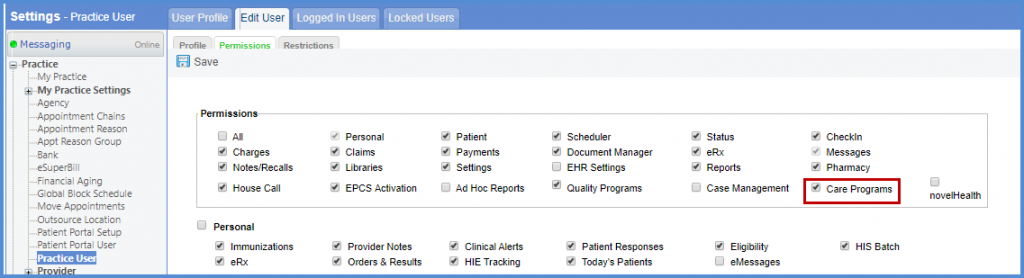
Follow the workflow mentioned above to land o the ‘User Profile’ screen. Search or select the required user. Clicking the required user’s name will display the user’s profile. Click on ‘Permissions’ to display the tab.
In the ‘Permissions’ section, enable the ‘Care Programs’ checkbox.
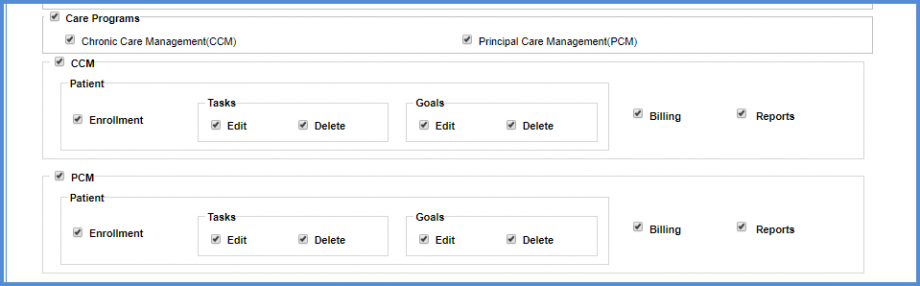
Scroll down to view the ‘Care Program’ section. The user can select a care program from the two care programs shown below.

Marking the checkbox for a care program enables the user to set user specific permissions for that program.
Once the checkbox is marked for a care program, their user specific permissions for components such as ‘Patient’, ‘Billing’ and ‘Reports’ are displayed below.