Expanded Appointment Reminder Configuration
What’s New
-
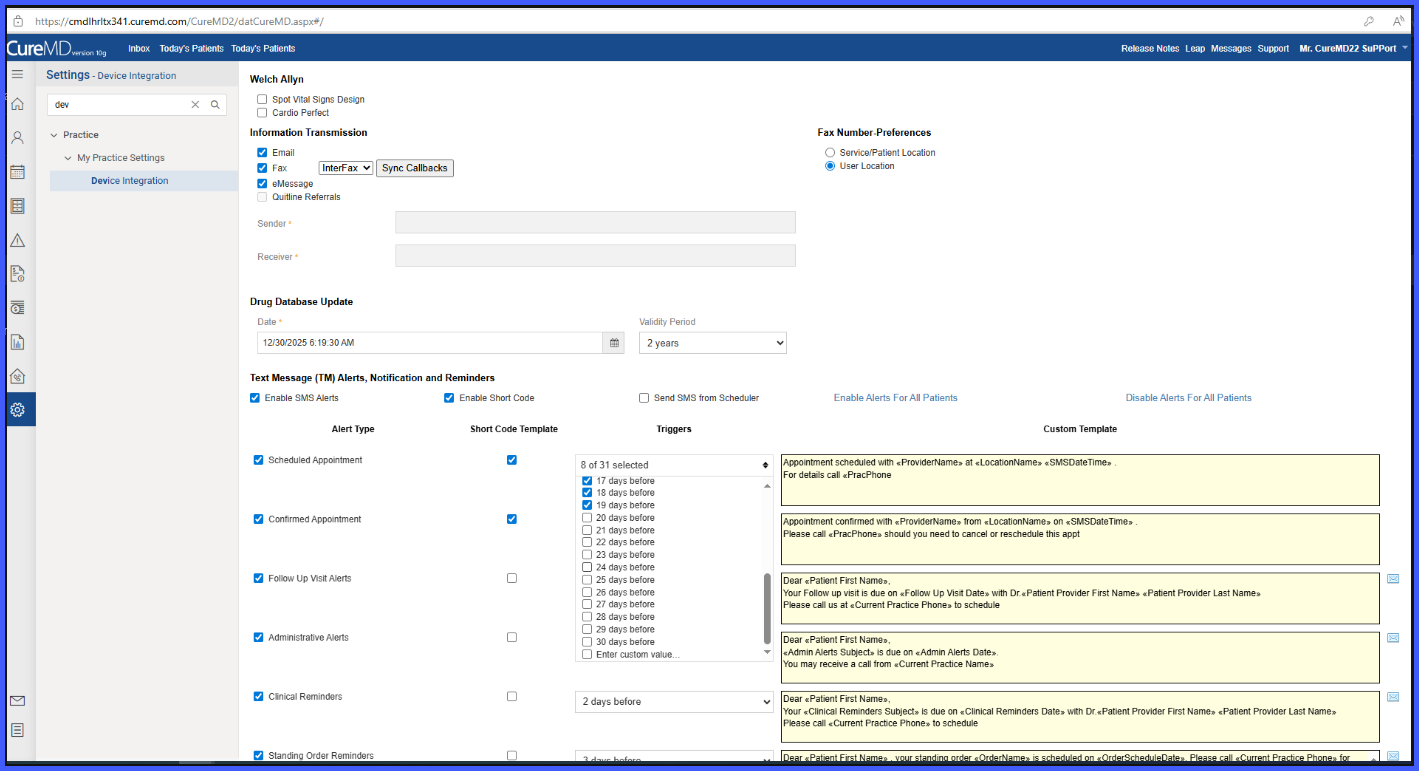
Appointment reminders can be configured for any day between 1 and 30 days before the appointment.
-
A multi-select dropdown allows selection of multiple reminder days at once.
-
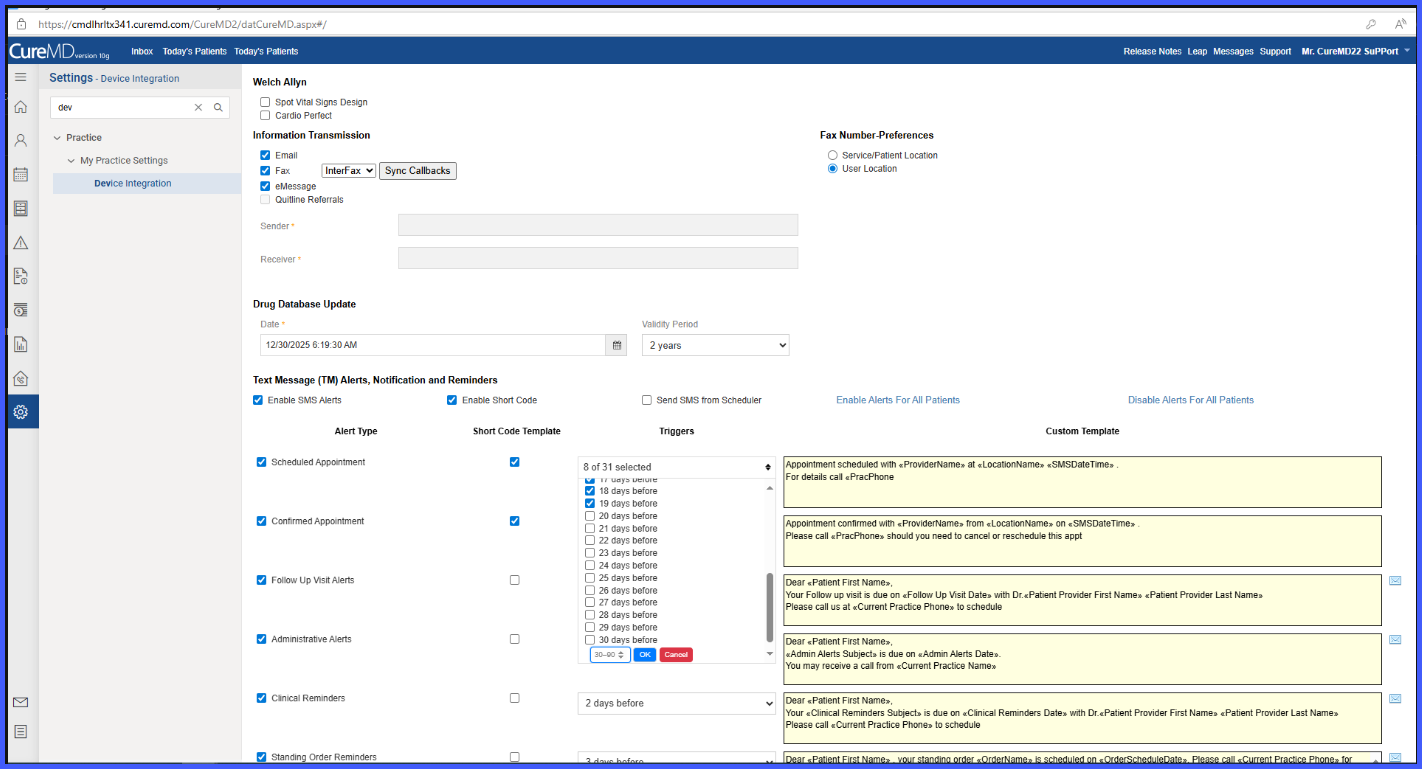
An optional custom reminder day greater than 30 days (up to 90 days) can be configured.
-
Selected reminder days are summarized within the dropdown for easy review.
-
Validation prevents duplicate reminder days between dropdown and custom input.
-
A maximum of 10 total reminder days (dropdown + custom) is enforced.
-
Reminder delivery continues to use the existing SMS framework.
How It Works
-
Navigate to the appointment reminder configuration settings.
-
Open the reminder timing selector.
-
Select one or more reminder days between 1 and 30 days before the appointment using the multi-select dropdown.
-
Review the selected reminder days as summarized within the dropdown.
-
If reminders are needed further in advance, enter a single custom reminder day greater than 30 and up to 90 days.
-
The system validates that the custom day does not duplicate any selected dropdown value and that the total reminder count does not exceed 10.
-
Save the configuration.
-
The system schedules reminders for each configured day offset.
-
Patients receive notifications automatically on each scheduled reminder day leading up to the appointment.
Benefits
- Allows practices to schedule appointment reminders up to 30 days in advance, with optional reminders beyond 30 days when needed.
-
Provides greater flexibility in scheduling appointment reminders.
-
Supports proactive patient communication well in advance of appointments.
-
Reduces reliance on last-minute reminders only.
-
Maintains consistent delivery, retry handling, and compliance safeguards.
-
Improves clarity and control when configuring multiple reminder schedules.
