How to Enable Settings for E&M Categories on Esuperbill?
User can add the following options on the eSuperbill, by enabling their respective checkboxes from the eSuperbill settings page.
- 99495-99496: Transitional Care Management Services
- 99497-99498: Advanced Care Planning
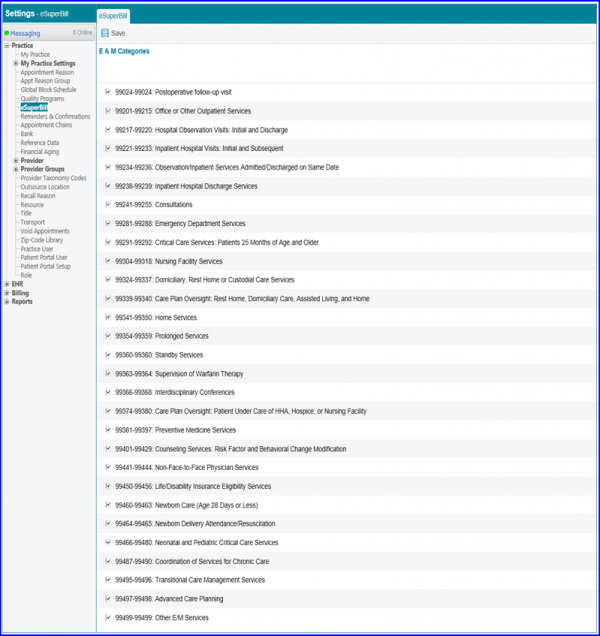
Once done, click on Save button. The options with enabled checkboxes are displayed in the E&M dropdown on the eSuperbill tab.
A checkbox for the CPT category 99459-99459: Practice Expense for Pelvic Exam is available for utilization in creating eSuperbills. To activate it, users can simply check its respective box and then click ‘Save’.
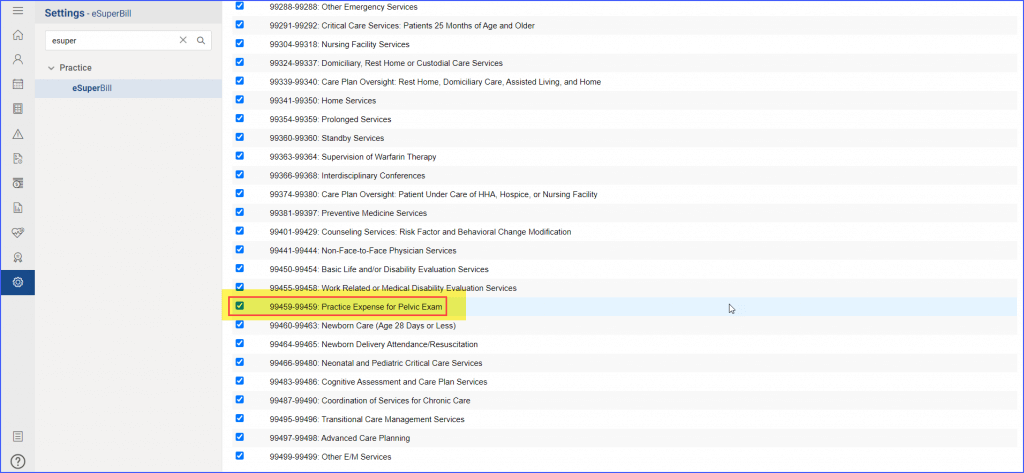
Once the change is saved, it is reflected in the eSuperbill section.
