How to Deactivate Insurance Plan?
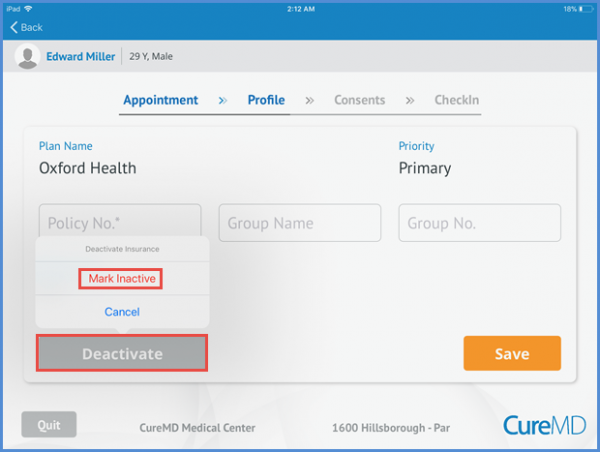
On the Edit insurance plan screen patient also have the option to deactivate the insurance plan by tapping the ‘Deactivate’ button at the bottom of this page. From the Deactivate Insurance option, tap ‘Mark Inactive’ to deactivate the plan or ‘Cancel’ to continue.
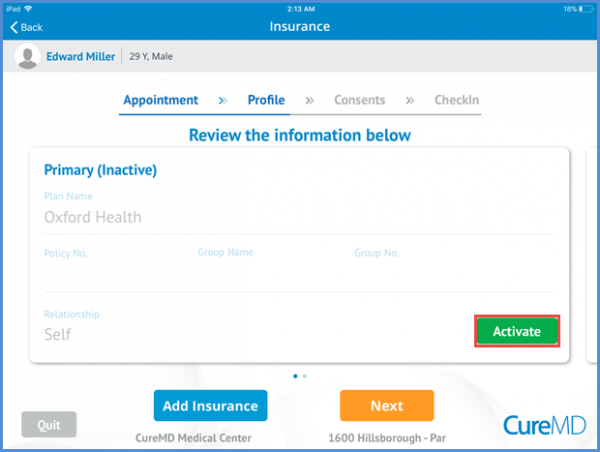
The deactivate insurance plan can be activated again. On the insurance plan screen user can tap the ‘Activate’ button to activate the plan.
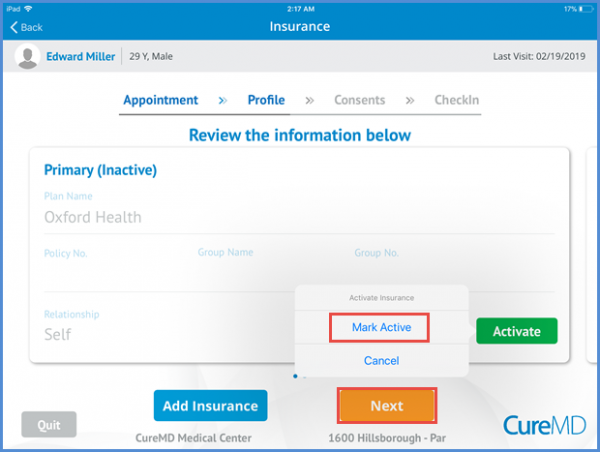
From the Activate option patient can select the ‘Mark Active’ to resume the insurance plan or ‘Cancel’ to discard the changes. The changes are saved when patient taps the ‘Next’ button.