Reports > Oncology > Drug Forecasting > Configure Filters > Search
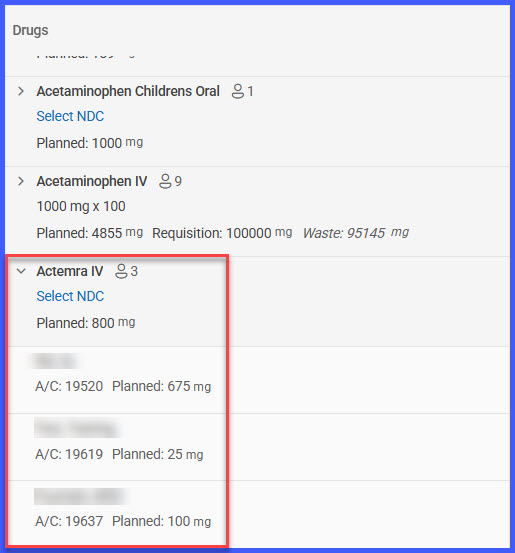
Reports > Oncology > Drug Forecasting > Expand Drug Row
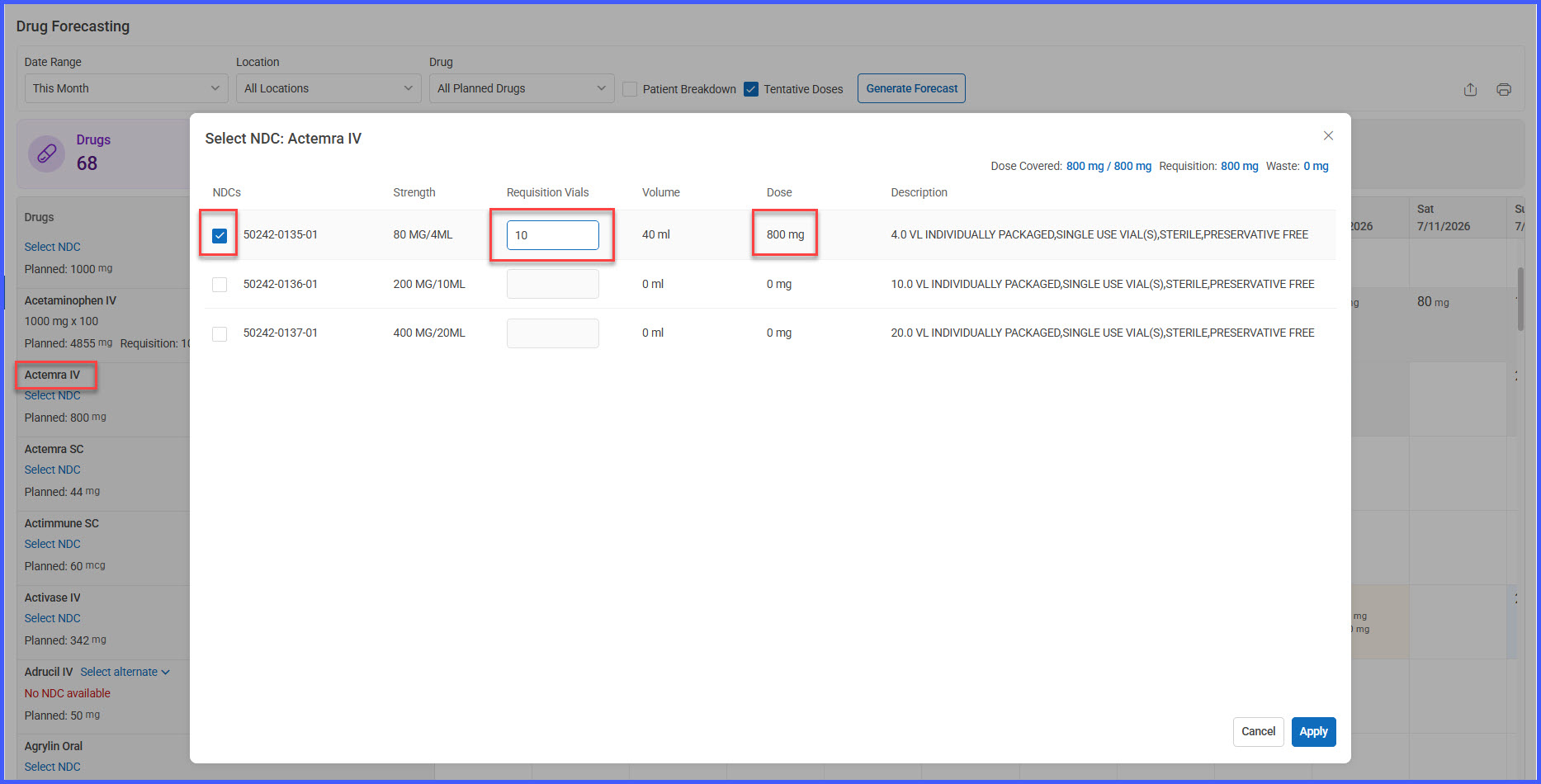
Reports > Oncology > Drug Forecasting > NDC Preferences > See More
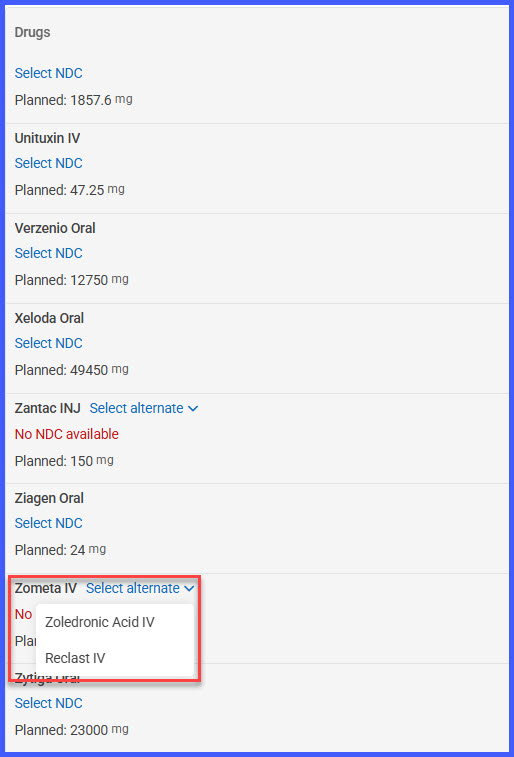
Reports > Oncology > Drug Forecasting > Alternative Drug Selection
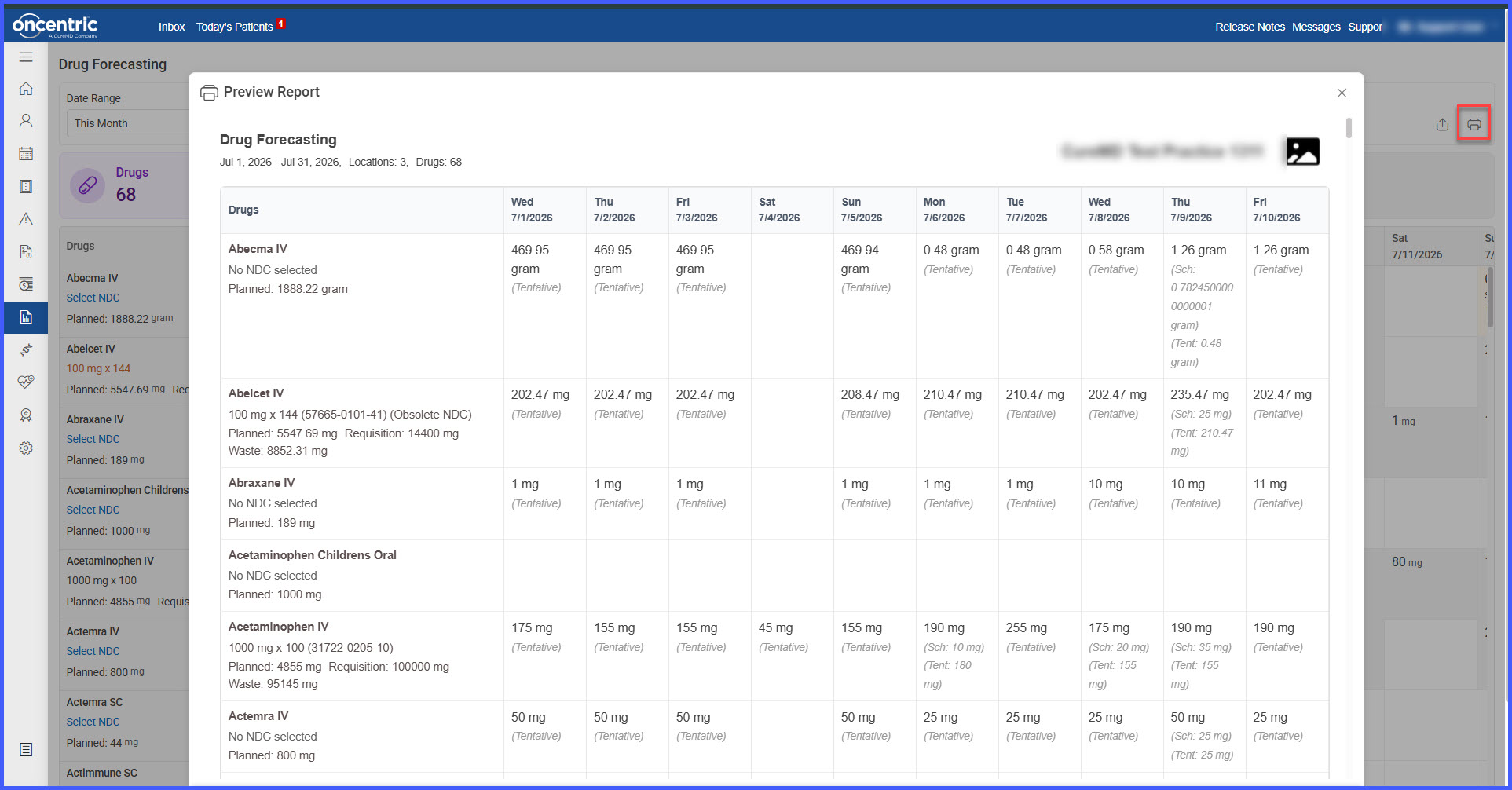
Reports > Oncology > Drug Forecasting > Print
Reports > Oncology > Drug Forecasting > Export to Excel
What’s New
- Redesigned the Drug Forecasting Report with an updated dashboard and simplified interface.
- Added dashboard summary cards displaying:
– Total Drugs
– Total Patients
– Forecast Days
– Scheduled Appointments
– Tentative Appointments
- Enhanced filtering with support for:
– Date Range
– Custom Date Range
– Location
– Drug
– Scheduled Appointments
– Tentative Appointments
- Added grouping of forecast results by treatment location.
- Added expandable patient-level drug details including:
– Patient Name
– Appointment Details
– Insurance Information
– Planned Dose
– Tentative Dose
- Added Alternative Drug selection when no active NDC is available.
- Enhanced NDC Management with:
– Preferred NDC selection
– Automatic vial quantity calculation
– Automatic requisition dose calculation
– Expected waste calculation
– Multiple NDC selection through See More
– Manual vial quantity adjustments
- Added automatic recalculation of requisition quantities and expected waste when Preferred NDC changes.
- Added support for including or excluding tentative appointments from forecast calculations.
- Improved daily forecast calculations and dose breakdowns.
- Added visual indicators for:
– Scheduled Appointments
– Tentative Appointments
– No Active NDC
– Obsolete NDCs
– Patient Counts
- Enhanced Print Preview with location grouping, patient details, and drug information.
- Expanded Excel Export to include drug details, NDC information, patient information, requisition quantities, expected waste, and daily forecast data.
How It Works
- Navigate to Reports > Oncology > Drug Forecasting.
- Review the default filters or modify the report criteria, including date range, location, drugs, scheduled appointments, and tentative appointments.
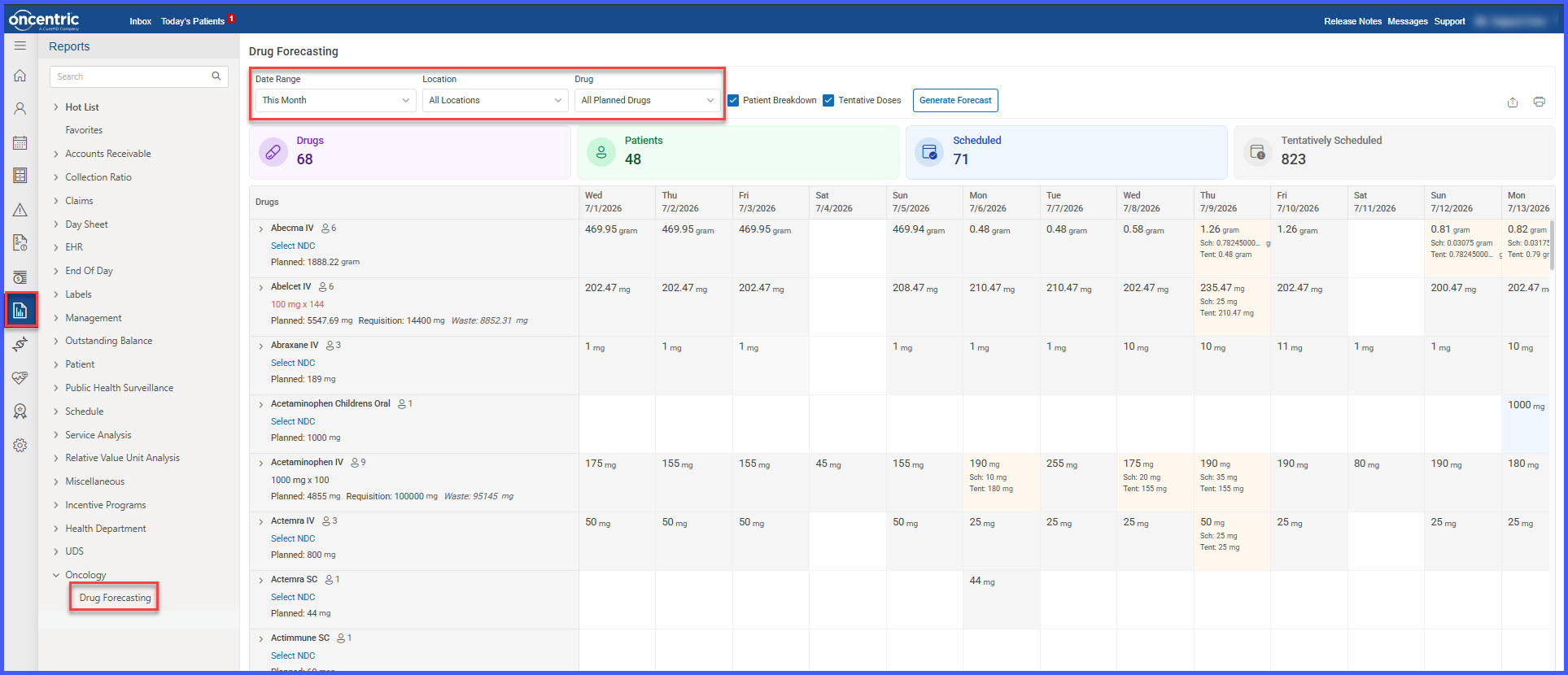
- Generate the Drug Forecasting Report.
- Review dashboard summary cards and grouped drug forecast results.
- Expand individual drugs to review patient-level treatment information.
- Select or modify Preferred NDCs, review automatic vial quantity calculations, or choose alternative drugs when applicable.
- Update report filters as needed to automatically recalculate forecast information.
- Print or export the report for inventory planning and requisition management.
Benefits
- Improves forecasting accuracy using scheduled and tentative appointments.
- Supports better inventory planning through location-based forecasting.
- Reduces medication waste with automatic requisition and expected waste calculations.
- Simplifies NDC management through preferred NDC selection and alternative drug support.
- Provides detailed patient-level visibility into medication requirements.
- Reduces manual effort through automated dose calculations and forecast updates.
- Improves clinical and inventory decision-making with enhanced reporting and filtering capabilities.
- Makes forecasting data easier to review, print, and export for operational planning.
