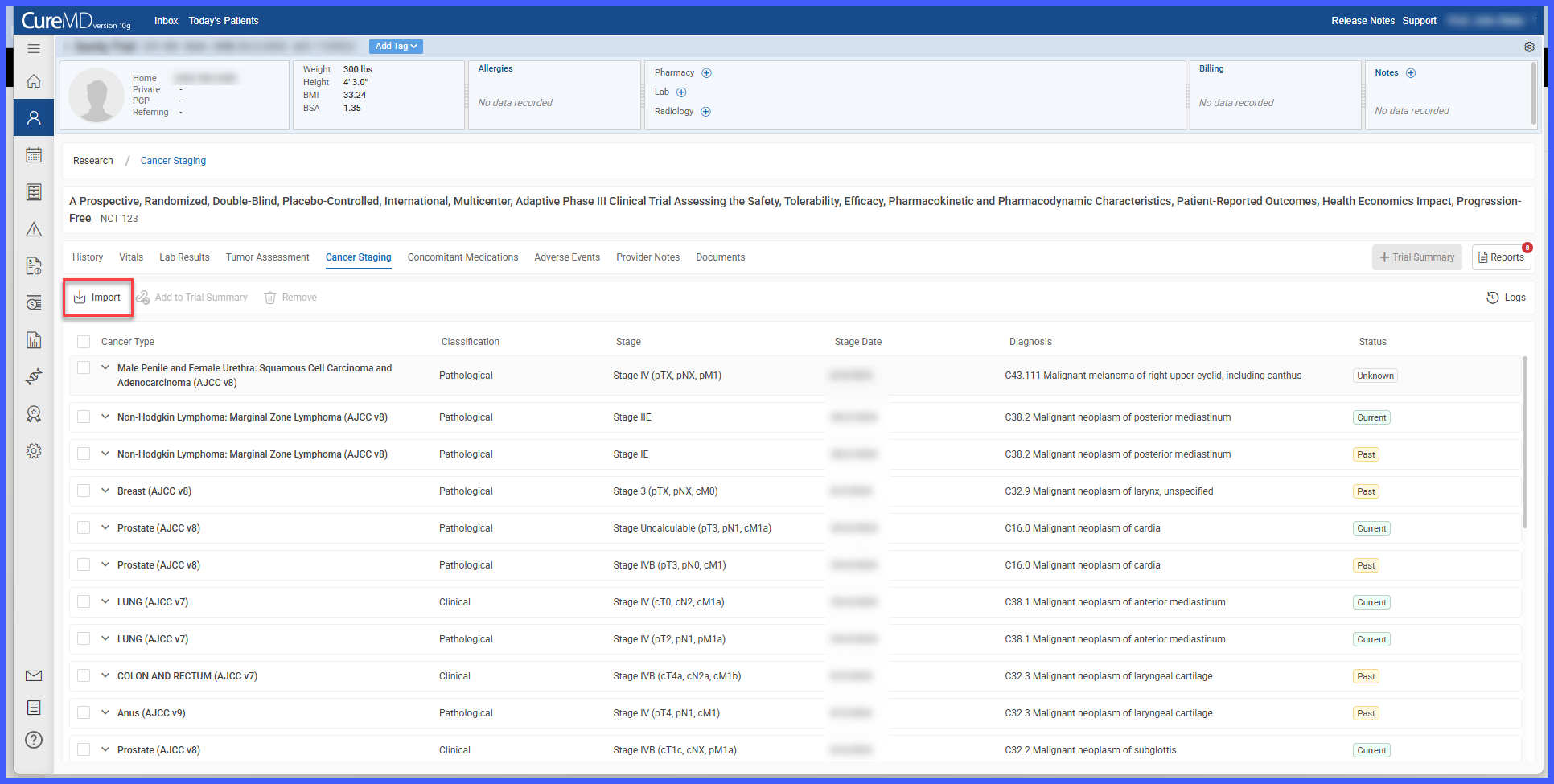
Patient > Research > Vitals / Lab Results / Provider Notes / Documents / Cancer Staging > Import
Patient > Research > Trial Summary > Add Items > Generate Report
Patient > Research > Reports > View / Assign / Request Sign-Off / Sign-Off / Reopen / Print
Patient > Research > Reports > Activity History
What’s New
- The Research module has been redesigned into a centralized workspace for managing clinical trial information.
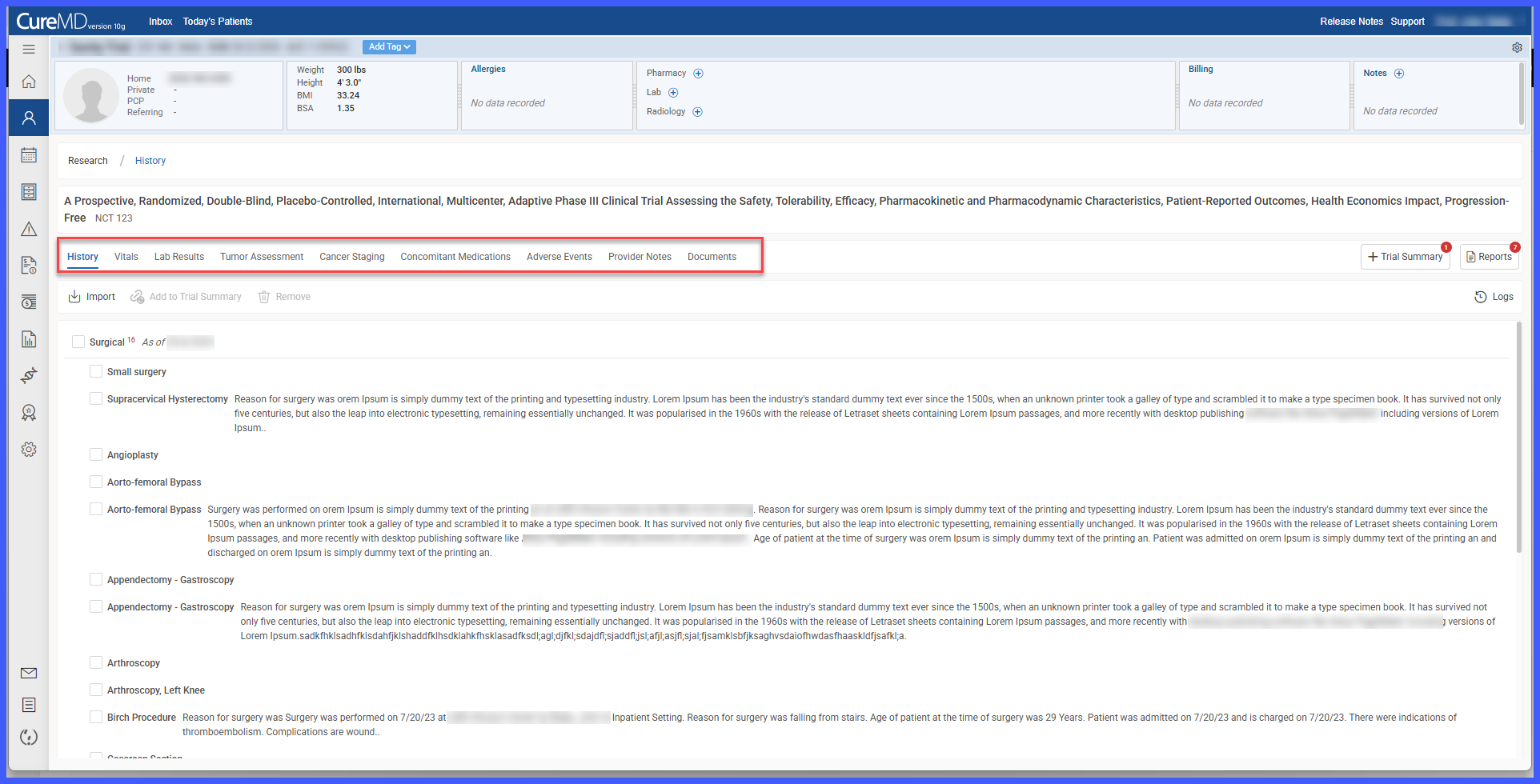
- New research sections have been added for:
– Vitals
– Lab Results
– Provider Notes
– Documents
– Cancer Staging
- Existing sections including History, Tumor Assessment, Adverse Events, and Concomitant Medications remain available.
- Existing clinical information can now be imported directly into the Research module.
- A new Trial Summary feature allows users to:
– Select records from multiple research sections
– Add clinical notes
– Generate consolidated trial reports
- A dedicated Reports section has been introduced for managing generated trial reports.
- Users can:
– View reports
– Assign reports
– Request sign-off
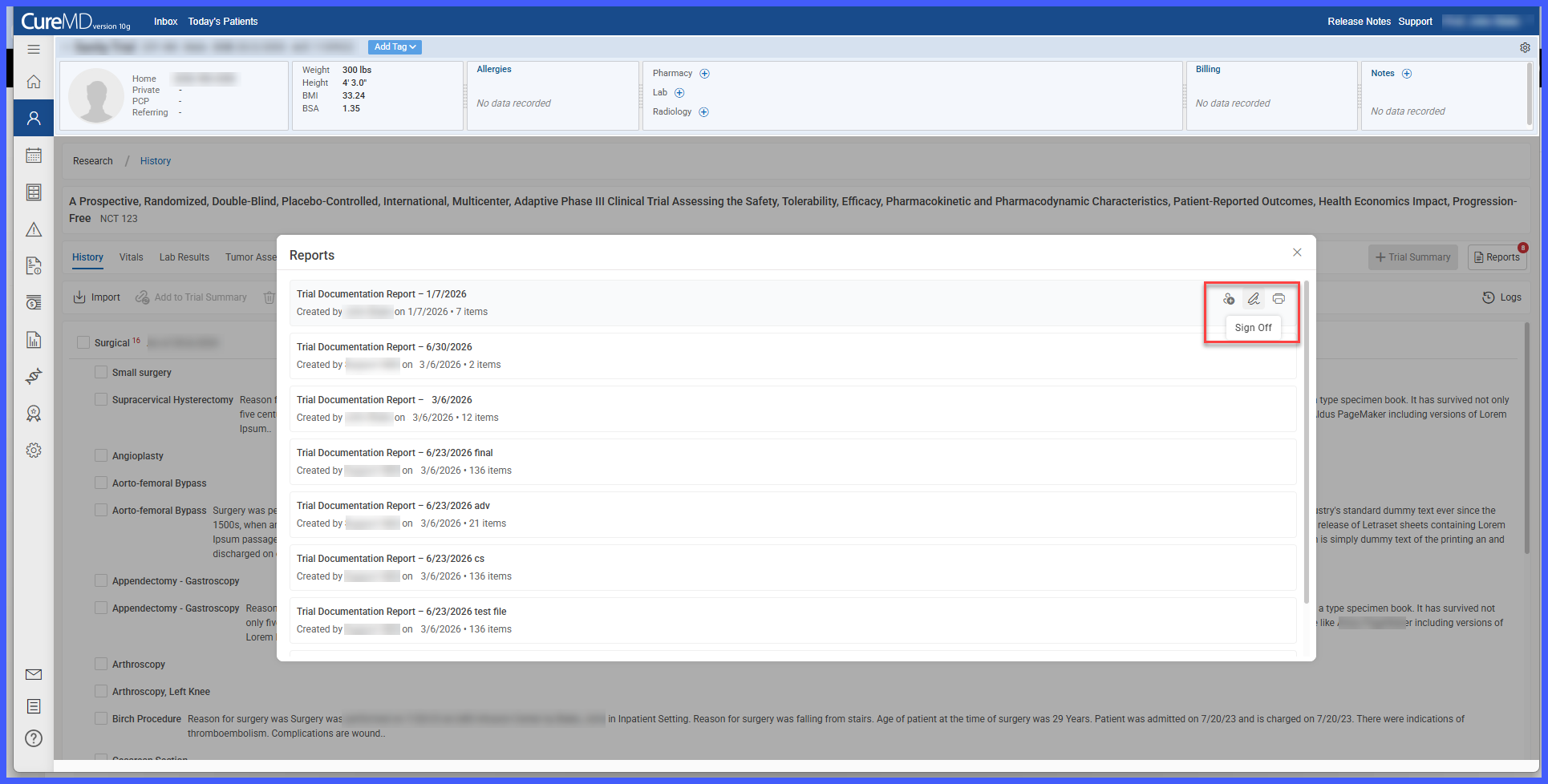
– Sign off reports
– Reopen reports
– Print reports
- Reports now include additional information such as the Created By field.
- Review and sign-off workflows have been enhanced while maintaining activity logs and export functionality.
How It Works
- Navigate to Patient > Select Patient > Research.
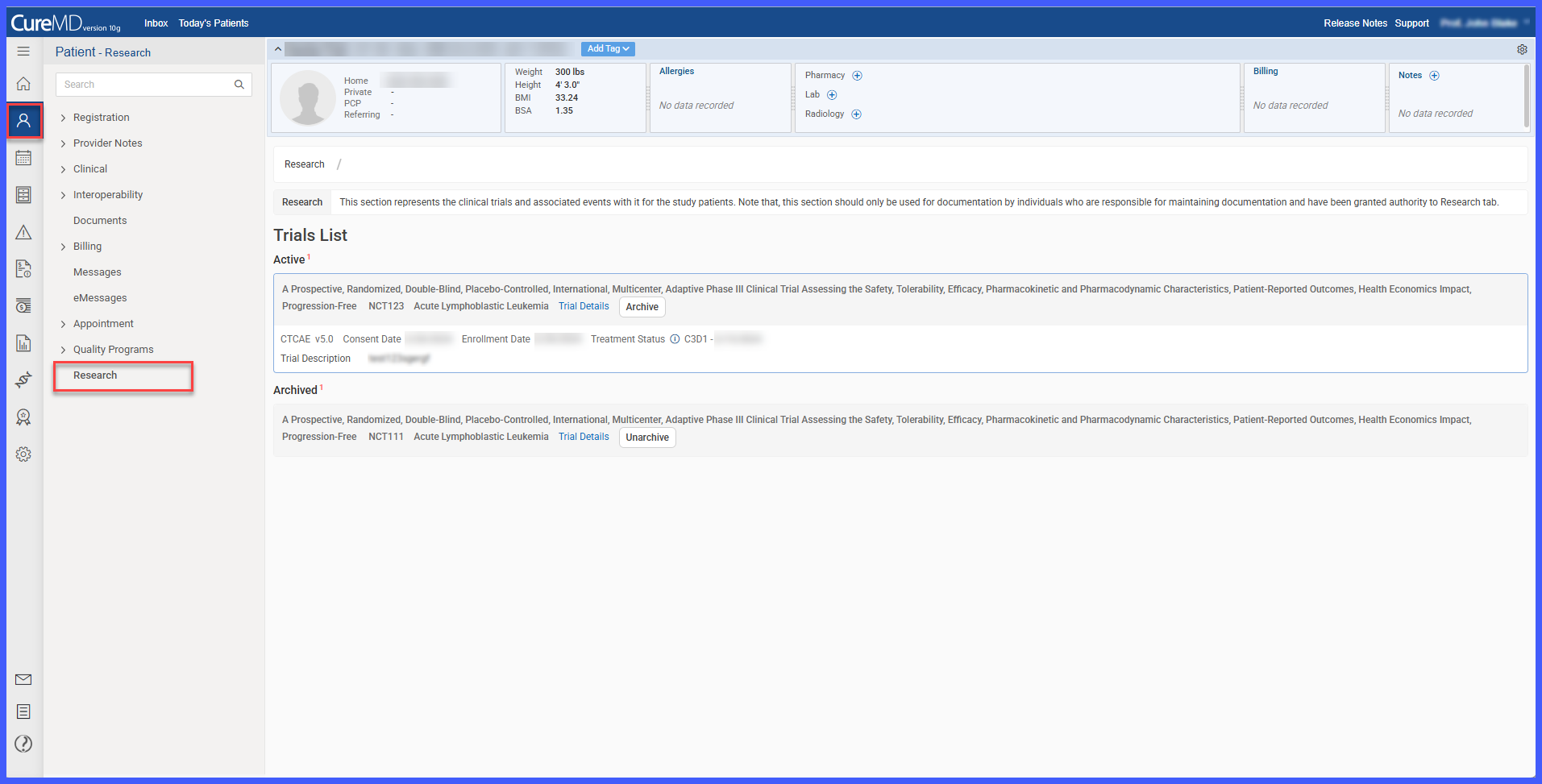
- Review patient research information using the newly expanded research workspace.
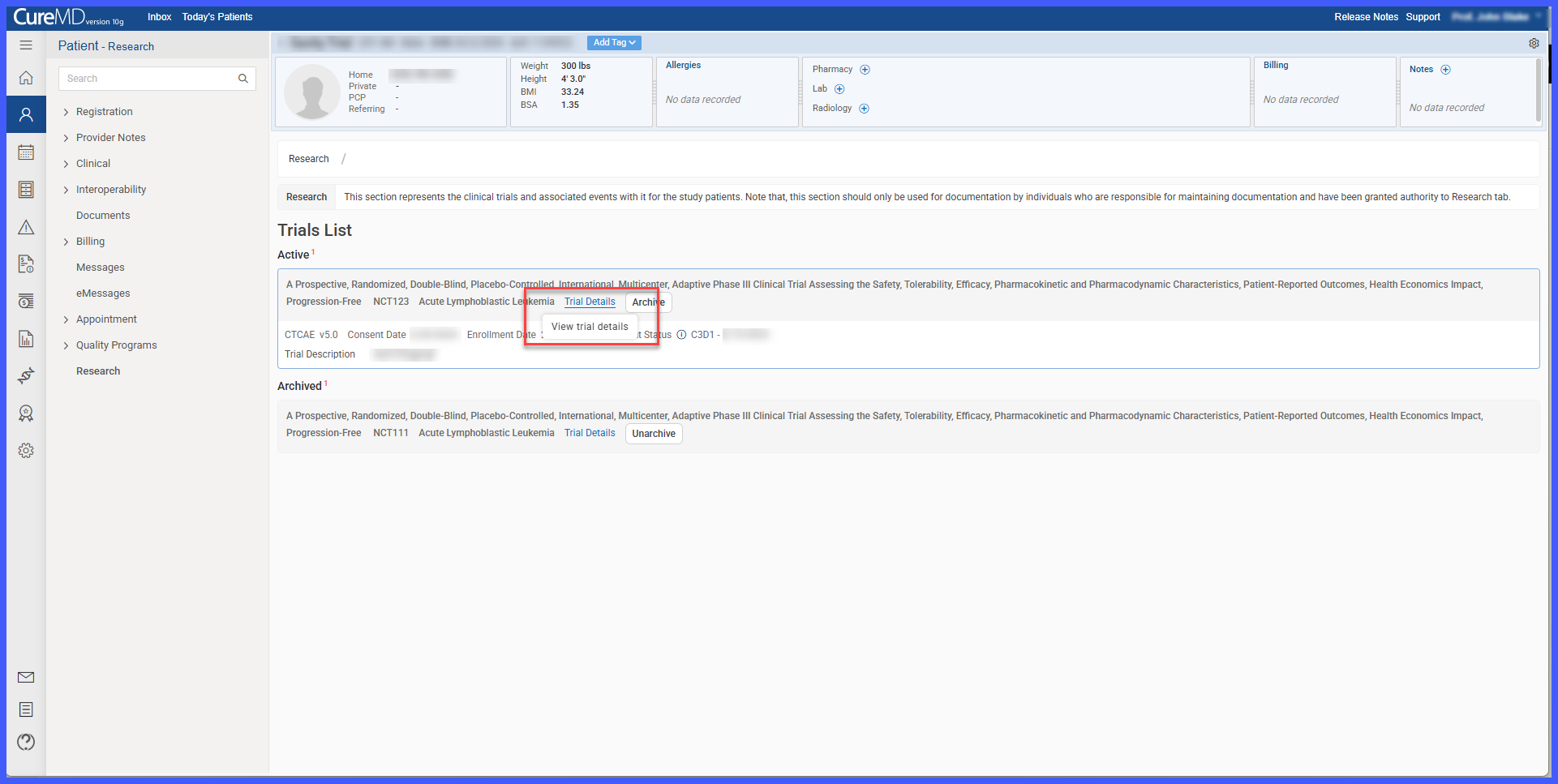
- Import existing clinical information into the appropriate research sections, including Vitals, Lab Results, Provider Notes, Documents, and Cancer Staging.
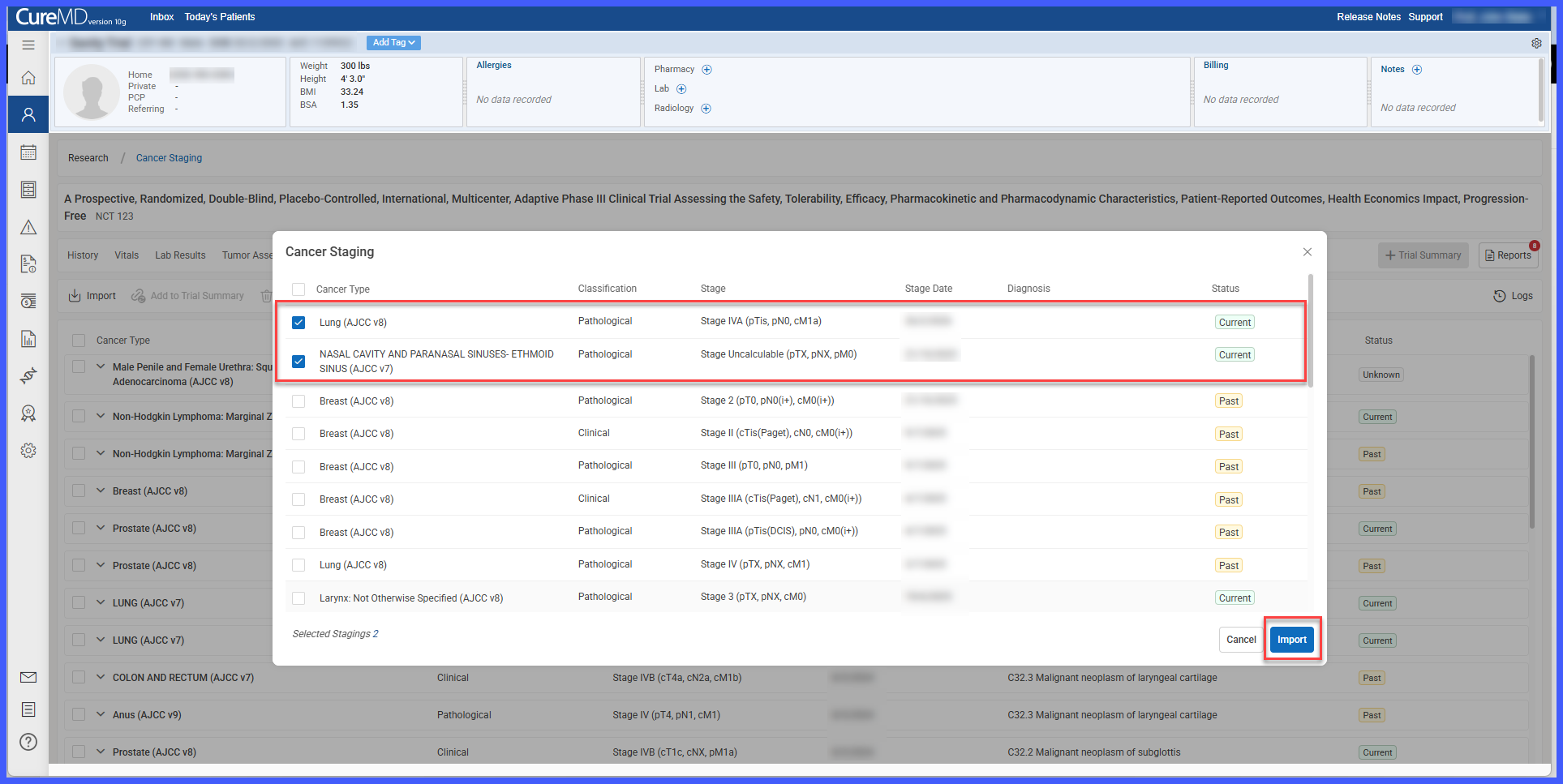
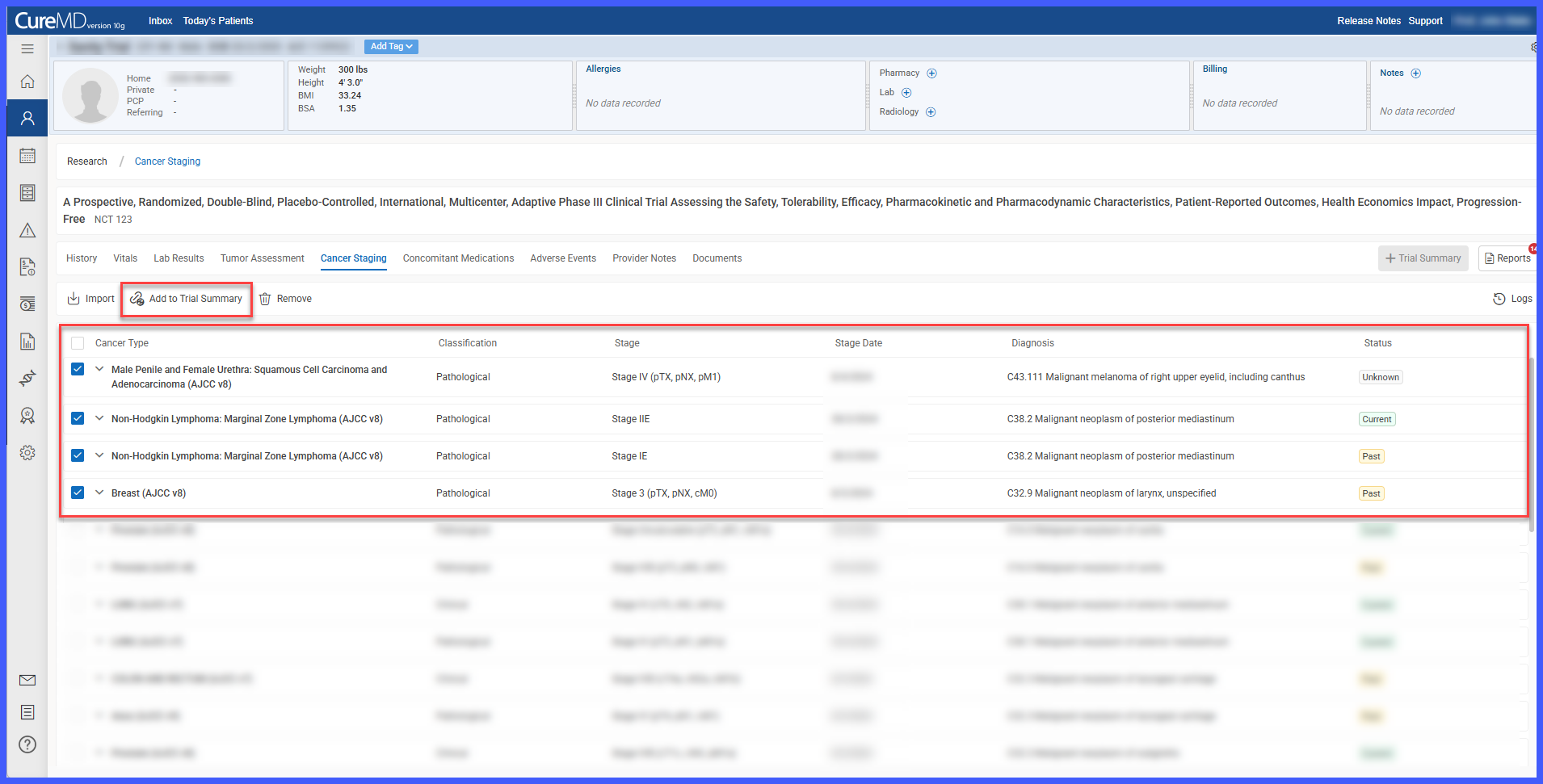
- Select records from one or more research sections and add them to the Trial Summary.
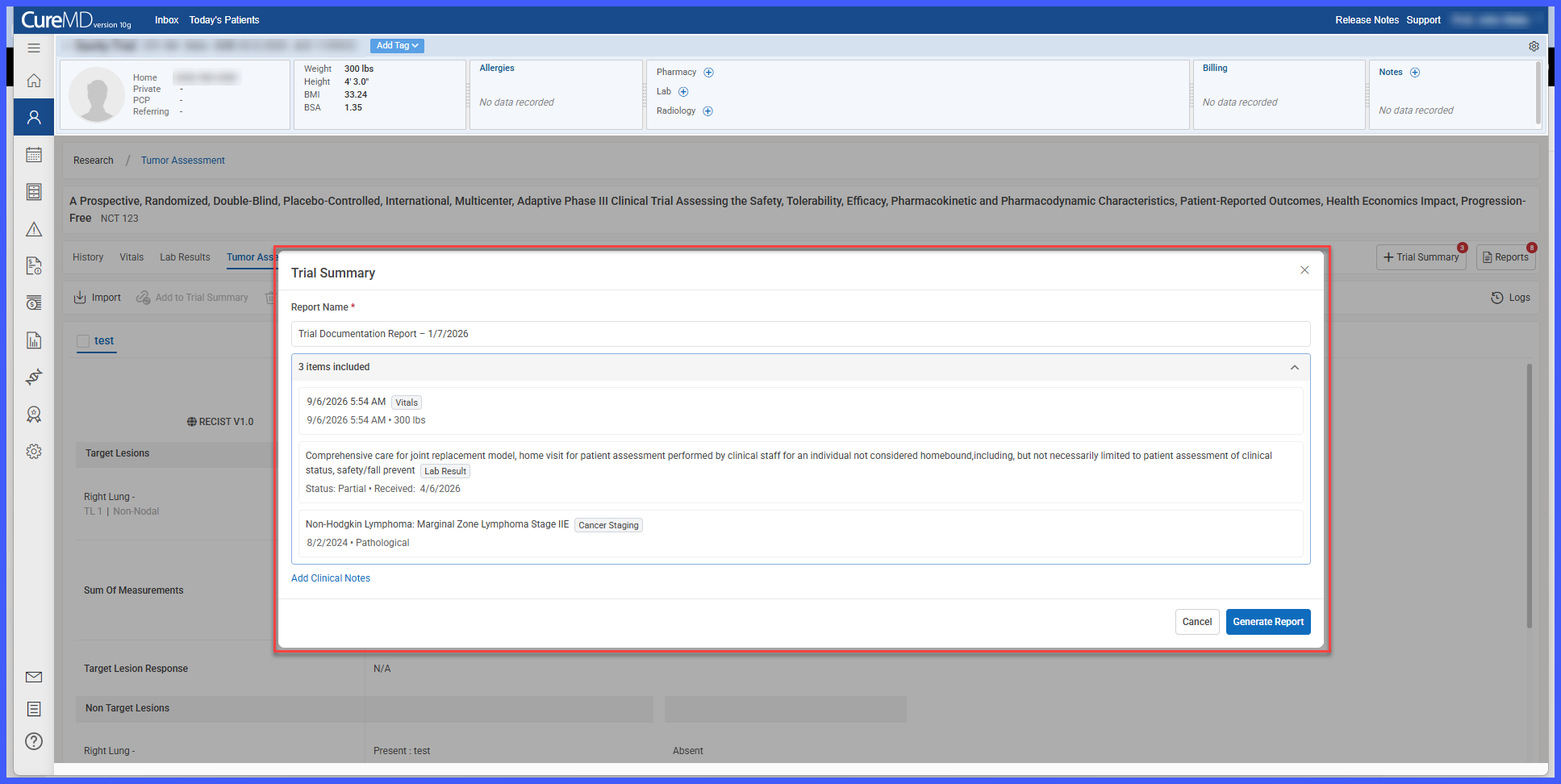
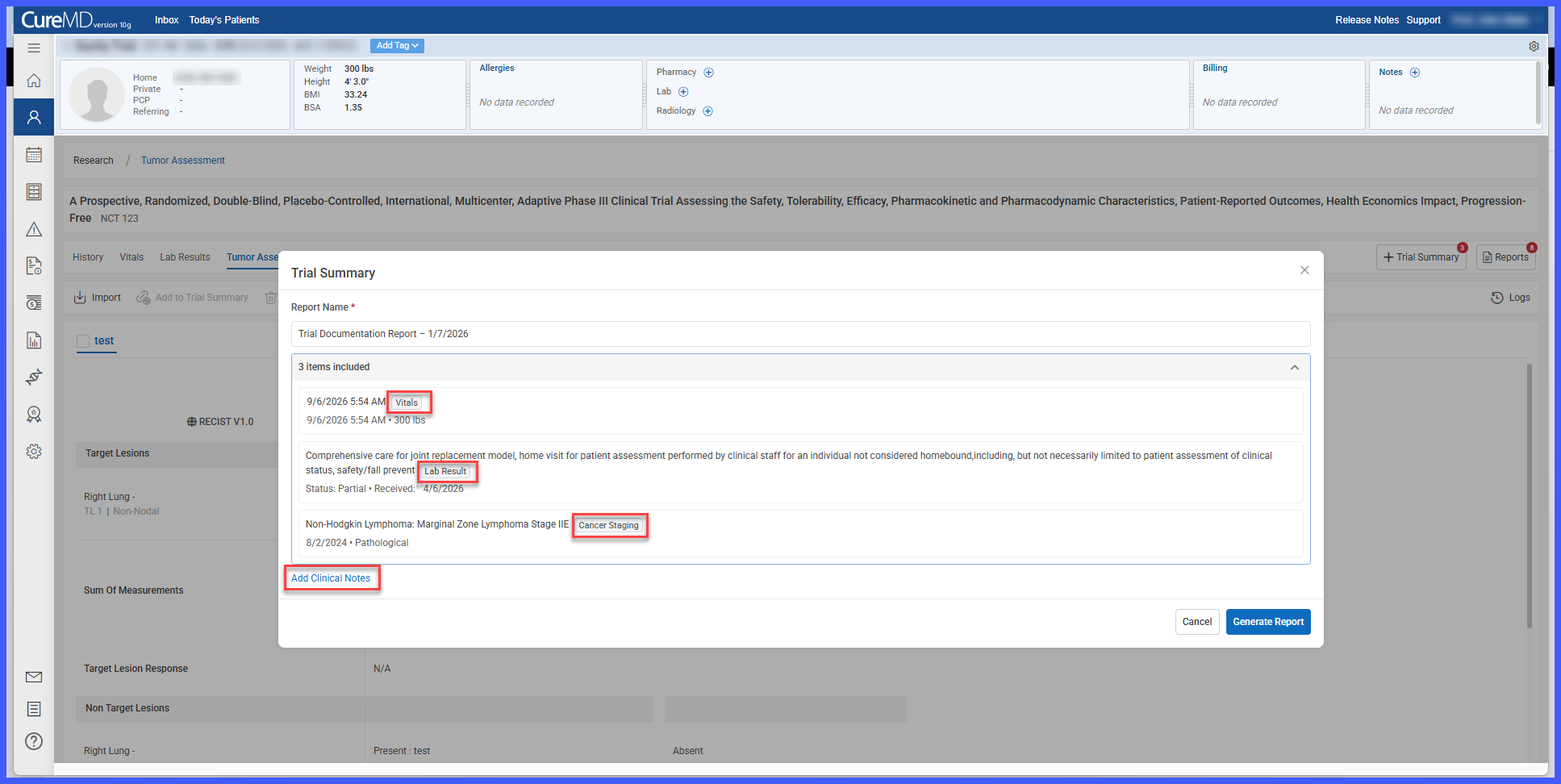
- Add clinical notes and generate a consolidated Trial Summary report.
- Access the Reports section to review previously generated reports.
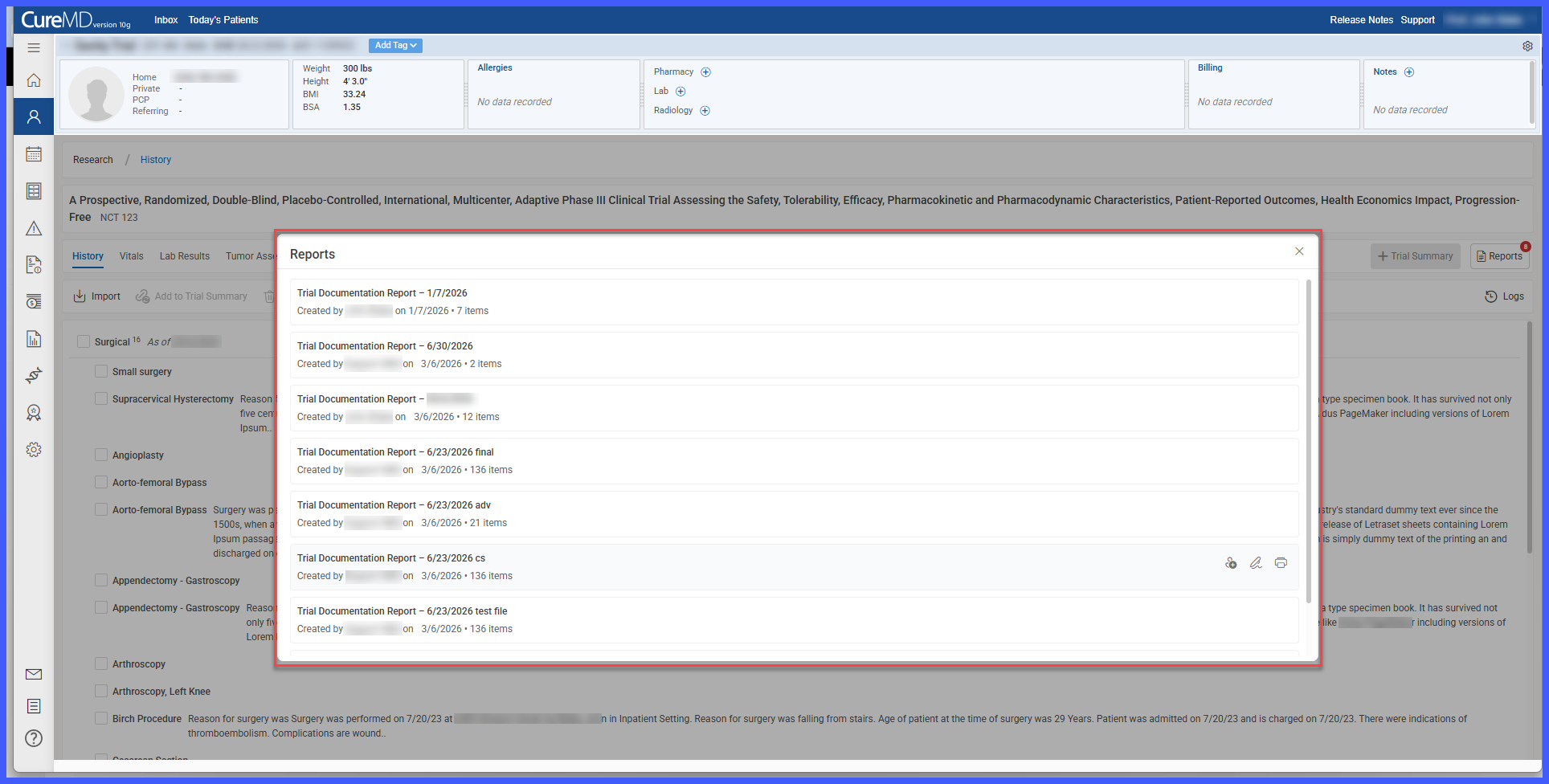
- Manage research reports by assigning them for review, requesting and completing sign-offs, reopening or printing reports as needed, while maintaining a complete activity history and sign-off audit trail.
Benefits
- Centralizes clinical trial information into a single research workspace.
- Expands available research data by incorporating vitals, laboratory results, provider notes, documents, and cancer staging.
- Reduces duplicate documentation by importing existing clinical records into research.
- Simplifies collaboration through centralized trial documentation.
- Streamlines report generation using Trial Summary.
- Improves traceability through enhanced activity logs and sign-off workflows.
- Saves time by simplifying research documentation, reporting, and record management.
