Enforcing Insurance Selection in Case Review
What’s New
-
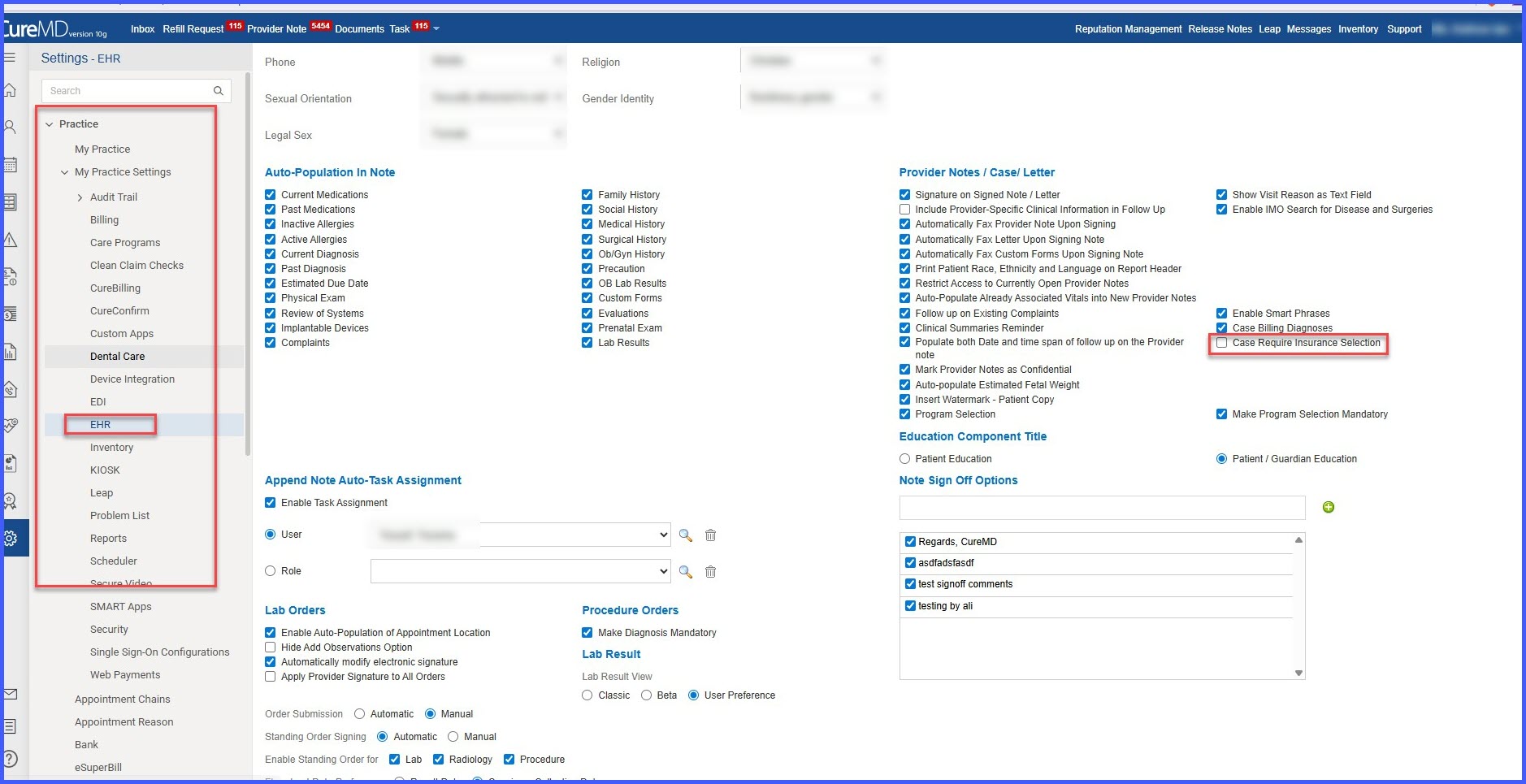
Added a new checkbox setting: Case Require Insurance Selection.
-
Introduced validation logic for insurance selection during Case Review save.
-
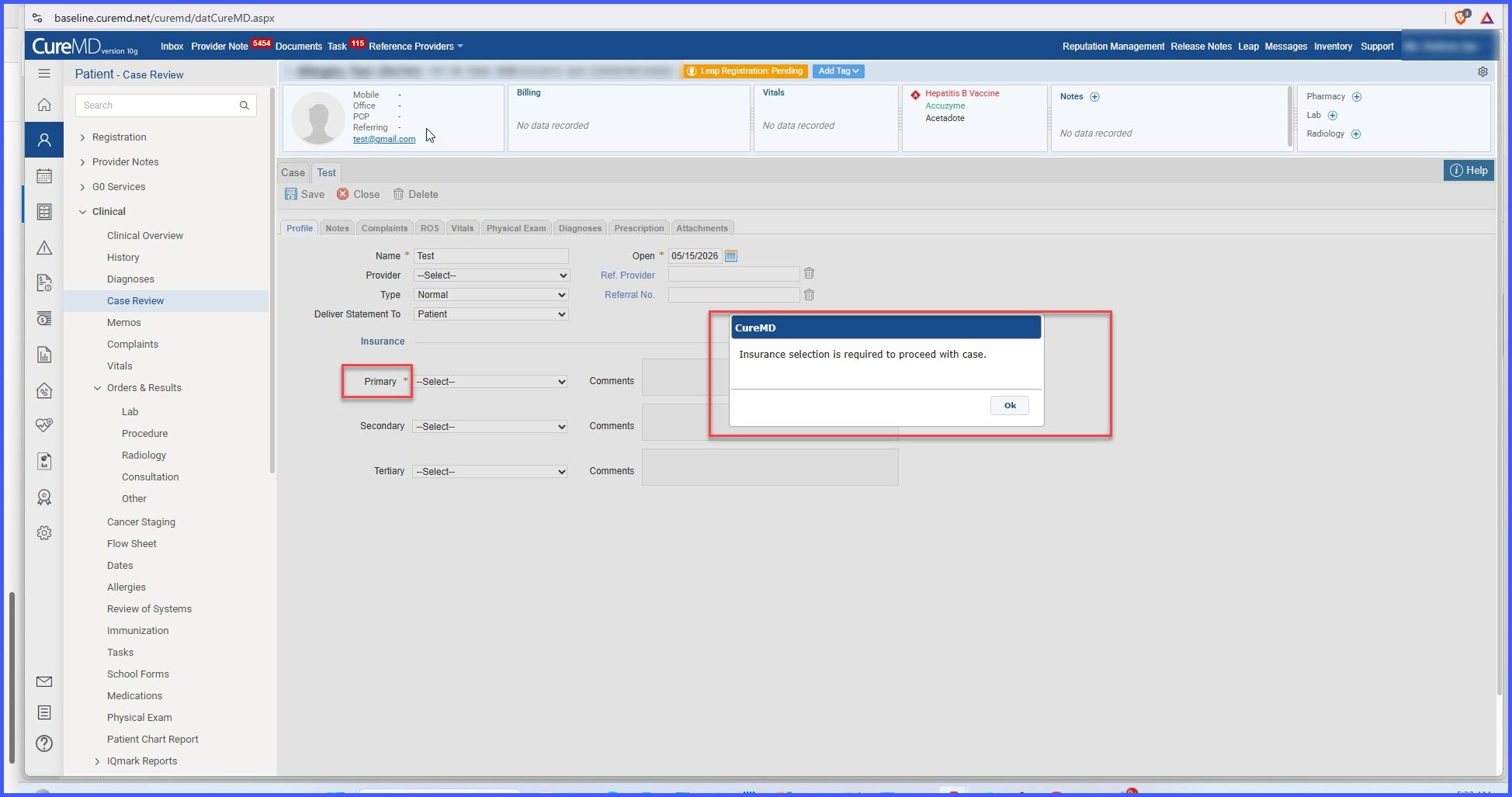
Added an error message when insurance selection is required but not provided:
- “Insurance selection is required to proceed with case.”
– Added warning behavior when insurance selection is optional and not selected.
– Added a required field indicator (*) on the Primary Insurance field when the setting is enabled.
– Added audit trail tracking for changes made to the Case Require Insurance Selection setting.
– Added visibility controls to hide the setting for practices configured as Single Open.
- “Insurance selection is required to proceed with case.”
How It Works
- Configuration Setup:
- Navigate to Settings > EHR > Case Review Settings.
- Locate the Case Require Insurance Selection checkbox.
- Enable or disable the setting based on practice requirements.
- Save the configuration.
- Case Review Behavior:
-
- When the Setting is Enabled:
- Open a patient’s Case Review.
- Attempt to save the Case Review without selecting a Primary Insurance.
- The system displays the following error message: “Insurance selection is required to proceed with case.”
- The save action is blocked until a valid Primary Insurance is selected.
- A colored asterisk (*) is displayed next to the Primary Insurance field indicating that it is required.
-
- When the Setting is Disabled:
- Open a patient’s Case Review.
- Attempt to save the Case Review without selecting a Primary Insurance.
- The system displays a warning message.
- Users may acknowledge the warning and continue.
- The Case Review is saved successfully without insurance selection.
- No required field indicator is displayed.
- Additional Behavior:
• Validation applies only to the Primary Insurance dropdown.
• No tooltip is displayed on the insurance field.
• For practices configured as Single Open: -
- Case Review functionality is unavailable.
- The Case Require Insurance Selection setting is hidden from the user interface.
- Configuration changes are recorded in: Audit Trail → Settings → EHR
Benefits
-
Prevents saving incomplete Case Reviews when insurance selection is required.
-
Supports different practice workflows by allowing insurance selection to be mandatory or optional.
-
Improves documentation completeness and compliance.
-
Provides a clear visual indicator when insurance information is required.
-
Reduces the likelihood of missing insurance information during Case Review processing.
-
Maintains accountability through existing EHR settings audit trail tracking.
