Display Specimen Collection Information in Lab Results Listing
What’s New
Orders and Results (Personal > Orders and Results > Labs)
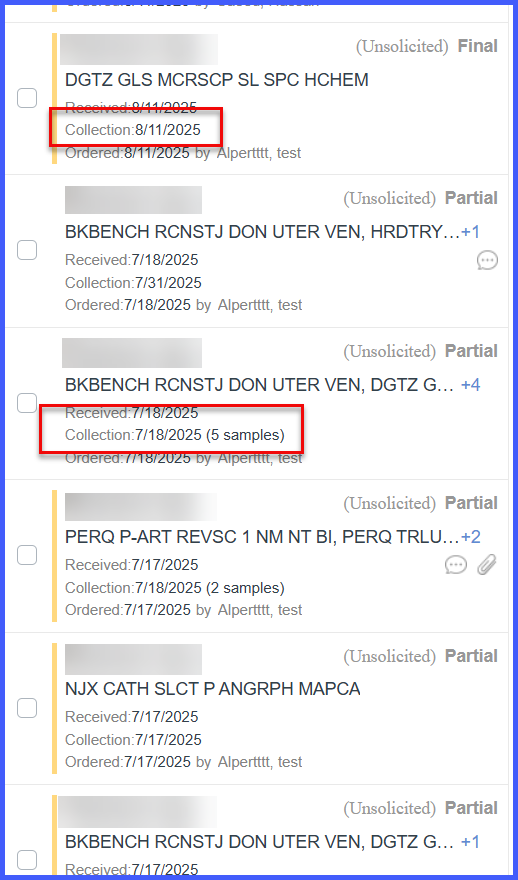
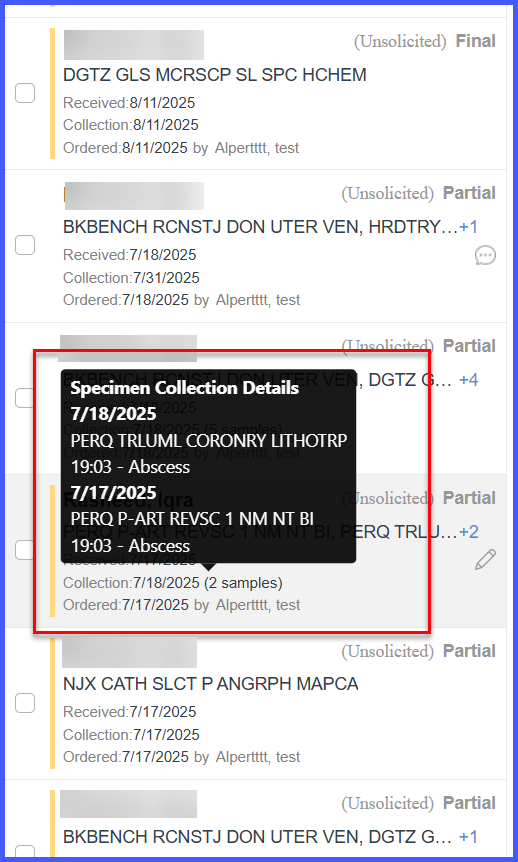
When the specialty is set to OB, the specimen collection date is displayed in the result listing. The latest specimen collection date is shown, along with the total number of specimens collected in brackets. On hover, a tooltip displays all other specimen collections with date, time, specimen type, and order details. If all specimens were collected on the same date, only the date is displayed without tooltip.
Flowsheet Updates
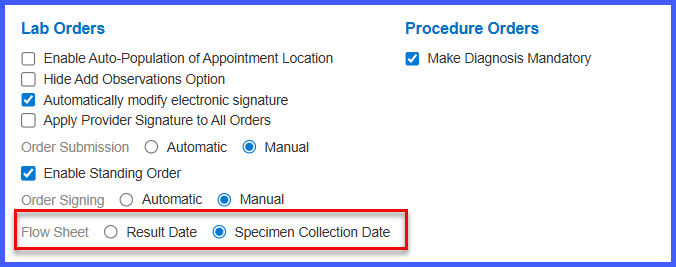
The setting label has been updated from “Flow Sheet” to “Flowsheet Date Preference”.
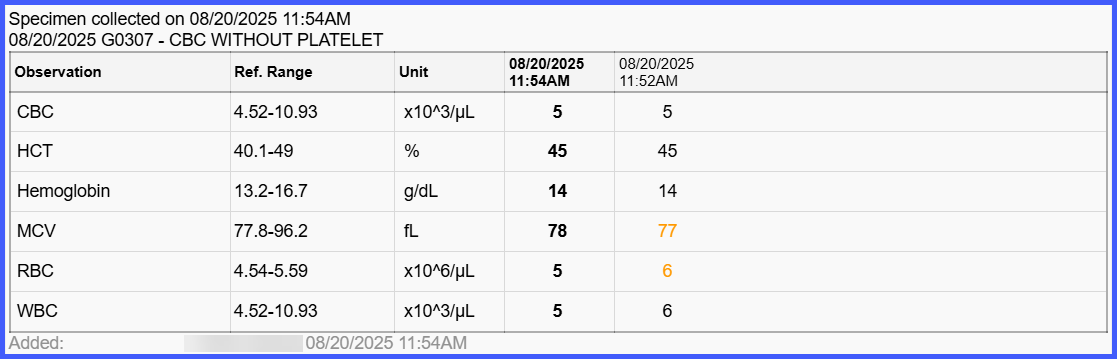
This setting, located under Settings > Practice Admin Settings > EHR > Lab Orders, determines the primary date displayed in the Flowsheet in Provider Note.