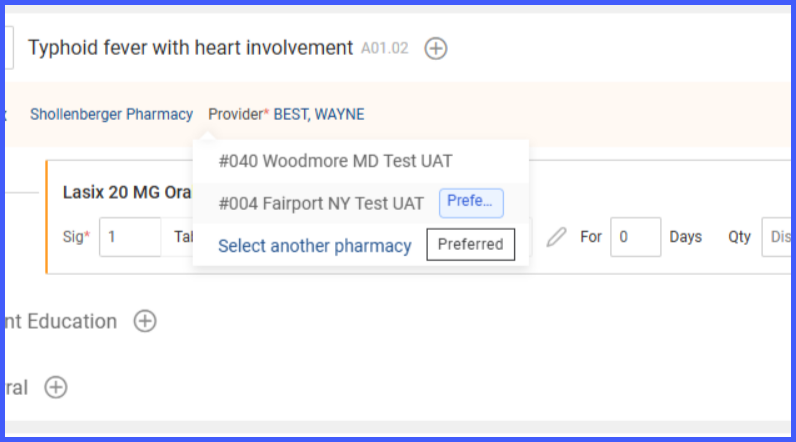
Display of Preferred Pharmacies in Pharmacy Selection Dropdown on Prescription Pad
What’s New
When prescribing medication through the Prescription Pad, the provider clicks on the pharmacy selection dropdown to assign a dispensing pharmacy. The dropdown displays all patient preferred pharmacies at the top; each marked with a ‘Preferred’ label. These preferred pharmacies are saved based on prior patient interactions and selections.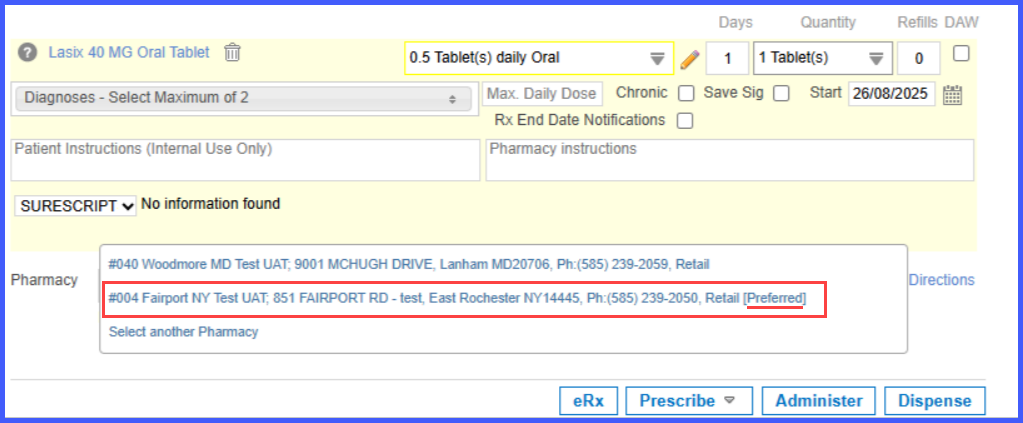
At the bottom of the dropdown, an option labeled ‘Select Another Pharmacy’ is always present. When the provider selects this option, a broader search interface opens, allowing the user to look up additional pharmacies that are not part of the default preferred list.
This change will be reflected within the Treatment plan within the provider note as well.