Delete Draft Lab Orders from Provider Note
What’s New
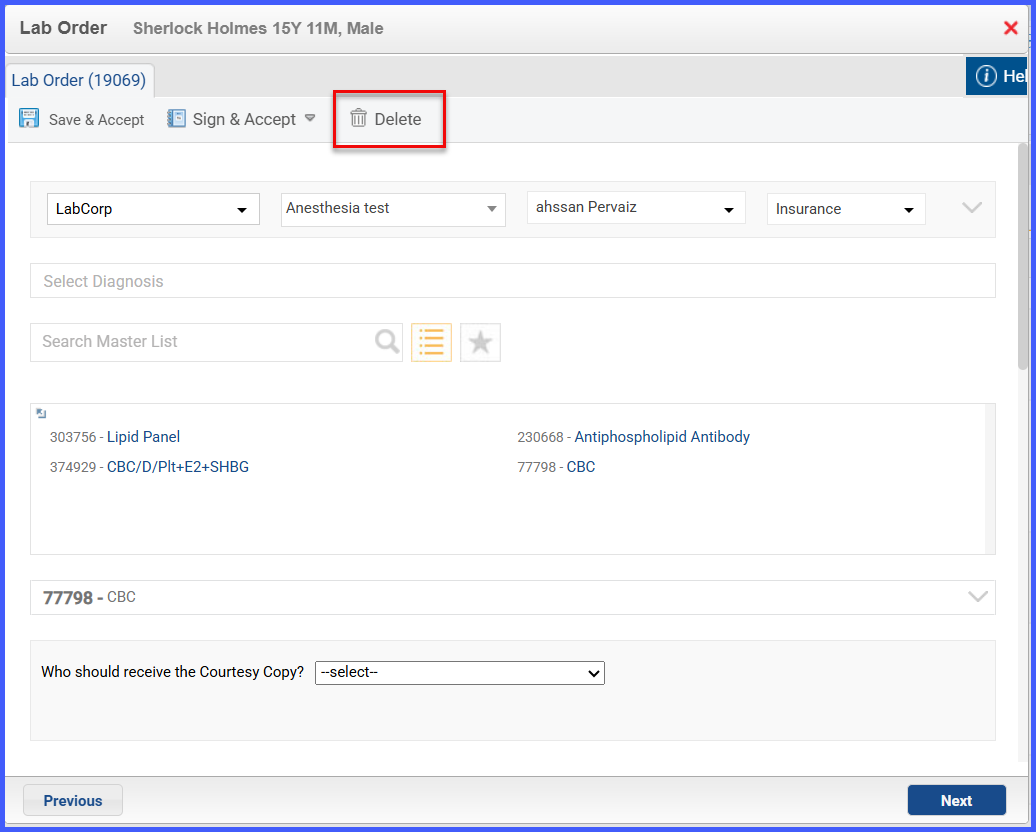
When a user opens a draft lab order from within a provider note and clicks the Delete button, the system will remove the lab order from the system. Once deleted, the order will no longer appear in the provider note or in the clinical module. This action is irreversible.
The Delete button appears only for lab orders in Draft status and is available exclusively within the provider note context.