Drug Management > Select Drug > Configure Weight Cap
Patient > Orders > Add to Order / Order Listing / Order Details / Patient Orders / Plan Page / Regimen Workflow
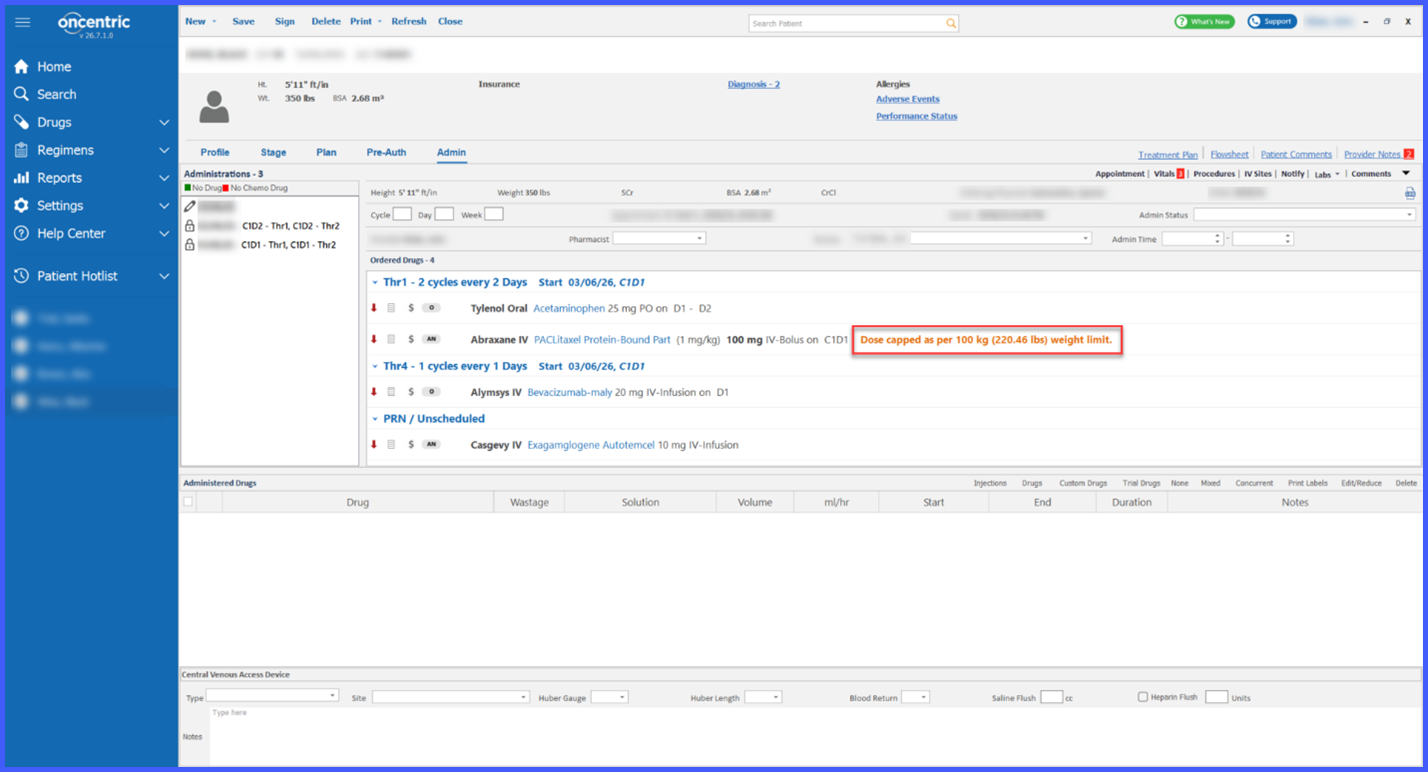
Appointment Wizard > Administration Details > Administration Page > Drug Page
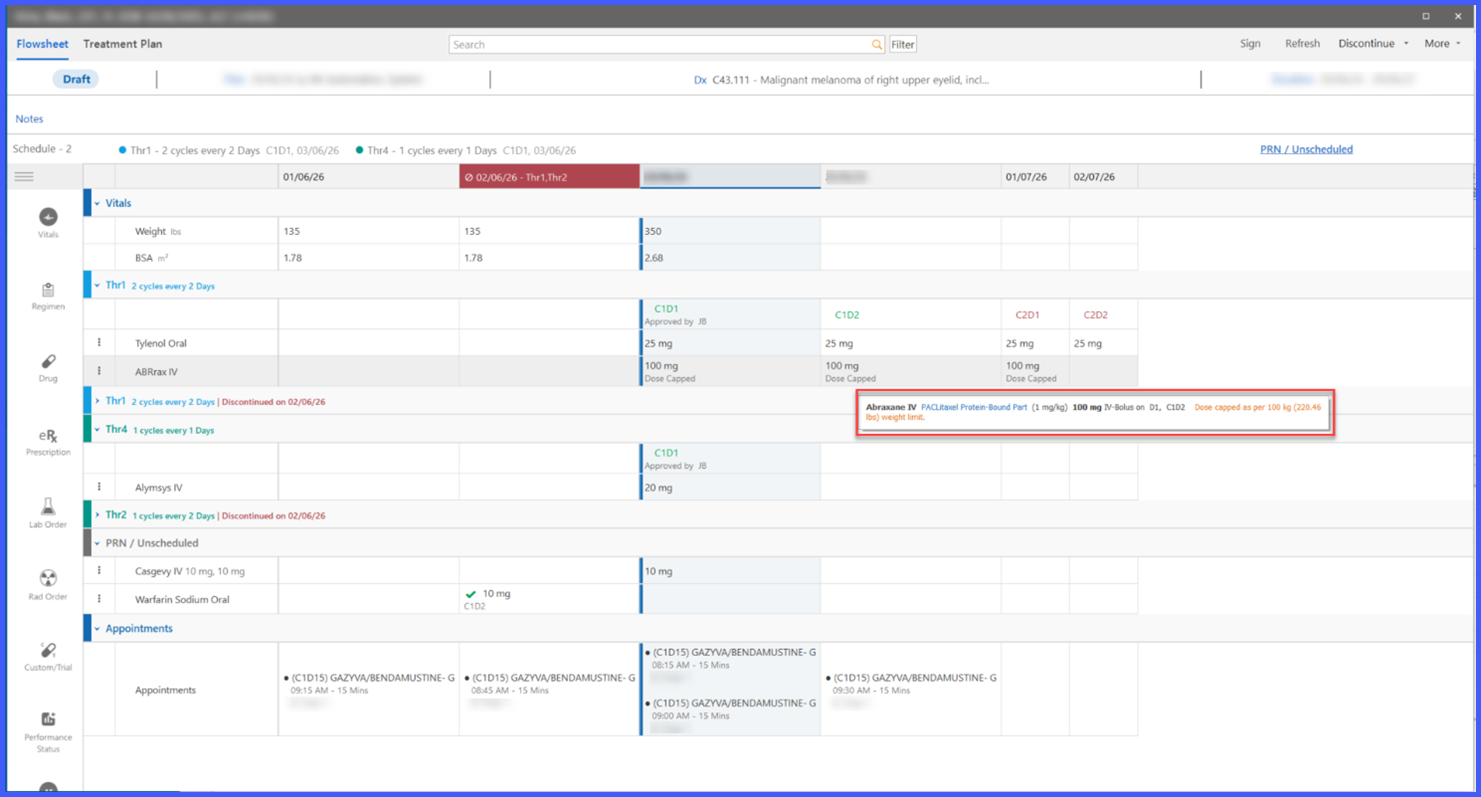
Flowsheet > Drug Tooltip > Dose Modification Modal > Notify Modal > Dose Change Alert > Provider Note
Reports > Chemo Plan Report / Treatment Plan Report / Administration Report / Administration Form Report
What’s New
- A new Weight Cap setting is available for eligible weight-based drugs in Drug Management.
- Weight Cap is disabled by default and can be configured individually for each eligible drug.
- Users can configure both the maximum weight value and preferred unit (kg or lb).
- When a patient’s weight exceeds the configured threshold, the system automatically uses the capped weight for dosage calculations.
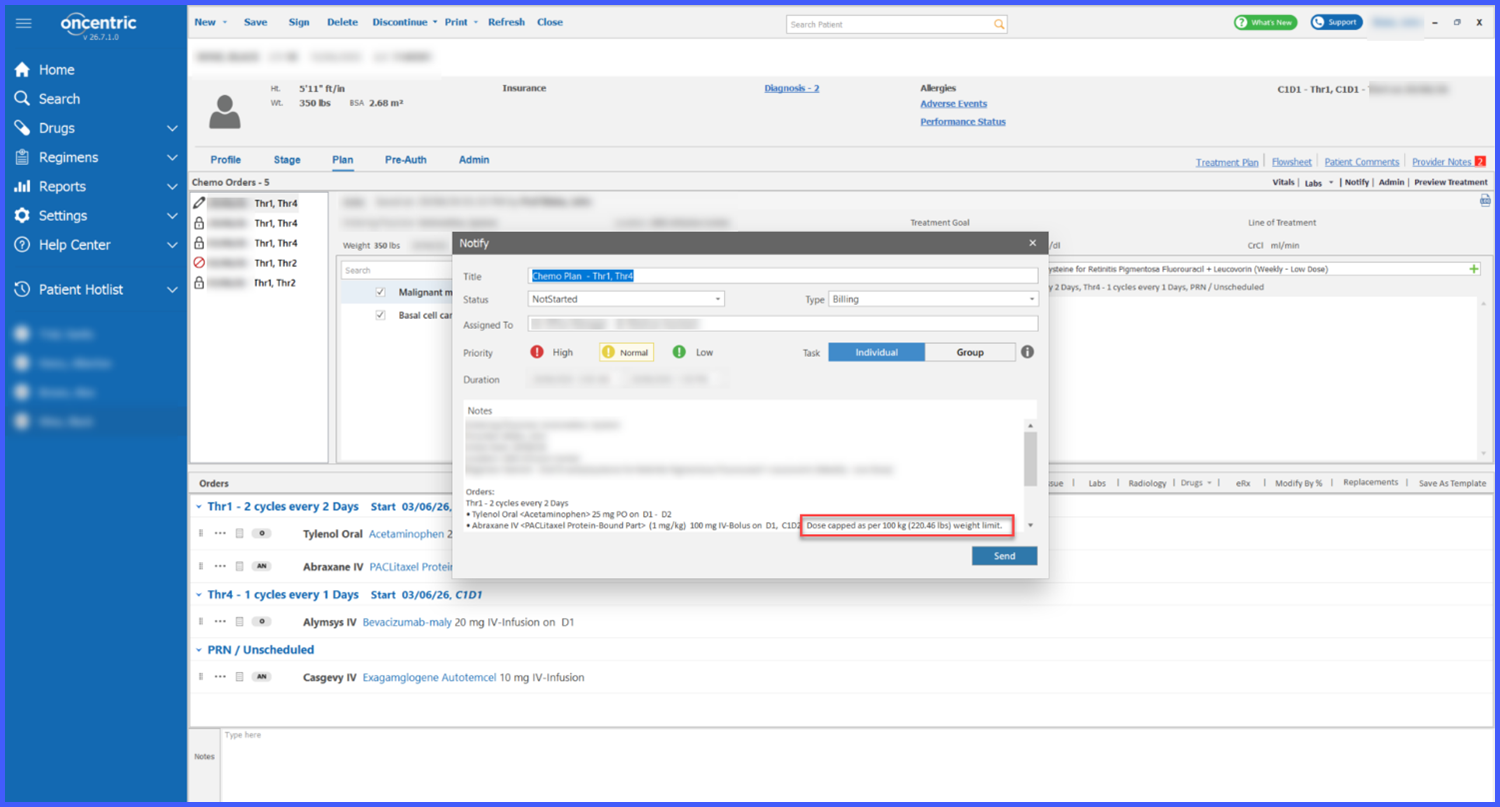
- Visual indicators identify when weight-capped dosing has been applied.
- Weight cap indicators are displayed throughout the following workflows:
– Add to Order
– Order Listing
– Order Details
– Patient Orders
– Regimen Workflow
– Plan Page
– Appointment Wizard
– Administration Details
– Administration Page
– Drug Page on Administration
– Flowsheet
– Flowsheet Tooltip
– Dose Modification Modal
– Notify Modal
– Dose Change Alerts
– Provider Notes
– Chemo Plan Report
– Treatment Plan Report
– Administration Report
– Administration Form Report
- Replacement Drug popups no longer display weight-cap indicators.
How It Works
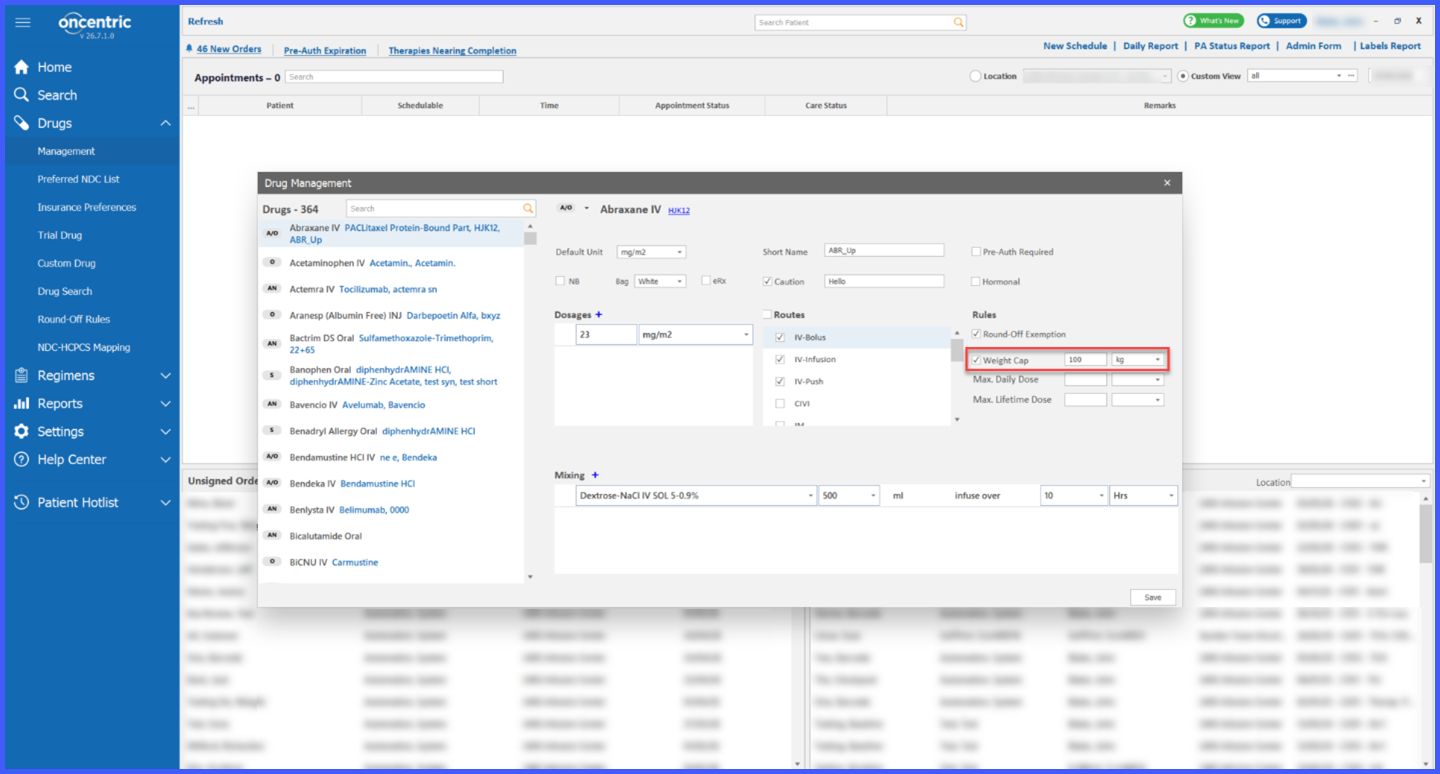
- Navigate to Drug Management and open an eligible weight-based drug.
- Enable the Weight Cap setting.
- Configure the maximum weight value and select the desired unit (kg or lb).
- Save the drug configuration.
- During ordering, treatment planning, administration, or reporting, the system compares the patient’s recorded weight against the configured cap.
- If the patient’s weight exceeds the configured threshold, the system automatically performs dose calculations using the capped weight.
- A visual indicator is displayed wherever weight-capped dosing has been applied.
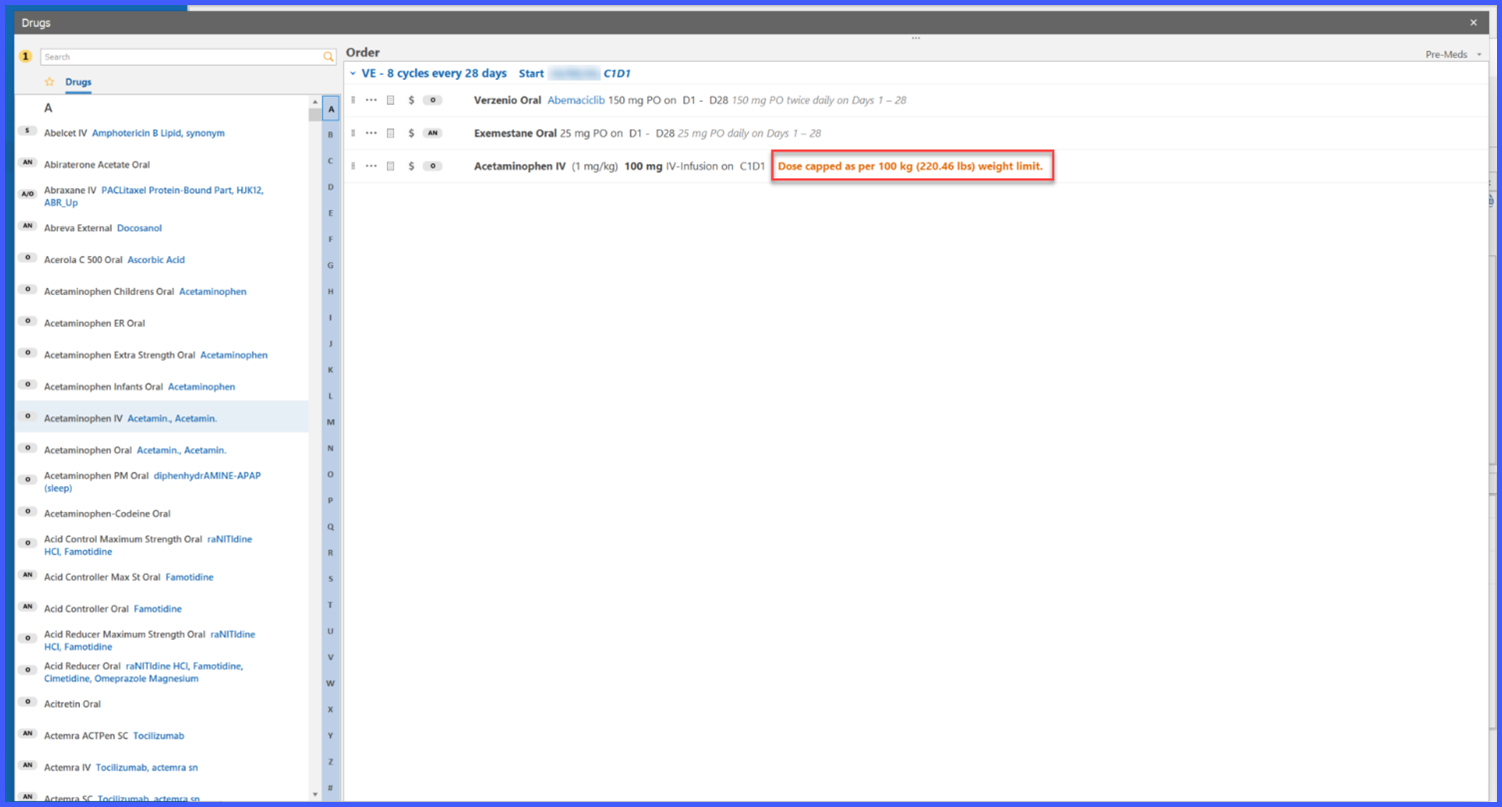
- Replacement Drug popups display replacement recommendations without showing weight-cap indicators.
Benefits
- Helps prevent excessive dosing by automatically applying configured weight limits.
- Supports practice-specific dosing policies through configurable Weight Cap settings.
- Improves patient safety by reducing the risk of inaccurate weight-based dose calculations.
- Eliminates the need for manual dose adjustments when patient weight exceeds configured thresholds.
- Provides clear visual indicators wherever weight-capped dosing has been applied, including chemo plan, chemo admin, treatment planner, chemo flowsheet and appointment wizard.
- Ensures consistent weight-based dose calculations across ordering, planning, administration, documentation, and reporting workflows.