Auto-Removal of Claims from Rejected and Corrected Buckets After ERA Posting
View Rejected Claims
View Corrected Claims
Automatic Claim Removal After ERA Processing
Automatic Restoration of Claims
What’s New
- Claims are automatically removed from the Rejected and Corrected buckets after ERA payment or denial posting.
- Manual payment and manual denial postings also trigger automatic claim removal.
- Claims are automatically removed from the Corrected bucket when the associated insurance plan changes.
- Claims are matched using Date of Service (DOS) and Claim Submission Identifier (Claim ID/ICN/Control Number).
- Claims are automatically restored to the appropriate bucket if a payment, denial, or insurance change is reversed.
- Rejected and Corrected work queues are automatically updated to reflect the current claim status.
How It Works
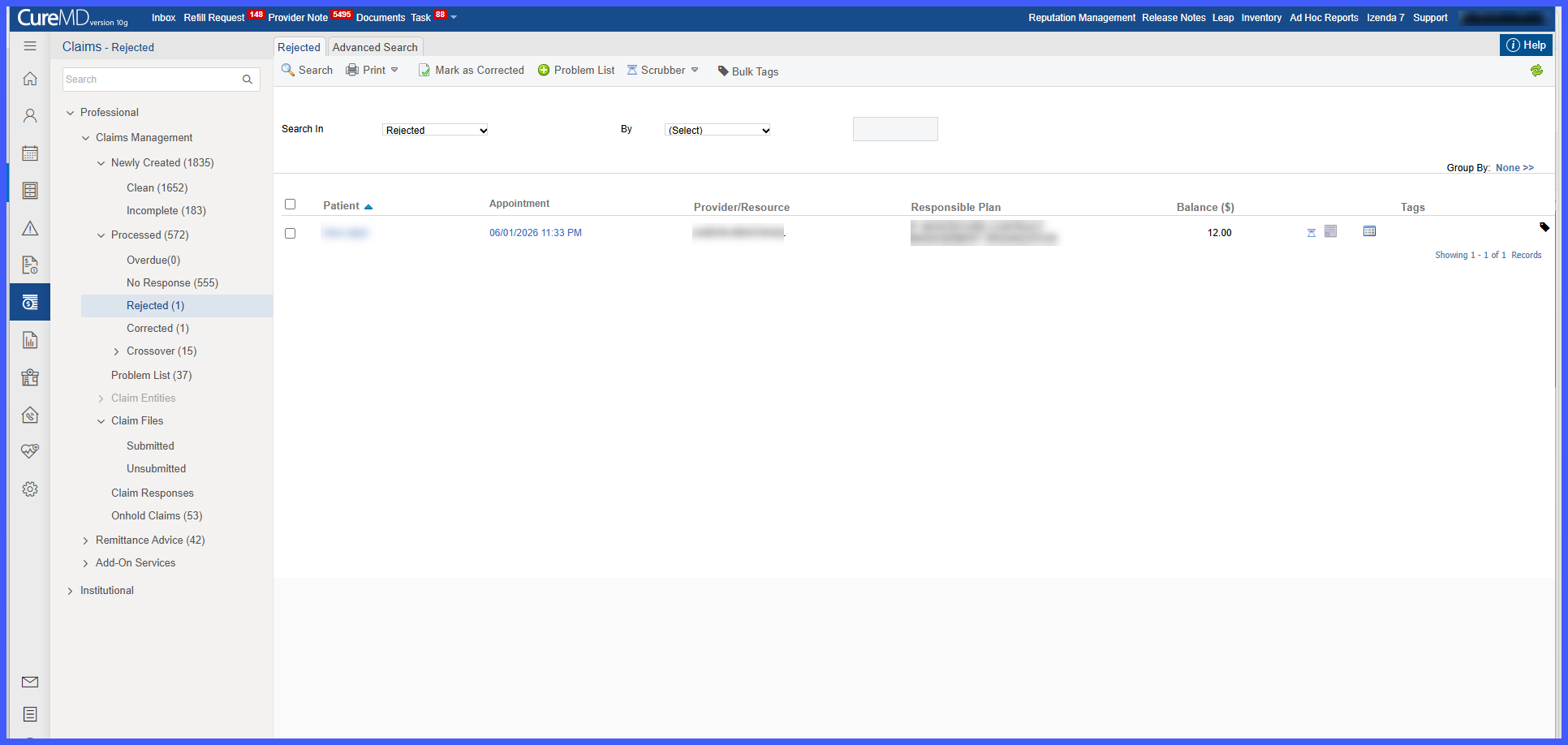
- Navigate to Claims > Professional > Claims Management.
- Locate claims within the Rejected or Corrected buckets.
- When an ERA payment, ERA denial, manual payment, manual denial, or insurance plan update is processed, the system automatically evaluates the affected claim.
- If the claim has been successfully processed, it is removed from the appropriate work queue.
- If the associated payment, denial, or insurance change is later reversed, the system automatically restores the claim to its original bucket.
- Work queues remain synchronized with the latest claim processing status.
 Benefits
- Prevents duplicate claim submissions by automatically removing processed claims from actionable work queues.
- Improves the accuracy of Rejected and Corrected claim buckets.
- Reduces manual cleanup for billing staff.
- Provides better visibility into each claim’s current lifecycle.
- Helps maintain compliance by ensuring processed claims are no longer presented as actionable items.
