Allow Hyphen in Location PIN for SFLSI Segment
What’s New
-
The Location PIN field now supports the hyphen (–) character.
-
Hyphens are permitted alongside existing alphanumeric characters.
-
UI validation rules are updated to allow the expanded character set.
-
Existing Location PIN values remain unchanged and continue to function as before.
How It Works
-
Navigate to Settings > My Practice Settings > Provider.
-
Select Edit Provider.
-
Open the Provider Plan PIN configuration.
-
Enter a Location PIN using allowed characters, including a hyphen if required by the payer.
-
Save the configuration.
-
The system stores the Location PIN exactly as entered.
-
When EDI files are generated, the Location PIN is included in the SFLSI segment without modification.
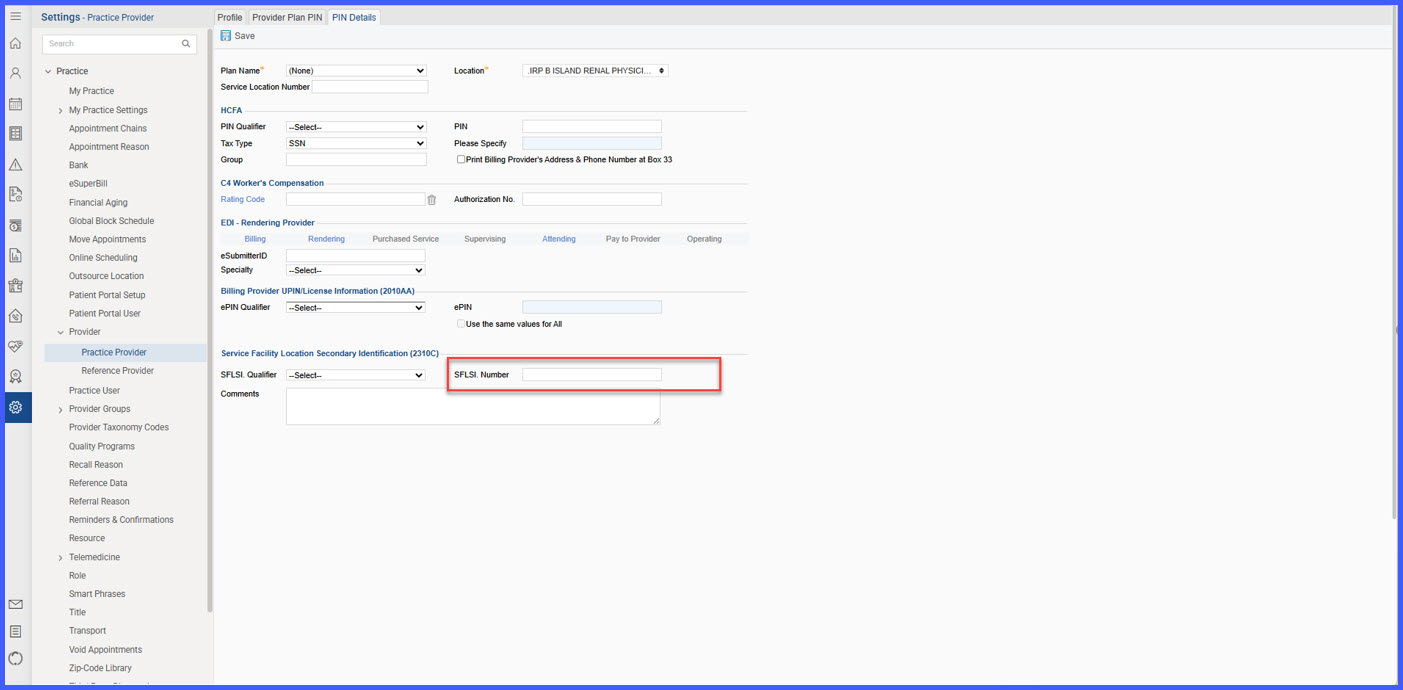 Functionality
-
Allowed Characters Rule
-
Alphanumeric characters (A–Z, a–z, 0–9)
-
Hyphen (–)
-
No other special characters are permitted
-
-
Entity Type Rule
-
Hyphens are supported because the Location PIN represents a non-individual entity, aligning with payer requirements.
-
-
Frontend Validation Rule
-
Validation is enforced at the UI level to restrict input to permitted characters only.
-
-
Persistence Rule
-
The Location PIN is stored exactly as entered, including the hyphen.
-
-
EDI Integrity Rule
-
The system does not strip or alter the hyphen when generating EDI files.
-
-
Backward Compatibility Rule
-
Existing Location PIN values without hyphens continue to work without change.
-
Benefits
-
Ensures compliance with payer-specific Location PIN formatting requirements.
-
Prevents SFLSI segment validation errors and downstream transaction rejections.
-
Reduces manual rework caused by configuration limitations.
-
Preserves EDI data integrity by transmitting identifiers as entered.
-
Maintains backward compatibility with existing provider and plan configurations.
