Add Status Filter for Debt Setoff Appointments in Patient Aging Report
What’s New
-
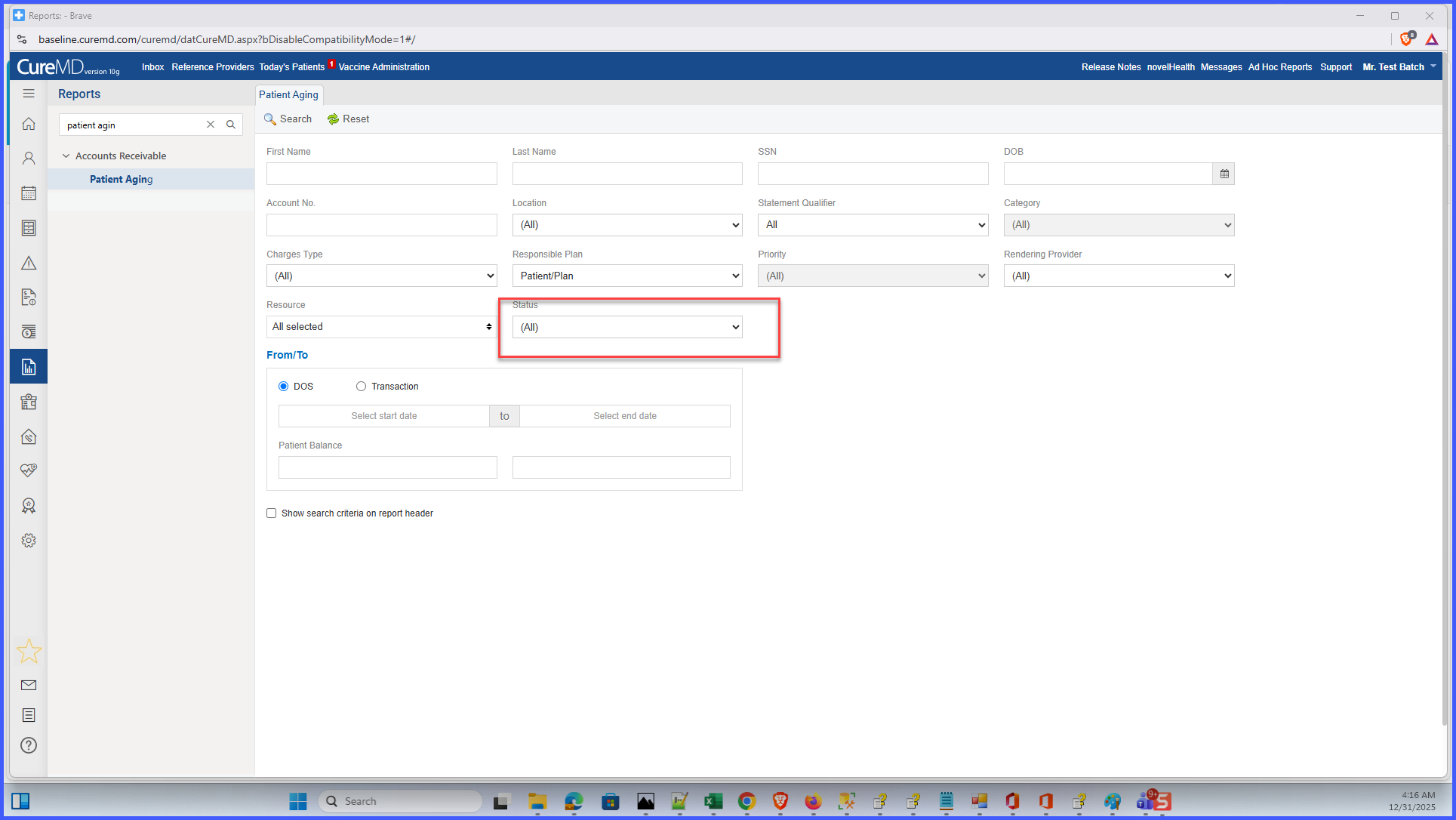
A new Status dropdown filter is added to the Patient Aging Report search criteria.
-
The filter includes three options:
-
All (default): includes both Debt Setoff and non–Debt Setoff appointments.
-
Debt Setoff: includes only appointments marked as Debt Setoff.
-
Non-Debt Setoff: excludes Debt Setoff appointments and shows only regular balances.
-
-
The selected Status filter is applied consistently to both on-screen reports and exported files.
-
Existing report behavior remains unchanged unless a specific Status option is selected.
How It Works
-
Navigate to Reports > Account Receivable > Patient Aging Report.
-
In the search criteria, locate the Status dropdown filter.
-
Select one of the available options: All, Debt Setoff, or Non-Debt Setoff.
-
Run the report.
-
The system filters appointment balances based on the selected status.
-
The filtered results appear in the report grid and in any exported output.
Benefits
-
Provides more accurate and flexible aging views.
-
Reduces confusion caused by Debt Setoff balances appearing unexpectedly.
-
Preserves existing workflows for practices that rely on current behavior.
-
Supports different reporting needs without impacting other users.
-
Improves clarity and confidence in financial reporting.
