Add Option to Display Provider and/or Practice Name on Payment Receipts
What’s New
-
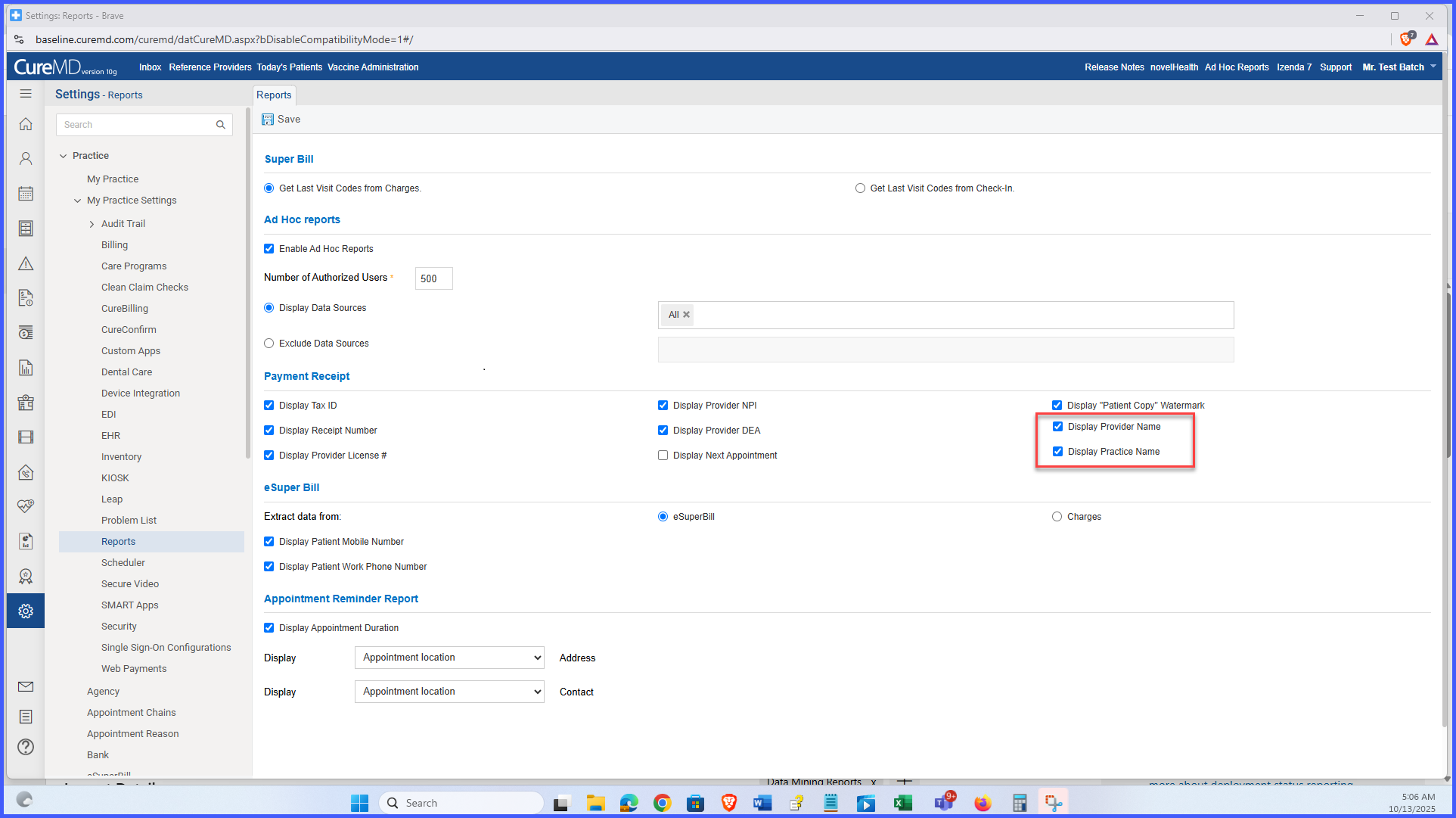
A new subsection, Payment Receipt Display Options, has been added under Settings > Practice > My Practice Settings > Reports > Receipts.
-
Three new configuration options are available for receipt headers:
-
Provider Name (provider only)
-
Practice Name (practice only)
- Provider Name and Practice Name (both together)
-
-
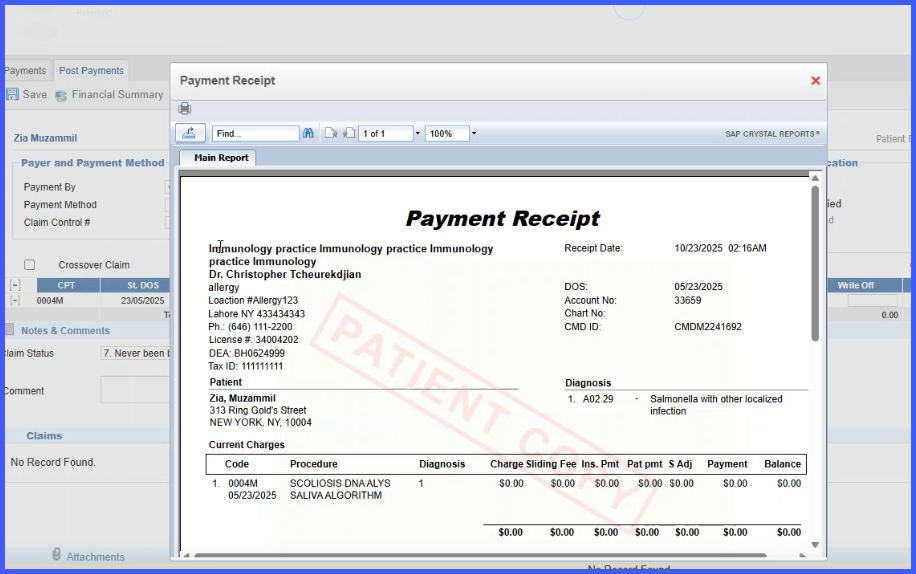
The receipt header updates dynamically based on the selected option.
- Default behavior remains unchanged until modified (both names displayed).
-
Applies to all payment receipts, including POS, patient payments, and copay receipts.
- Configuration changes are captured in the system audit trail.
-
Only users with access to Practice Settings can modify these options.
- Changes take effect immediately for newly generated receipts; historical receipts remain unchanged.
How It Works
- Navigate to Settings > Practice > My Practice Settings > Reports > Receipts.
- Locate the new Payment Receipt Display Options subsection under the Payment Receipt section.
- Select one of the three display options: Provider Name, Practice Name, or Provider Name and Practice Name.
- Save the configuration
- Newly generated receipts will automatically display the selected name format.
- Previously generated receipts remain unchanged for auditing and historical accuracy.
Benefits
-
Allows practices to customize how names appear on receipts to match their branding preferences.
-
Ensures visual consistency across all printed financial documents.
-
Reduces manual edits and eliminates the need for external formatting.
-
Enhances clarity for patients, particularly in multi-provider environments.
-
Supports audit requirements by maintaining consistent and accurate ownership identification.