Primary Care Provider Title Field for Letter and Note Templates
Configure PCP Title in a Template
Generate Document with PCP Credential
What’s New
-
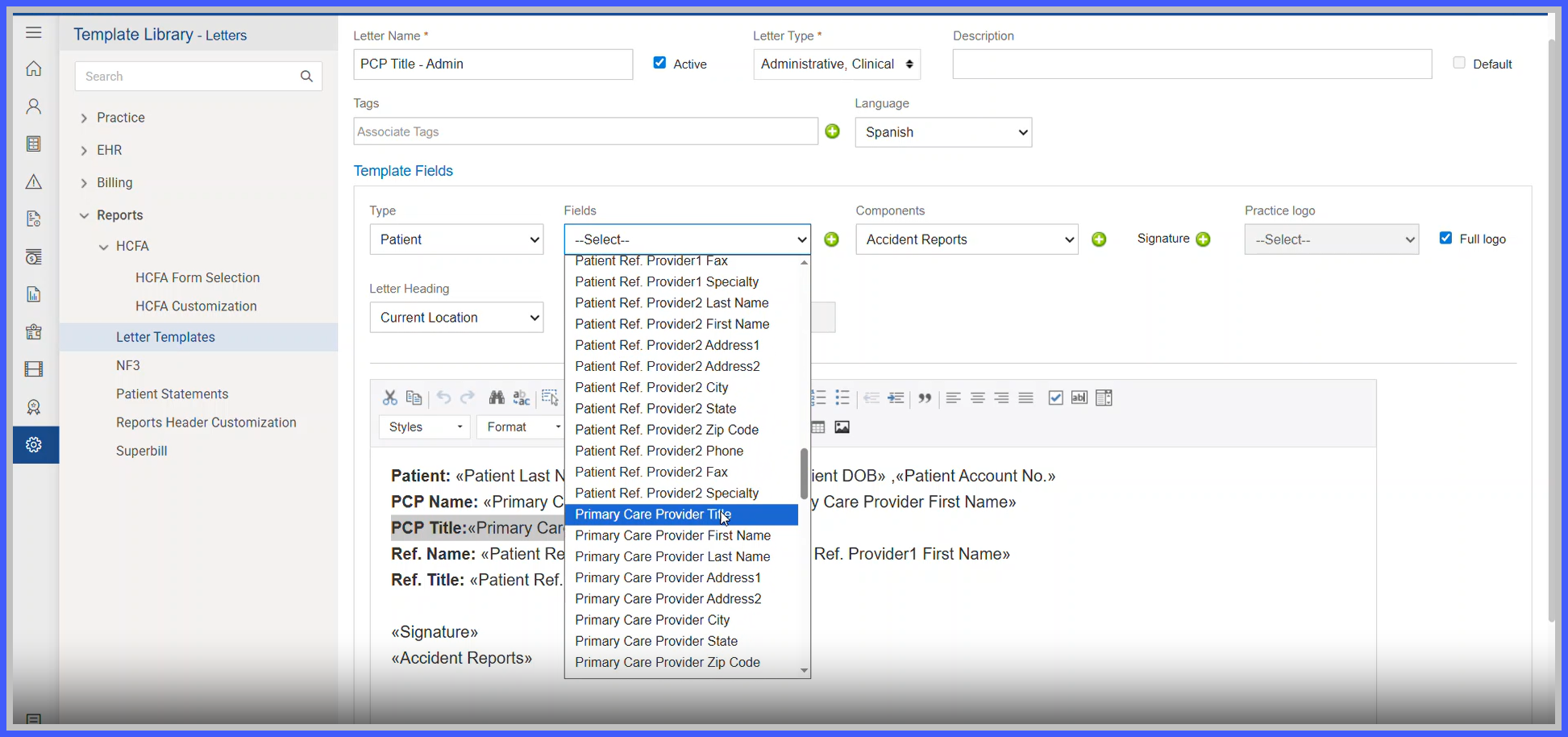
A new Primary Care Provider Title merge field is available for letter and note templates.
• The field automatically retrieves the credential/title configured on the assigned PCP’s provider profile.
• All configured provider credentials are supported.
• The field follows the same behavior as the existing Referring Provider Title field.
• When a document is generated, the PCP’s current credential is dynamically populated.
• If no PCP is assigned or the assigned PCP does not have a credential configured, the field remains blank.
• Existing templates remain unchanged unless the new Primary Care Provider Title field is added.
How It Works
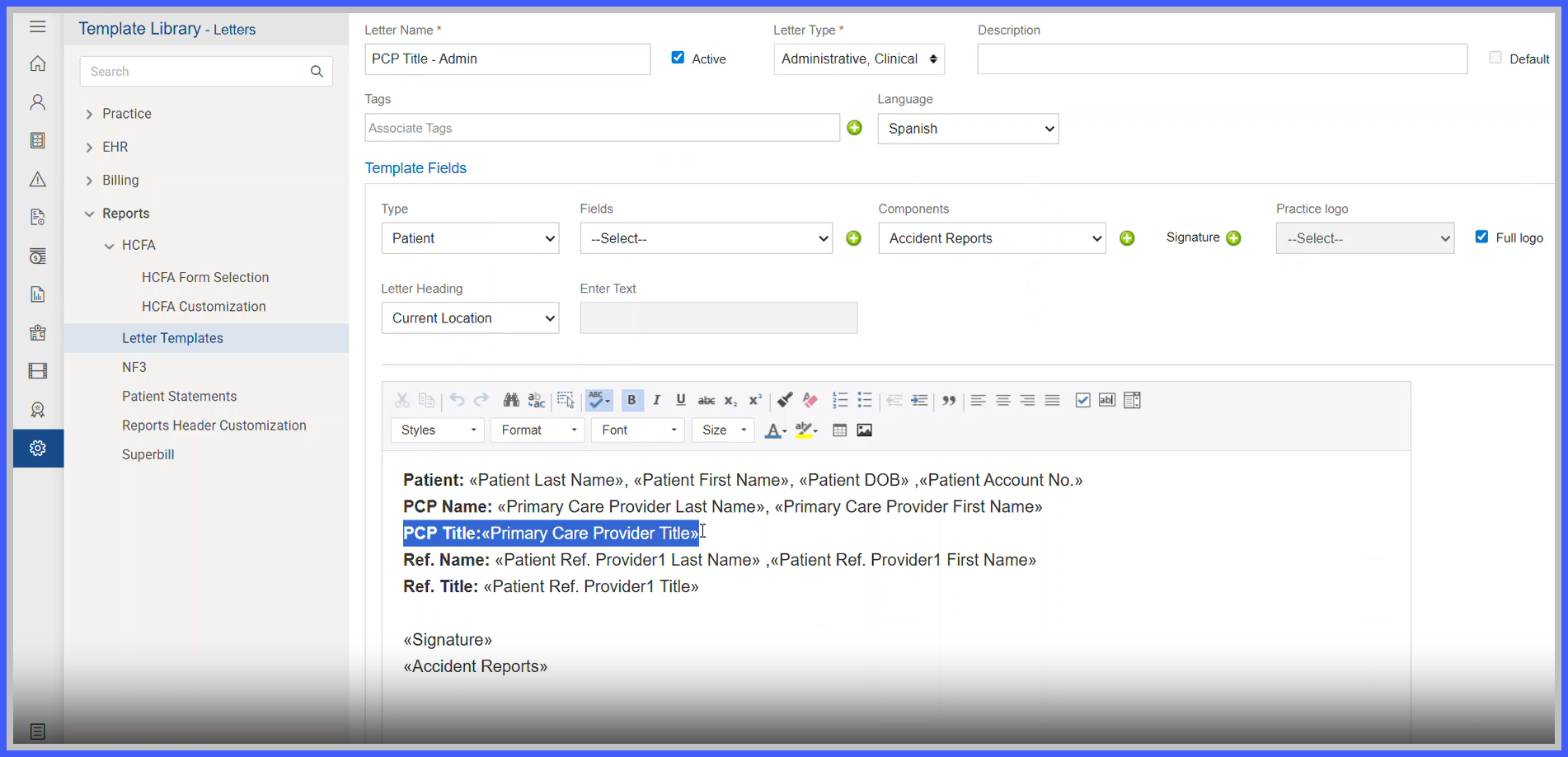
- Open a letter or note template for configuration.
- From the available template fields, select Primary Care Provider Title and add it to the template.

- Save the updated template.
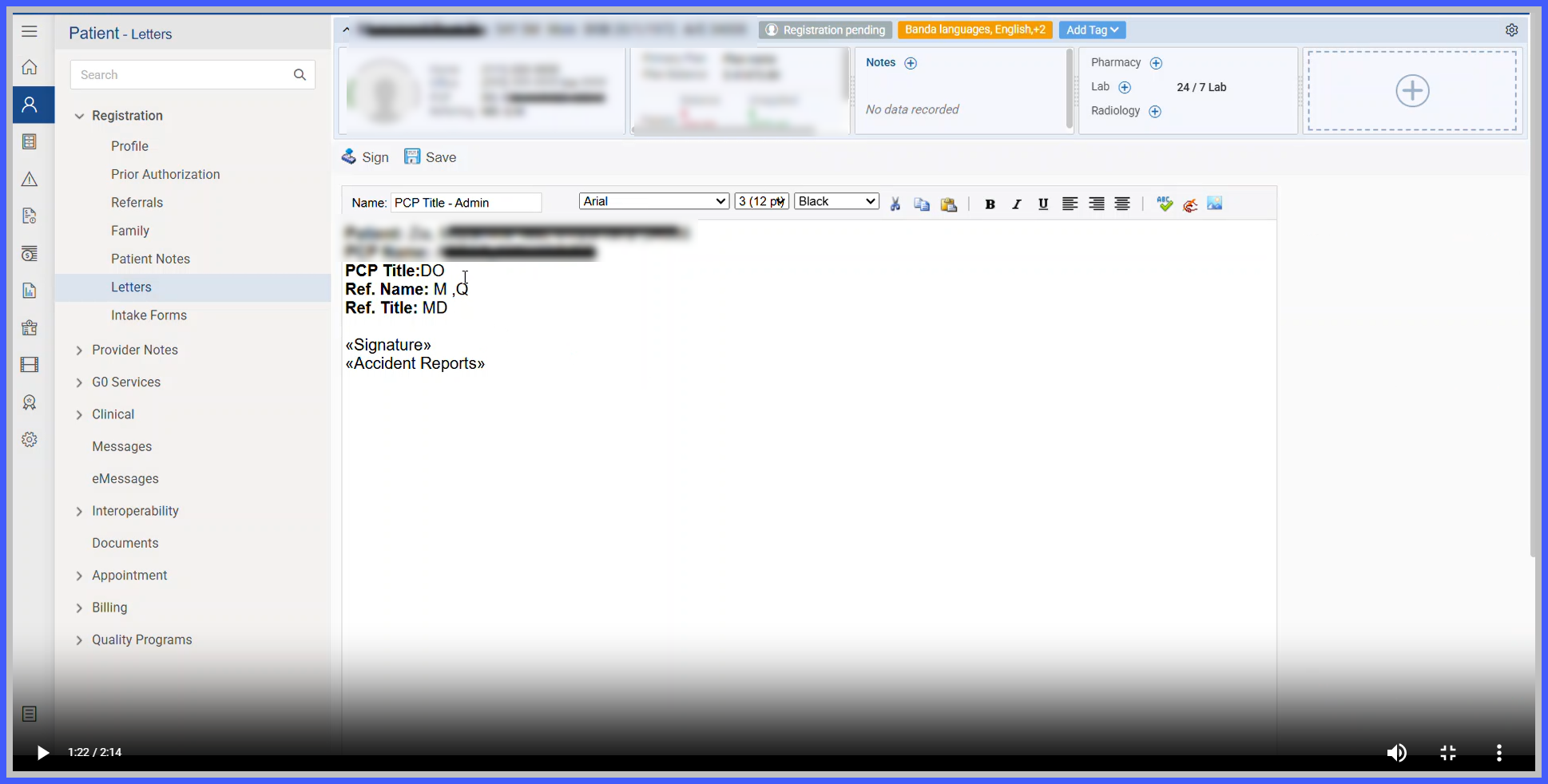
- When the template is used to generate a document, the system identifies the patient’s assigned Primary Care Provider.
- The system retrieves the credential/title configured on the PCP’s provider profile.
- The credential is automatically displayed in the generated document.
- If the patient does not have an assigned PCP or the PCP does not have a configured credential, the field remains blank.
Benefits
- Ensures consistent display of PCP credentials across generated documentation.
- Eliminates the need to manually enter provider titles into templates.
- Improves documentation accuracy by dynamically retrieving the configured provider credential.
- Supports different provider credentials without requiring separate templates.
- Maintains existing template behavior unless the new field is intentionally added
