Drug Flagging Added to Treatment Flowsheet
What’s New
-
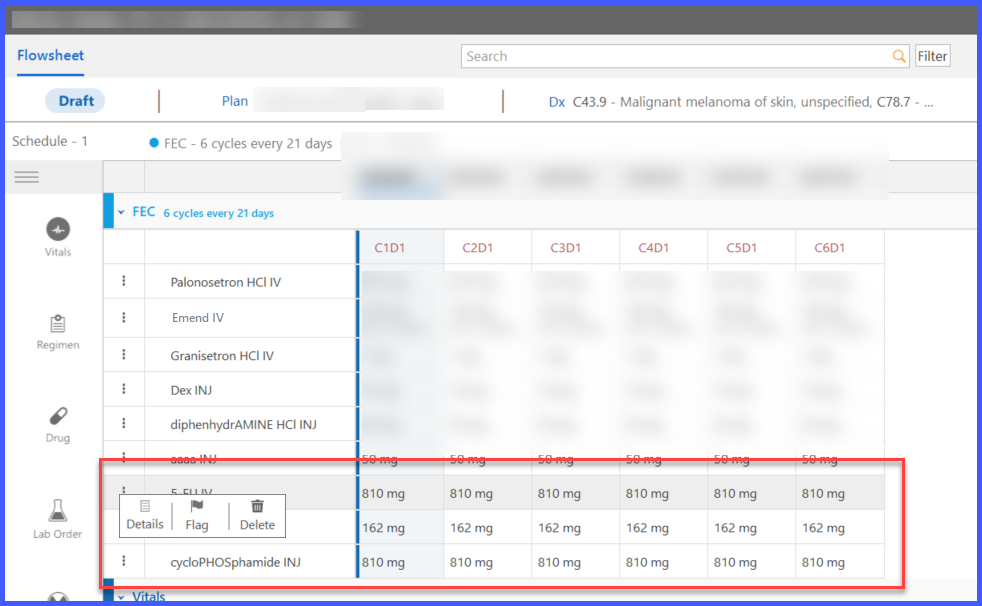
A new Flag action has been added to drug-level actions within the Treatment Flowsheet.
-
Selecting Flag launches the existing drug flagging workflow.
-
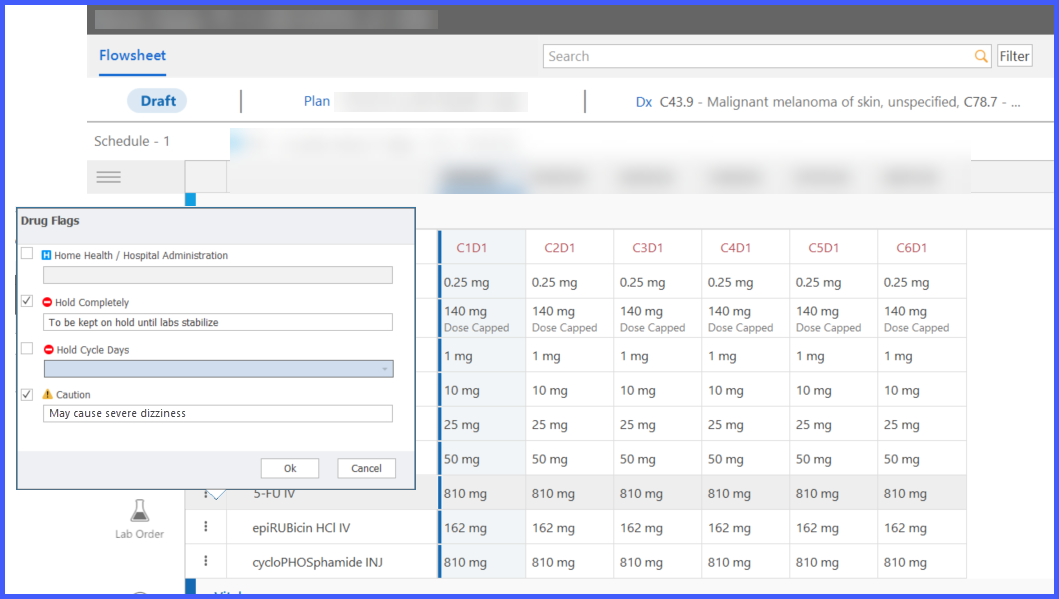
Users can apply the following drug flags directly from the Flowsheet:
– Hospital
– Hold Completely
– Hold on Cycle Days
– Caution -
Drug flagging can now be initiated without navigating to a separate workflow.
How It Works
- Open a Treatment Plan within the Chemotherapy Manager.
- Navigate to the Treatment Flowsheet.
- Locate the desired drug within the flowsheet.
- Select the new Flag action from the drug-level actions menu.
- The existing drug flagging workflow opens.
- Select the appropriate flag and save the changes.
- The selected flag is applied to the drug and reflected within the treatment workflow.
Benefits
-
Reduces navigation by allowing drug flagging directly from the Treatment Flowsheet.
-
Streamlines medication management within chemotherapy workflows.
-
Provides faster access to commonly used clinical flags.
-
Improves workflow efficiency by keeping users within the treatment context.
