Birth Sex Label Display on Clinical Quality Reports Page
What’s New
-
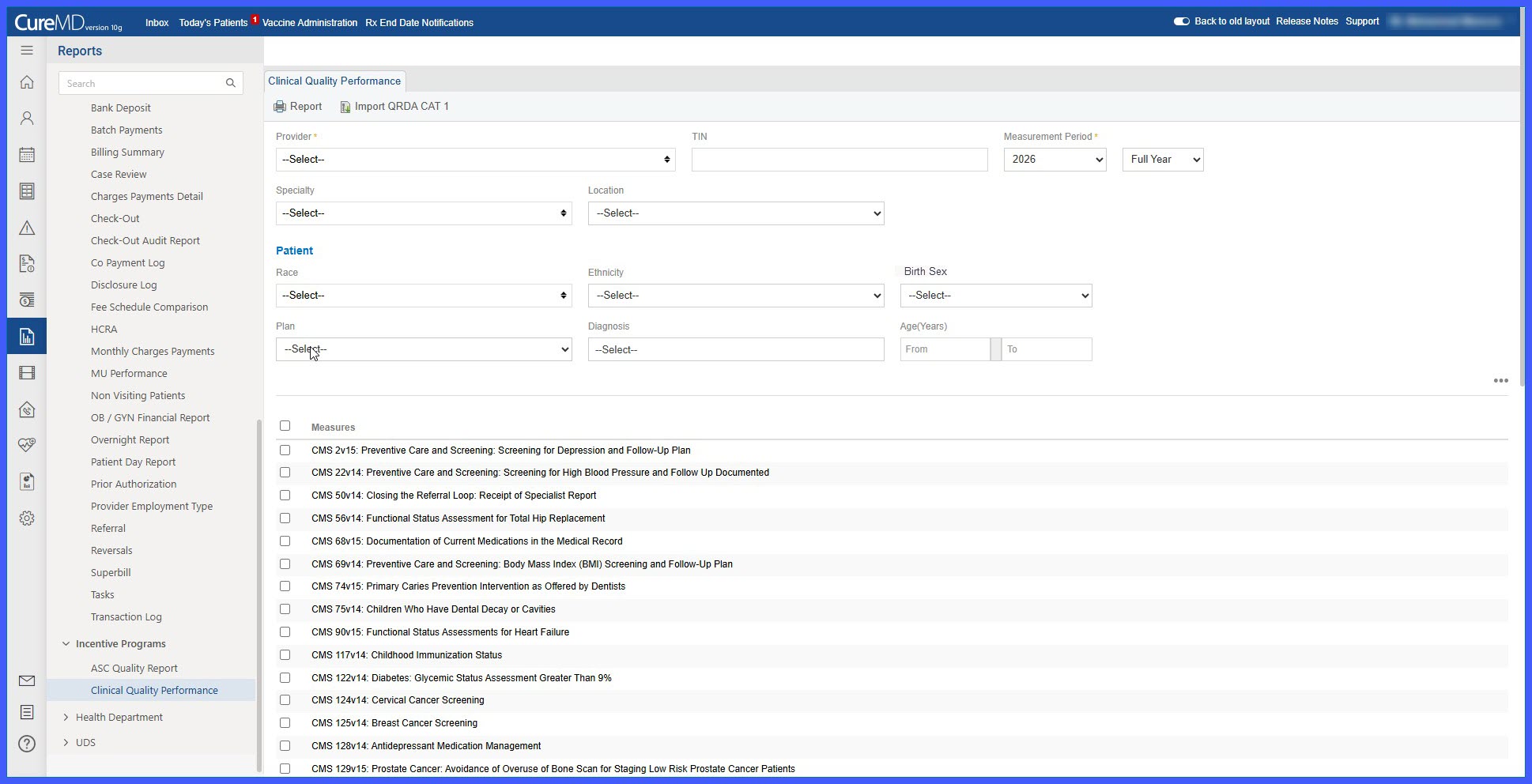
The patient filter label on the Clinical Quality Reports page is now displayed as Birth Sex.
-
The previous label, Gender, has been removed from this section.
-
The associated dropdown continues to use the same underlying demographic data and filtering logic.
-
Report generation and output behavior remain unchanged.
How It Works
- Navigate to the Clinical Quality Reports page.
- Locate the patient filter section.
- The filter is now labeled Birth Sex.
- Select a value from the Birth Sex dropdown to refine report results.
- The system applies the selected filter using the existing demographic data source and generates the report as usual.
Benefits
-
Aligns report terminology with patient demographic records.
-
Improves consistency across the application.
-
Preserves existing filtering behavior without impacting report results.
-
Reduces ambiguity by using more specific demographic labeling.
