Sorting Options for Appended Comments in Provider Notes
What’s New
-
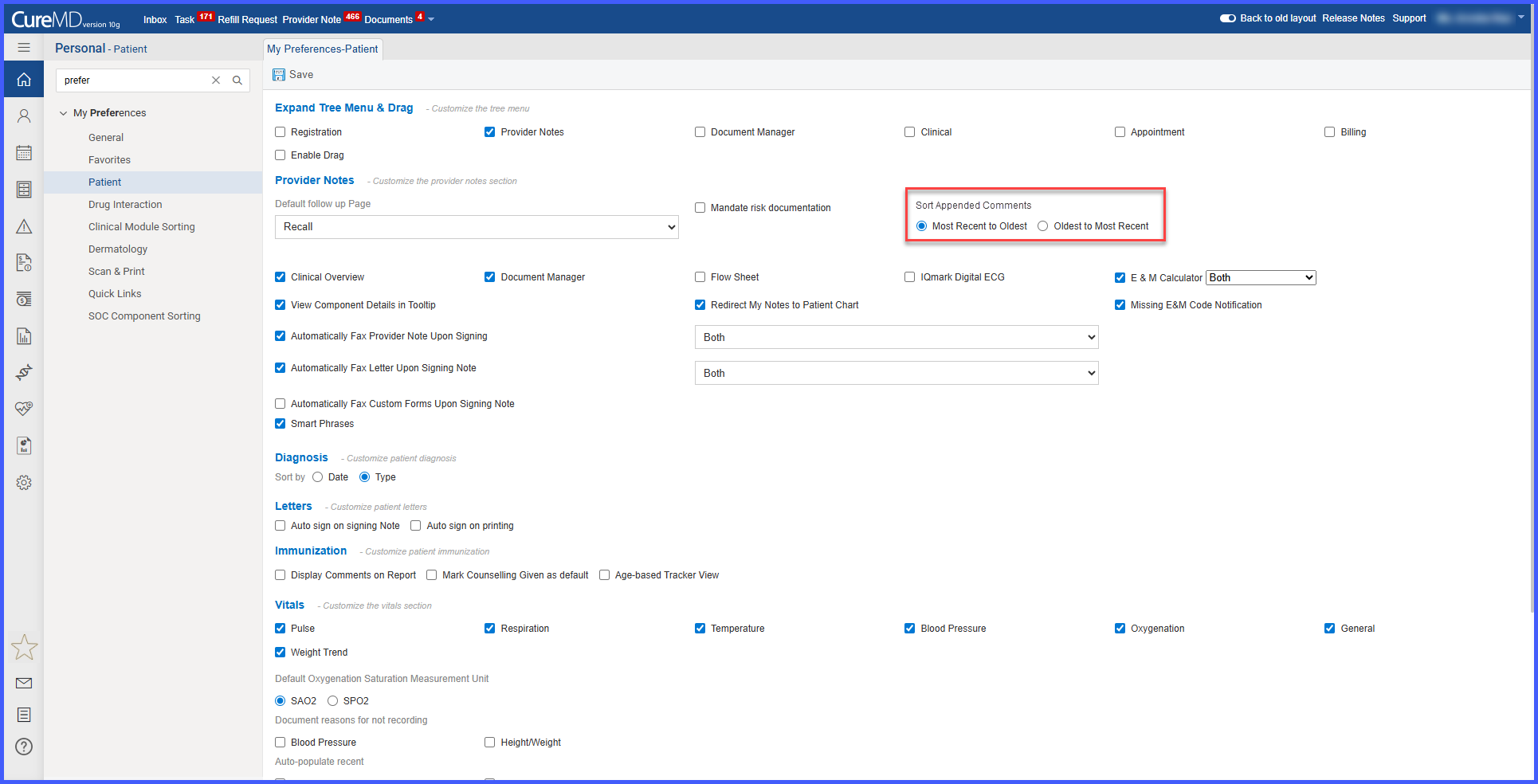
A new setting “Sort Appended Comments” is available under User Preferences > Patient.
-
Two sorting options are available:
-
Most Recent to Oldest (default)
-
Oldest to Most Recent
-
-
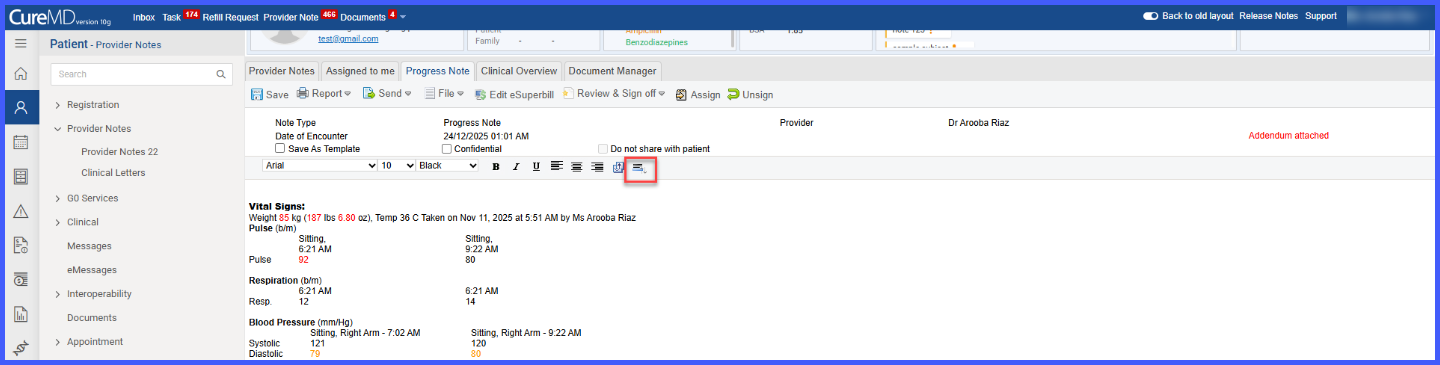
A Sort icon is displayed in the Provider Note toolbar when multiple addendums exist.
-
Users can change the sorting order directly within the note using the Sort icon.
-
The selected sorting preference is saved and synced with User Preferences.
-
The Sort option is visible only when a note contains multiple appended comments.
How It Works
- Navigate to User Preferences > Patient.
- Locate the “Sort Appended Comments” setting.
- Select the preferred sorting order: Most Recent to Oldest or Oldest to Most Recent.
- Open a Provider Note that contains multiple addendums.
- Use the Sort icon in the toolbar to adjust the order directly within the note.
- The selected sorting preference is automatically saved and applied consistently.
Benefits
-
Improves readability of provider notes with multiple addendums.
-
Allows users to review comments in their preferred chronological order.
-
Provides flexibility with both global settings and in-note controls.
-
Enhances efficiency when reviewing historical or recent updates within notes.
