Total Visits Display in Day Sheet Summary When Grouped by Location
What’s New
-
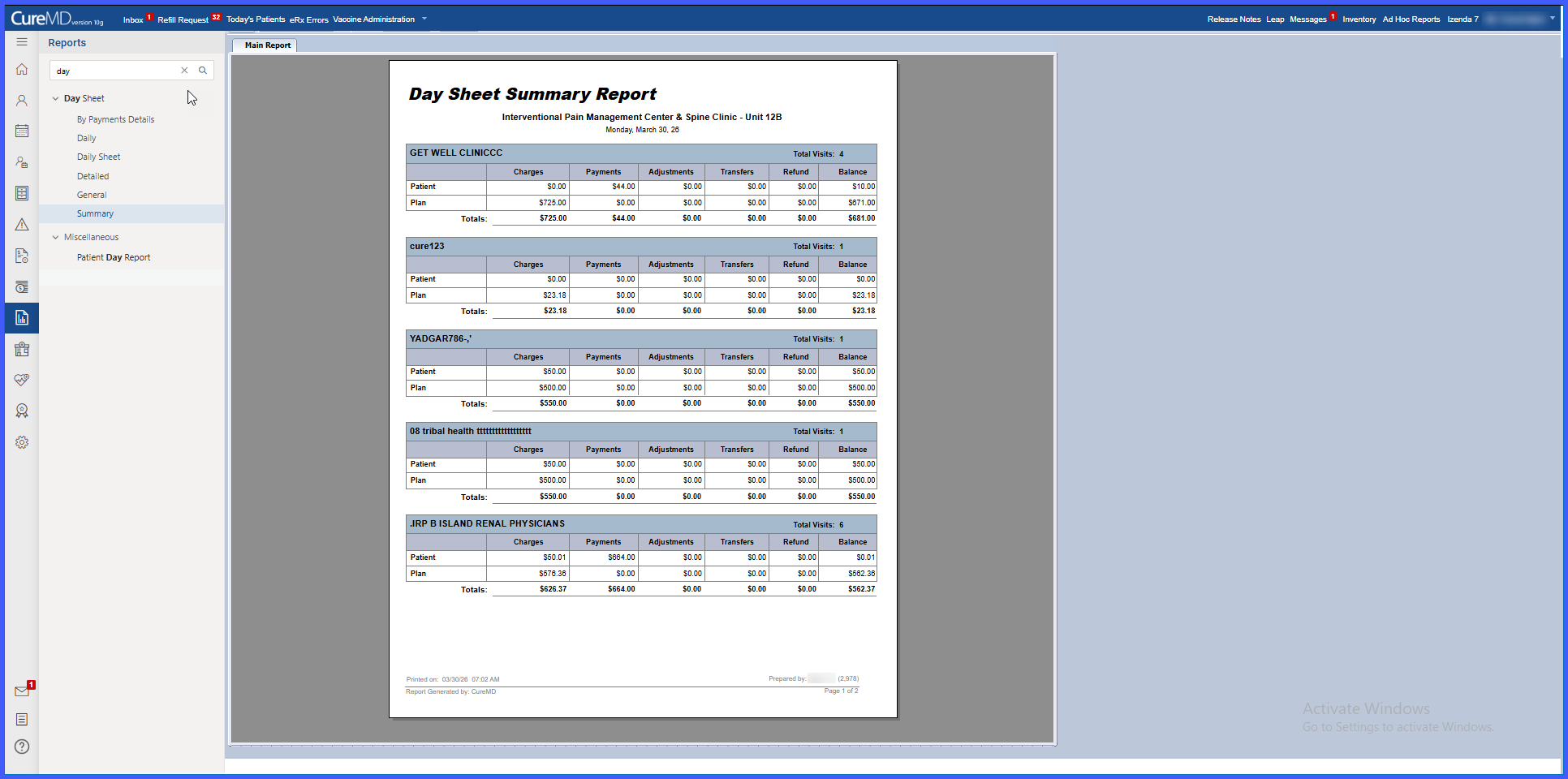
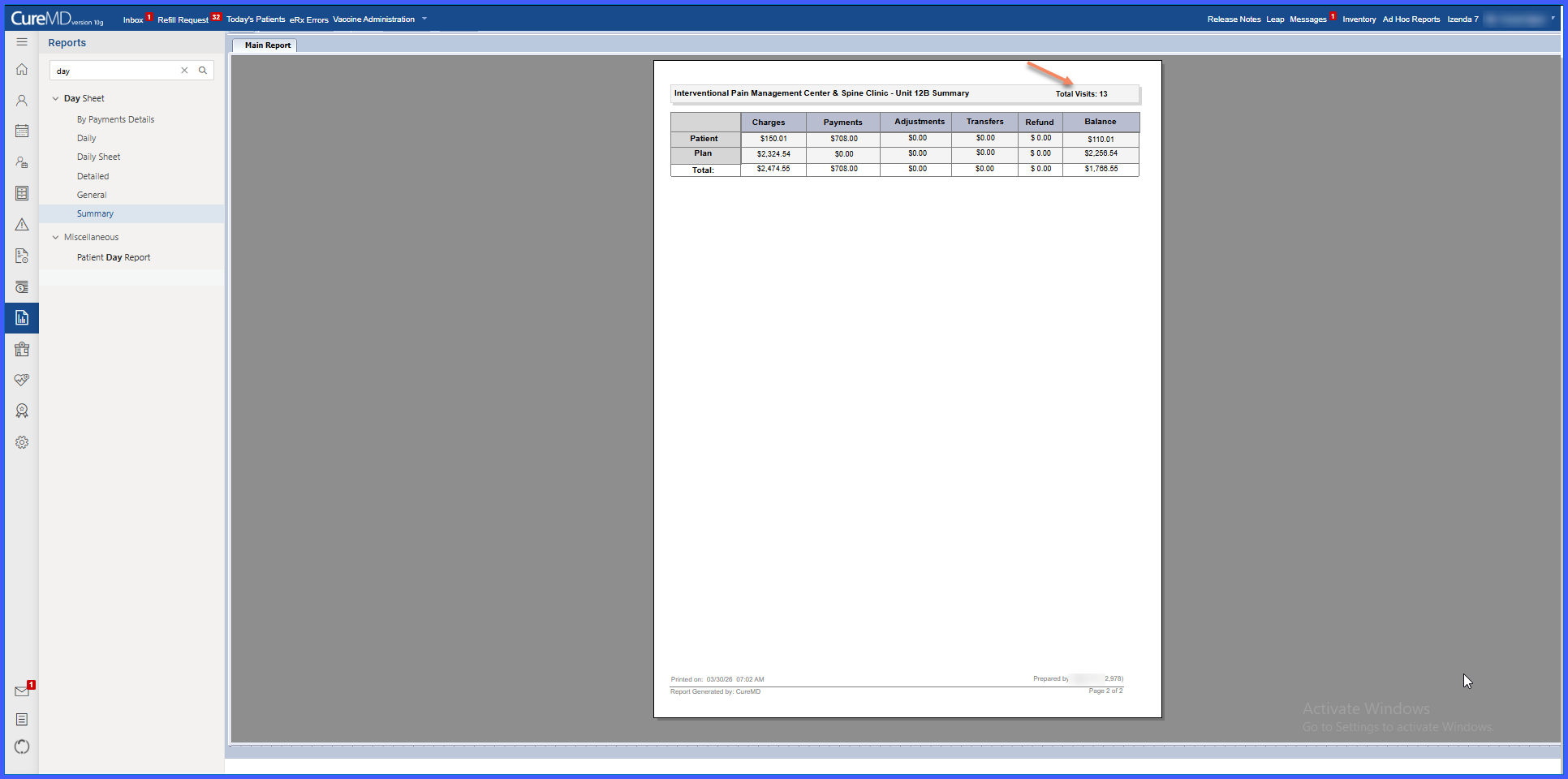
A Total Visits count is displayed in the summary header when the report is grouped by Location.
-
The count appears in the top-right section of the report.
-
Total reflects the aggregate number of visits across all locations included in the report results.
-
Applies specifically when the grouping option is set to Location.
How It Works
- Navigate to Reports > Day Sheet Summary.
- Select the grouping option as Location.
- Generate the report.
- The summary header displays the Total Visits count in the top-right section.
- The count reflects the combined total of visits across all included locations.
Benefits
- Provides immediate visibility into total visit volume across locations.
- Eliminates the need to manually sum visits from each grouped section.
- Improves reporting efficiency and readability.
