10g > Patient > Patient Banner > Hover Over Vitals Section
What’s New
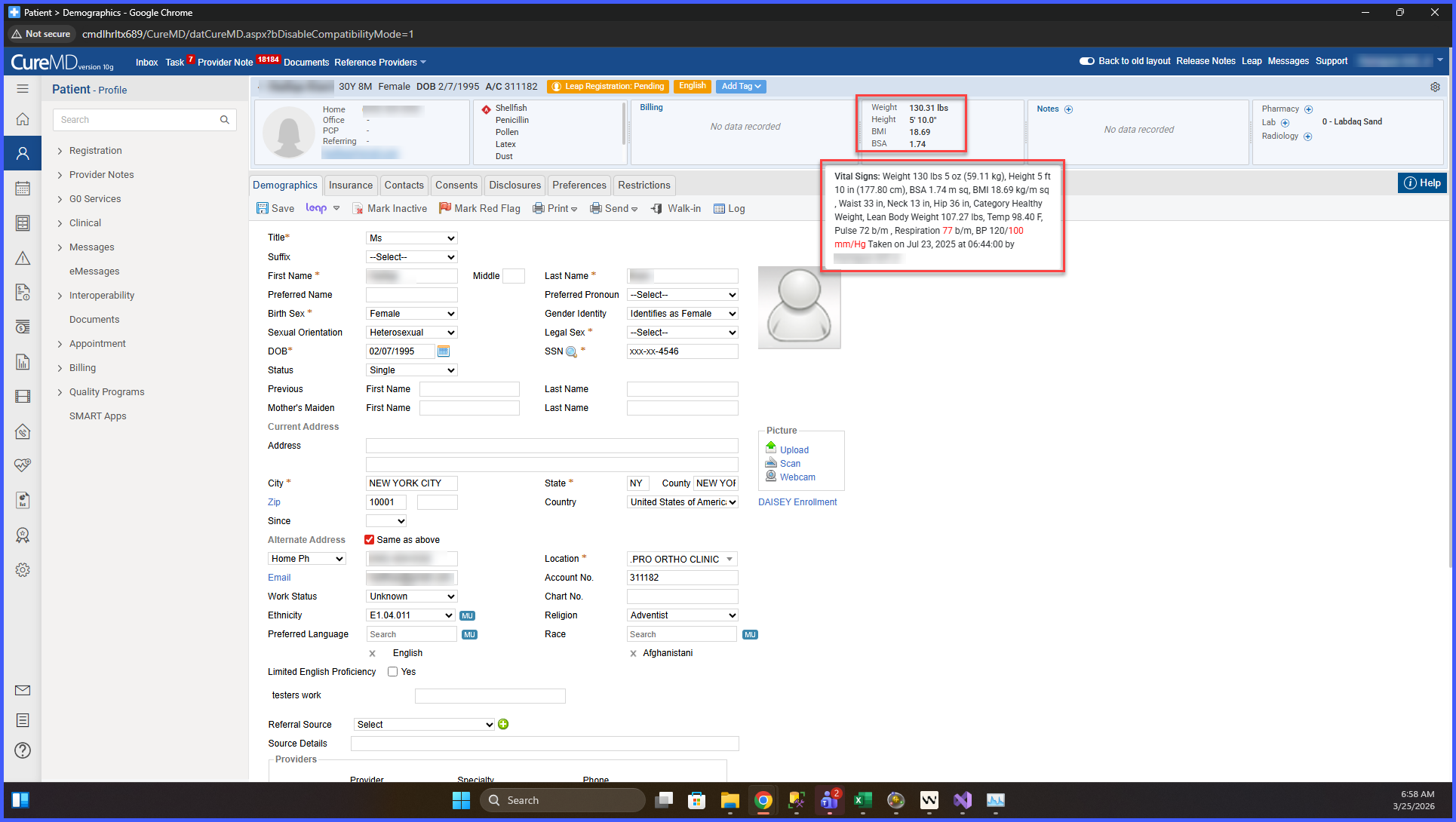
- A hover tooltip is added to the vitals section in the patient banner.
- Tooltip displays the most recent vitals information.
- Tooltip content mirrors the Vitals component listing view.
- Tooltip is triggered by hovering anywhere within the vitals area.
- Tooltip positioning ensures it does not overlap other banner elements and remains fully visible.
How It Works
- Open a patient record in 10g.
- Locate the vitals section in the patient banner.
- Hover over the vitals area.
- A tooltip appears displaying the most recent vitals in a detailed format consistent with the Vitals component.
Benefits
- Provides quick access to detailed vitals without leaving the current screen.
- Improves efficiency by reducing navigation to the Vitals component.
- Maintains consistency by using the same layout as the Vitals listing view.
- Enhances visibility of critical patient data at a glance.
