Improved Reminder Emails for Resource-Based Appointments
What’s New
-
A dedicated reminder email template is now used for resource-based appointments.
-
Reminder emails include the resource name.
-
If a provider is linked to the resource, the provider name is also included.
-
The system dynamically adjusts the message based on available information.
-
No blank fields or incomplete placeholders are displayed.
-
Existing provider-only reminder templates remain unchanged.
How It Works
-
A patient books an appointment on a resource calendar.
- The system checks whether a provider is linked to the selected resource.
- When the reminder email is generated, the appropriate format is applied:
- If a provider is linked: “This message is to confirm your upcoming appointment for [Resource Name] with [Provider Name] on [Date] at [Time].”
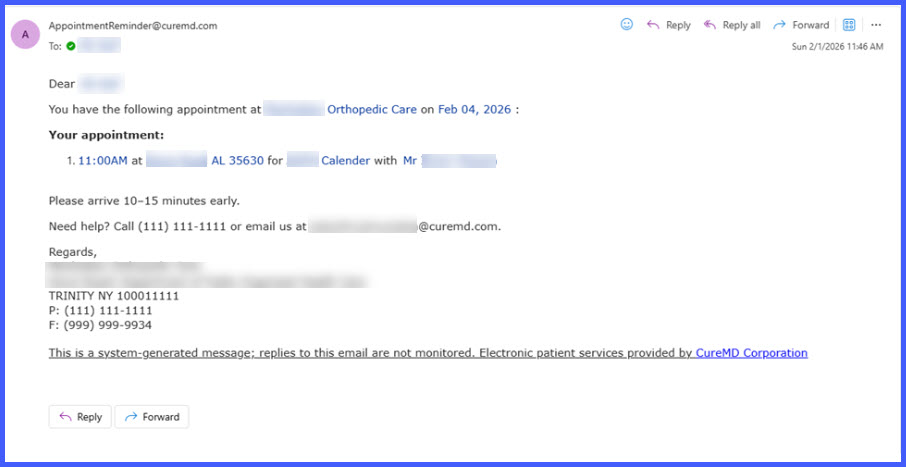
- If no provider is linked: “This message is to confirm your upcoming appointment for [Resource Name] on [Date] at [Time].”
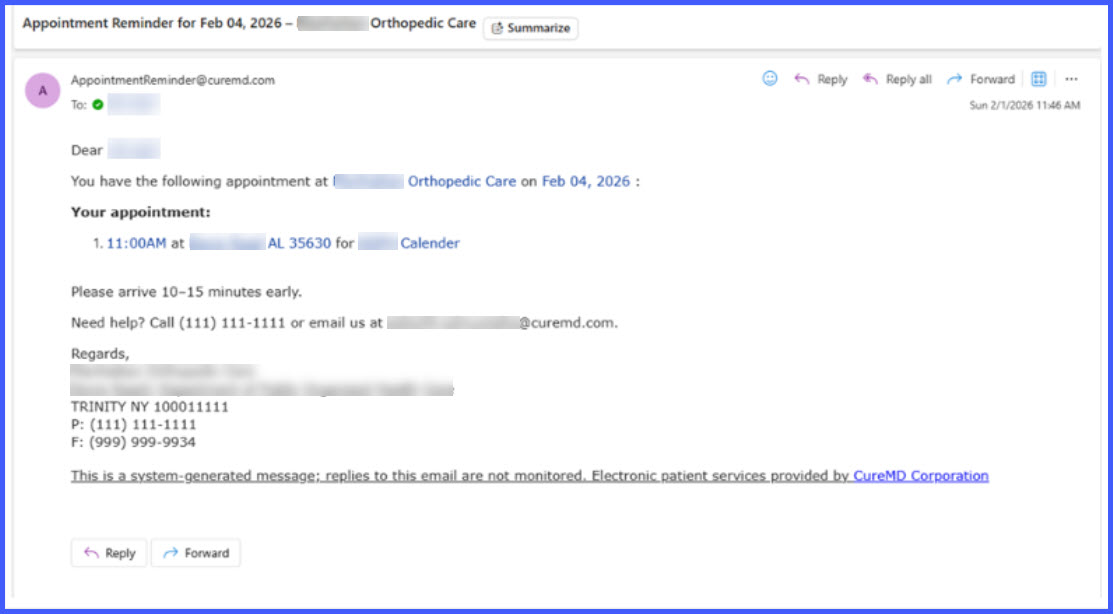
- The system omits any unavailable information and prevents empty placeholders from appearing in the email.
Benefits
-
Provides clearer appointment information to patients.
-
Reduces confusion for appointments booked on resource calendars.
-
Maintains consistent formatting across reminder communications.
-
Preserves existing functionality for provider-only reminders.
