PCL-5 Behavioral Health Assessment Available in Assessments
What’s New
-
PCL-5 assessment added under Behavioral Health Assessment category.
-
Short Name: PCL5
-
Long Name: PTSD Checklist for DSM-5 (PCL-5)
-
Parent LOINC: 101697-1
-
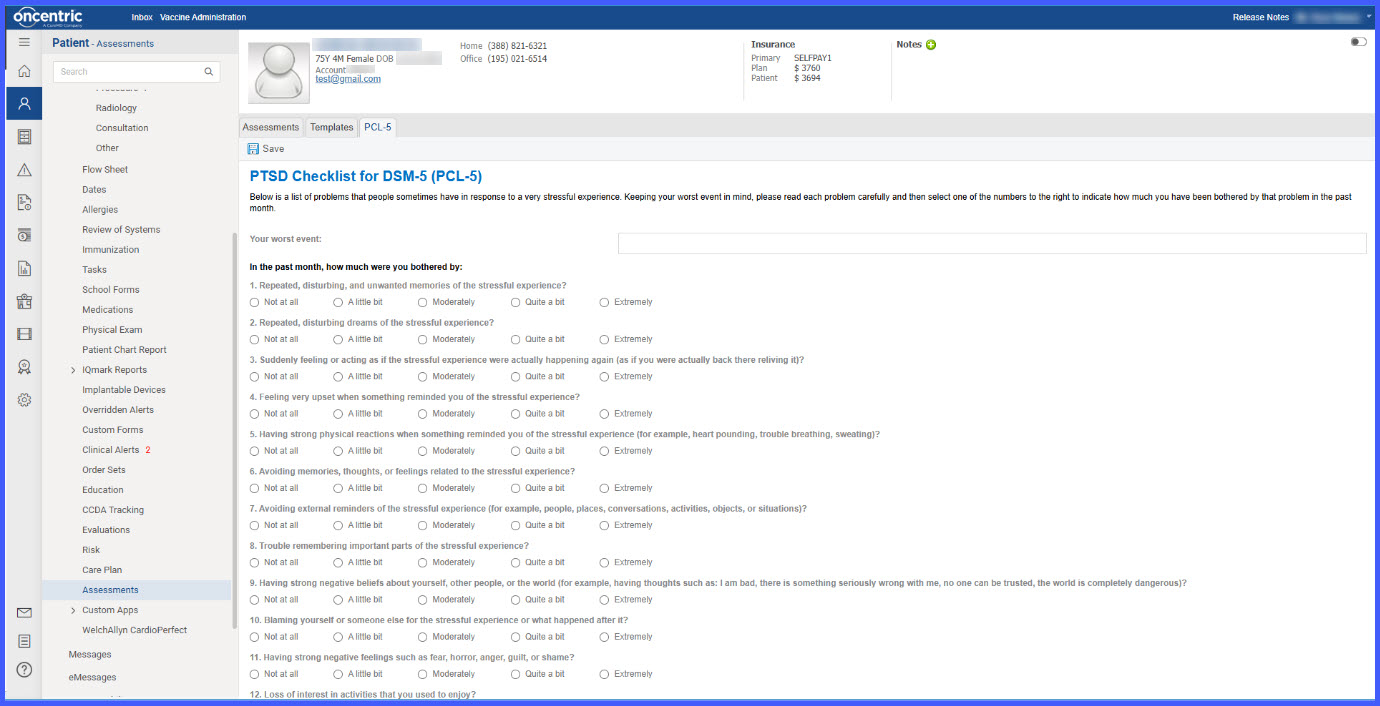
Includes 20 required questions with single-select radio button responses.
-
Uses Normative Answer List: LL5813-2
-
Automatically calculates total score (range 0–80).
-
Stores total score mapped to LOINC 101698-9.
-
Blocks saving/signing if any required questions are unanswered.
How It Works
-
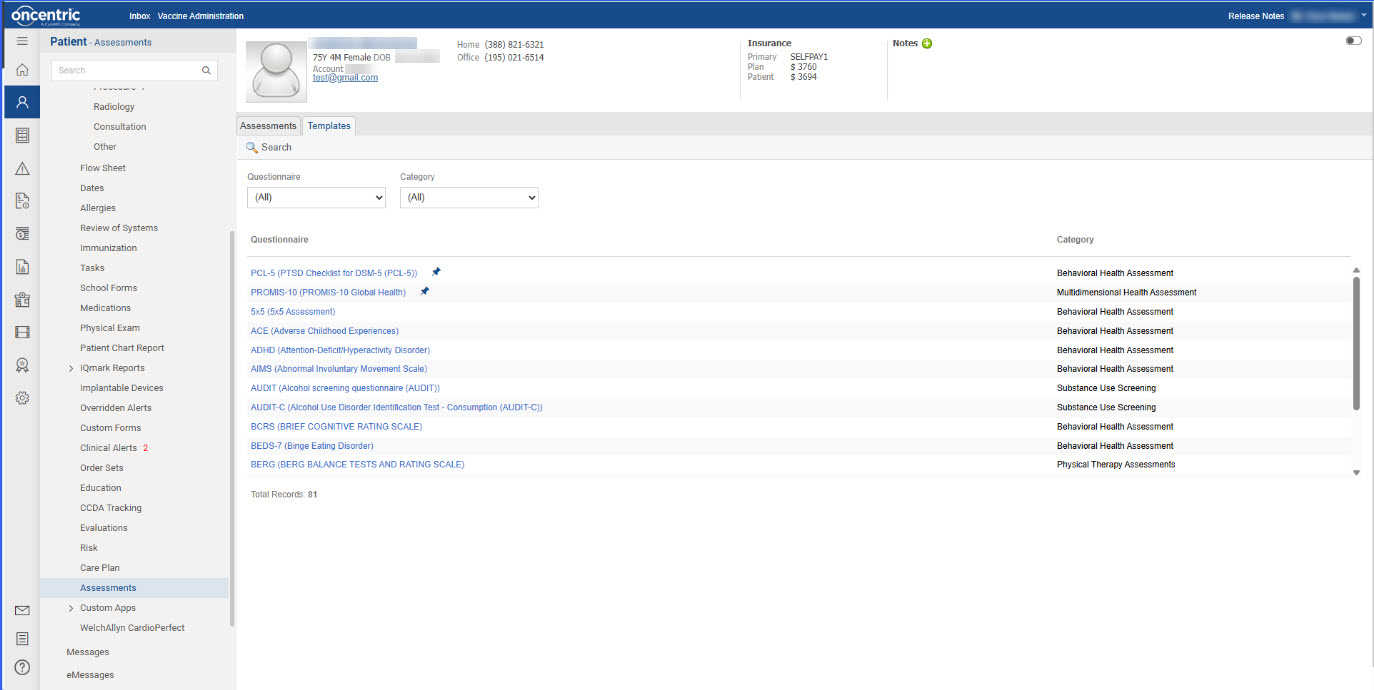
Navigate to Patient > Clinical > Assessments.
-
Open the assessment list.
-
Select PCL5 under Behavioral Health Assessment.
-
Complete all 20 required questions.
 Each question uses a single-select radio group with the following coded options:
-
-
Not at all (LA6568-5, score 0)
- A little bit (LA13863-8, score 1)
- Moderately (LA13939-6, score 2)
- Quite a bit (LA13902-4, score 3)
- Extremely (LA14868-6, score 4)
-
 Each answer is recorded with:
-
-
The coded Answer ID
-
The associated numeric score
-
Its mapped question LOINC code
-
- If any question is left unanswered, the system blocks save/sign and highlights missing responses.
- Once all 20 responses are entered:
- The system validates the assessment.
- Calculates total score (sum of all 20 scores; range 0–80).
- Stores total score mapped to LOINC 101698-9.
- Displays the calculated total score in the assessment summary.
Benefits
-
Removes a non-functional configuration option from My Preferences.
-
Prevents user confusion.
-
Centralizes Clinical Module Sorting management in the appropriate location.
-
Maintains full functionality of all remaining preference settings.
