Clinical Module Sorting Merged into Customization Menu
What’s New
-
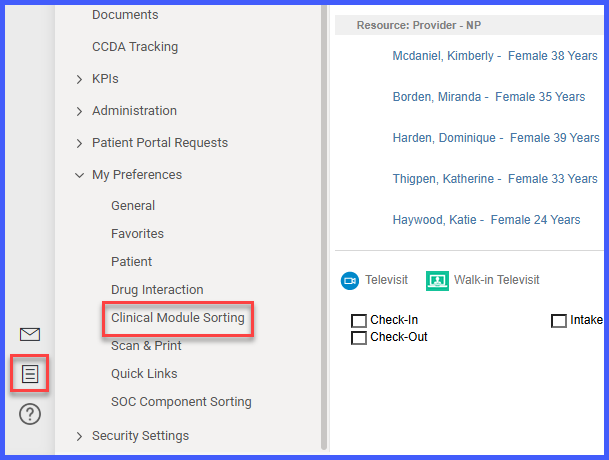
Clinical Module Sorting is no longer available under Personal > My Preferences.
-
Sorting is now managed exclusively through the Customization Menu within the Patient module.
-
All other My Preferences settings remain unchanged and fully functional.
-
No impact to existing sorting configurations.
How It Works
-
Navigate to the Patient Module.
-
Select a patient record.
-
Click the Customization Menu (bottom-left corner).
-
Adjust the Clinical Module order as needed.
-
Click Save to apply changes.
The Clinical Module Sorting option will no longer appear under Personal > My Preferences.
Benefits
-
Centralizes configuration within the Patient workflow.
-
Removes duplicate or misplaced configuration options.
-
Reduces user confusion by aligning settings with their functional context.
-
Maintains consistency across Clinical Module management.
