Patient-Reported Medication Changes Now Require Provider Review
What’s New
-
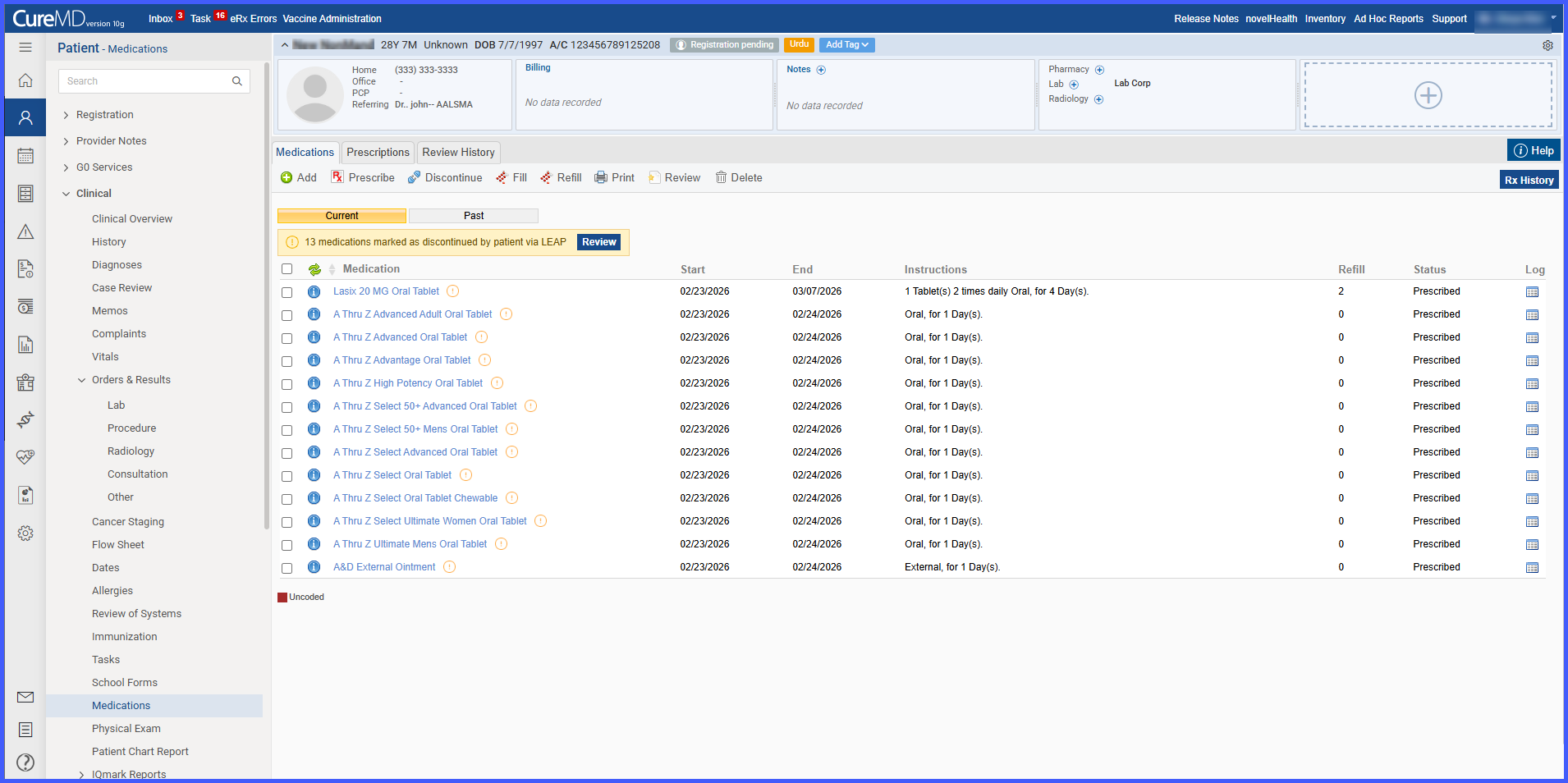
Medications marked as discontinued by patients via LEAP or Digital Check-In are visually flagged in the Current Medications list.
-
A banner displays the total number of patient-marked discontinued medications.
-
A Review button opens the Review Patient Changes popup.
-
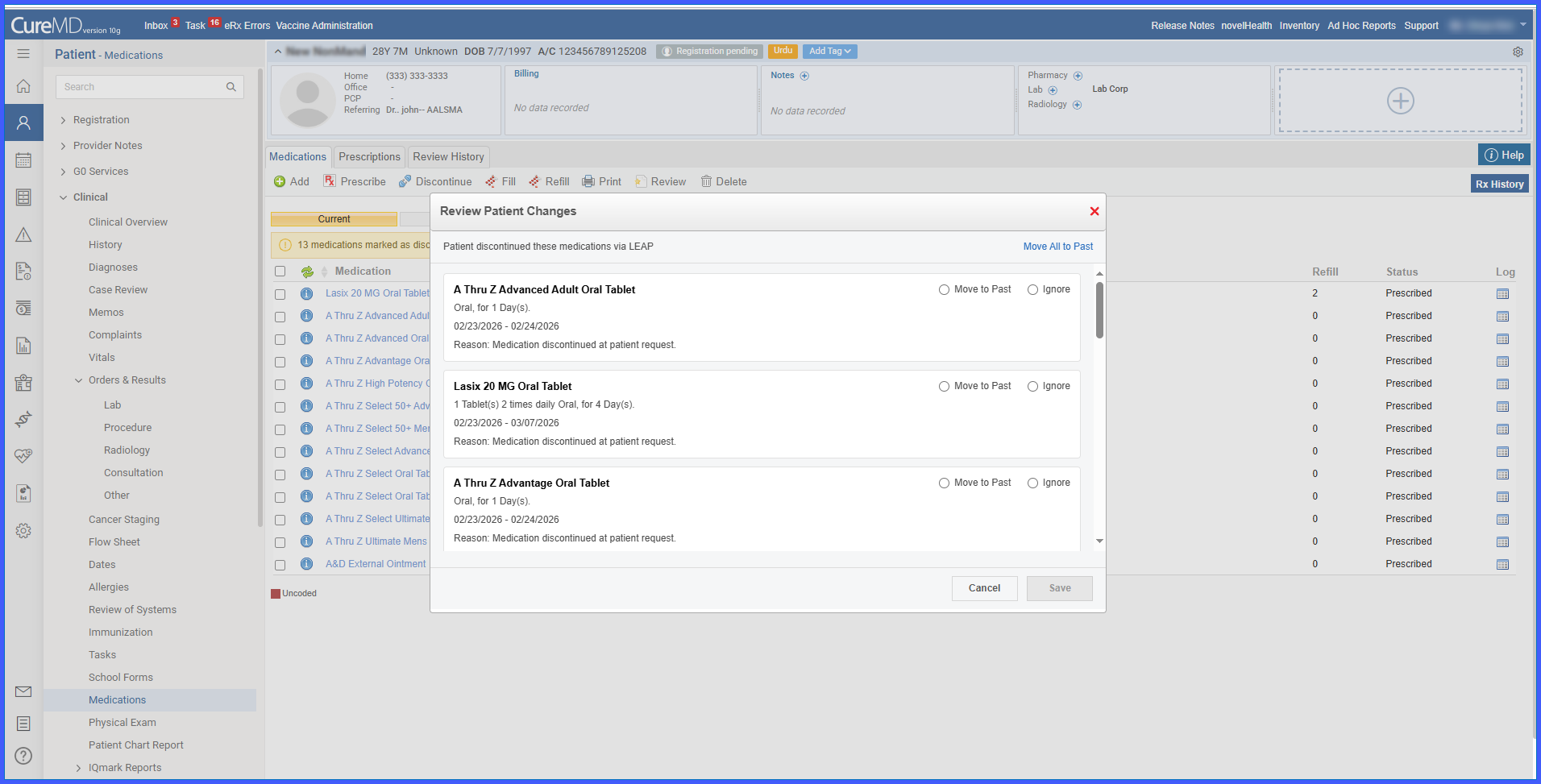
The popup lists only medications requiring provider action.
-
Providers must select either Move to Past or Ignore for each medication.
-
A Move All to Past option is available for bulk selection.
-
Audit logs capture both patient-reported and provider actions in chronological order.
-
Workflow is available in both the Current Medications tab and Treatment Plan (Provider Note).
How It Works
-
A patient marks one or more medications as discontinued via LEAP or Digital Check-In.
-
In Current Medications, the system:
-
Displays an indicator icon next to each flagged medication.
- Shows the tooltip: “Patient marked discontinued – needs review.”
- Displays a banner with the total count of flagged medications and a Review button.
-
- When the provider selects Review:
- The Review Patient Changes popup opens.
- Only flagged medications are listed.
- If the patient entered a discontinuation reason, it is displayed.
- If no reason was entered, the reason field is omitted.
- The provider must choose one of the following for each medication:
- Move to Past
- Ignore
Optional: Selecting Move All to Past preselects that option for all medications, but individual changes can still be made before saving.
- Upon saving:
- Move to Past → Medication follows the standard discontinue workflow and moves to Past Medications.
- Ignore → Medication remains in Current Medications.
- Audit Behavior:
- The system logs the patient’s discontinuation action first.
- The provider’s review decision is logged afterward.
- The patient-originated log remains preserved regardless of provider selection.
- If another action (Fill, Refill, Represcribe) occurs before review completion:
- The medication is removed from the Review list.
Benefits
-
Ensures timely provider review of patient-reported medication changes.
-
Maintains medication list accuracy while preventing unintended removals.
-
Provides clear visual indicators and structured reconciliation actions.
-
Preserves a complete audit trail of both patient and provider activity.
-
Maintains consistent workflow across Medication List and Treatment Plan interfaces.
