Patient Pronoun Flags in Template Patient Flag Picker
What’s New
-
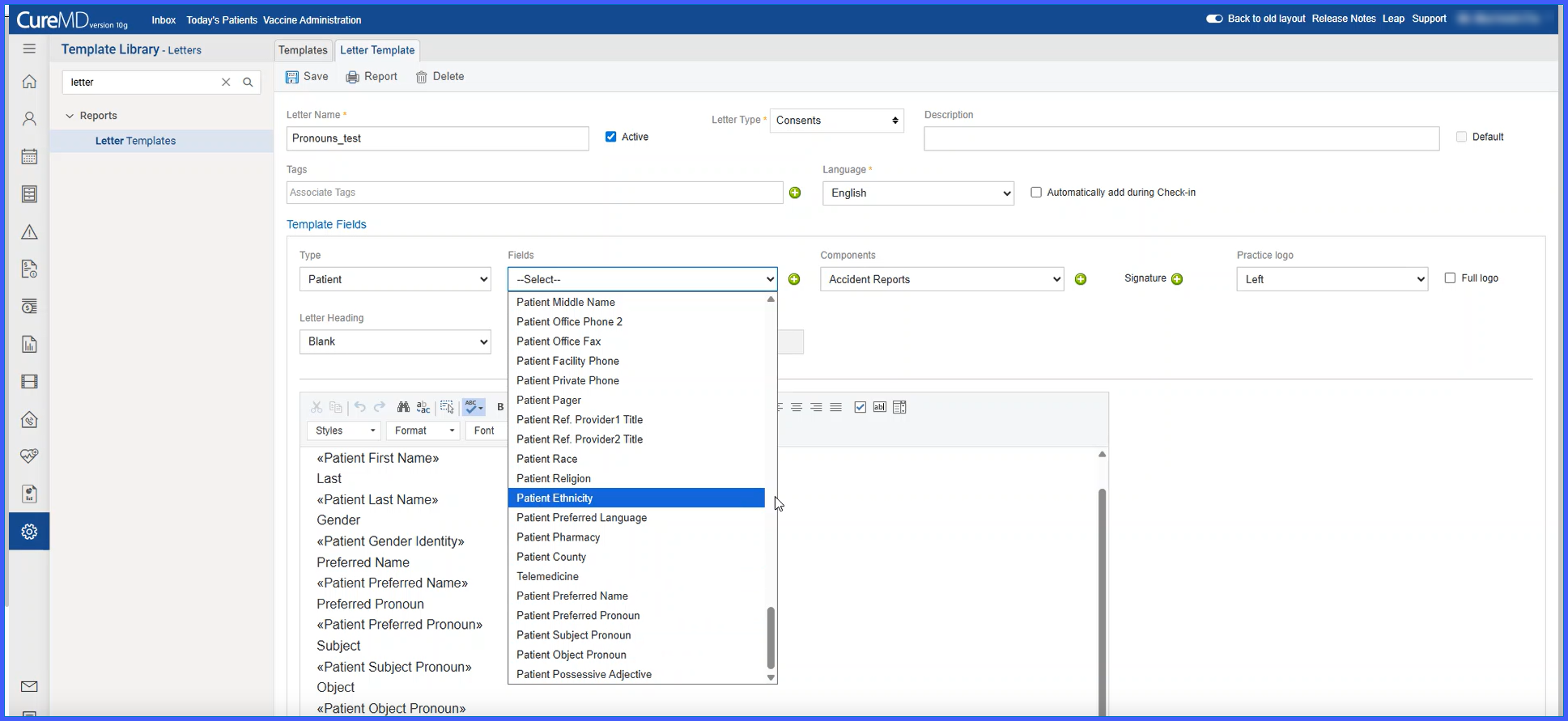
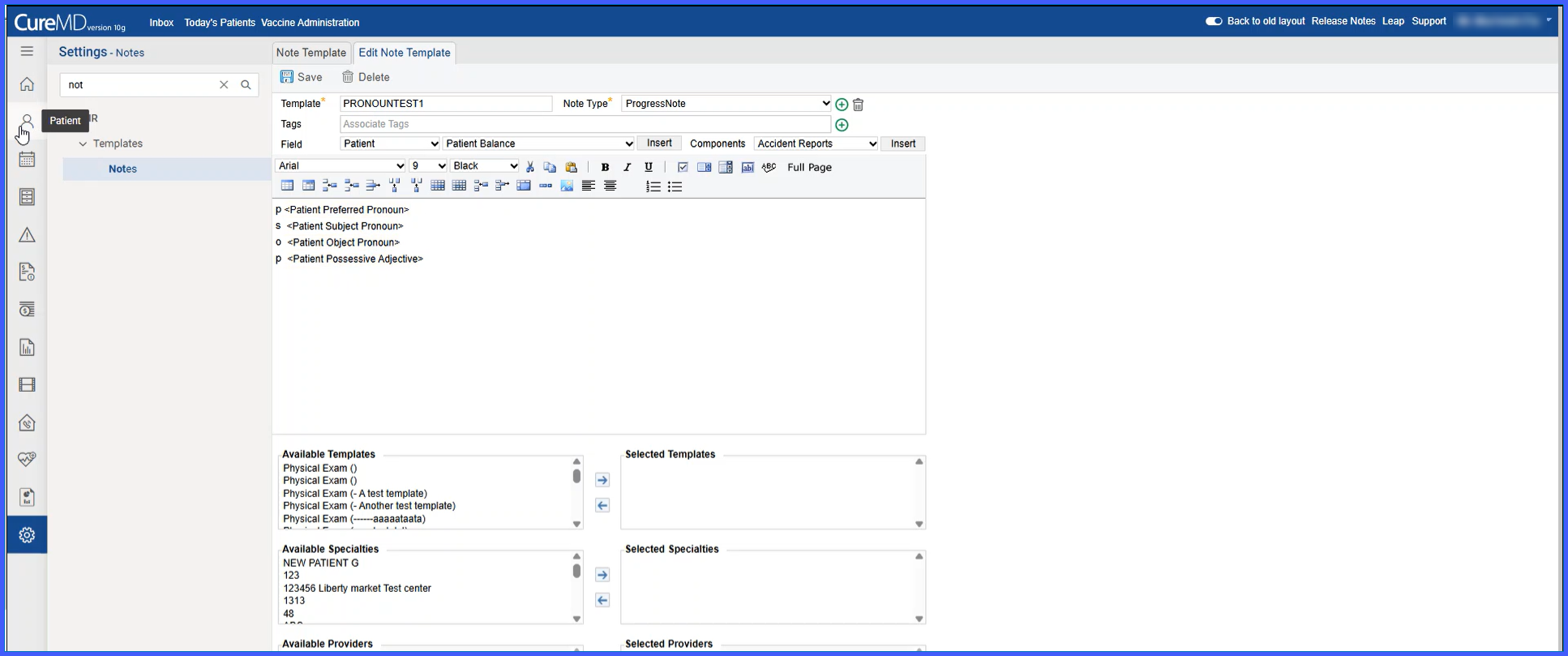
Three new pronoun flags are available in the Patient flag picker:
-
<patient_subject_pronoun> -
<patient_object_pronoun> -
<patient_possessive_adjective>
-
-
Pronoun flags automatically populate when generating notes or letters from templates.
-
Population is based on the patient’s Preferred Pronouns setting.
-
A fallback logic uses the Gender field if Preferred Pronouns are not selected or set to “Other.”
-
Existing
<preferred_pronouns>flag functionality remains unchanged. -
Pronoun values only populate when the flags are explicitly inserted into the template.
How It Works
-
Navigate to either:
• Settings > Reports > Letter Templates, or
• Settings > EHR > Templates > Notes.
- Edit or create a template.
- Open the Patient flag picker and insert one or more of the following flags:• <patient_subject_pronoun>
• <patient_object_pronoun>
• <patient_possessive_adjective>
- Save the template.
- When generating a note or letter:• If Preferred Pronouns are set to He/Him, the system populates:
– he / him / his
• If set to She/Her, the system populates:
– she / her / her
• If set to They/Them, the system populates:
– they / them / their
- If Preferred Pronouns are not selected or set to Other, the system uses Gender as fallback:• Male → he / him / his
• Female → she / her / her
• Unknown → they / them / their
- Templates without these new flags behave as before and are unaffected.
Benefits
-
Ensures consistent and accurate pronoun usage in generated content.
-
Reduces manual edits and pronoun-related errors.
-
Supports inclusive documentation practices.
-
Maintains backward compatibility with existing template flags.
-
Enhances clarity and professionalism in patient communications.
