Display Associated Plan Name in Claim Attachment Section
What’s New
-
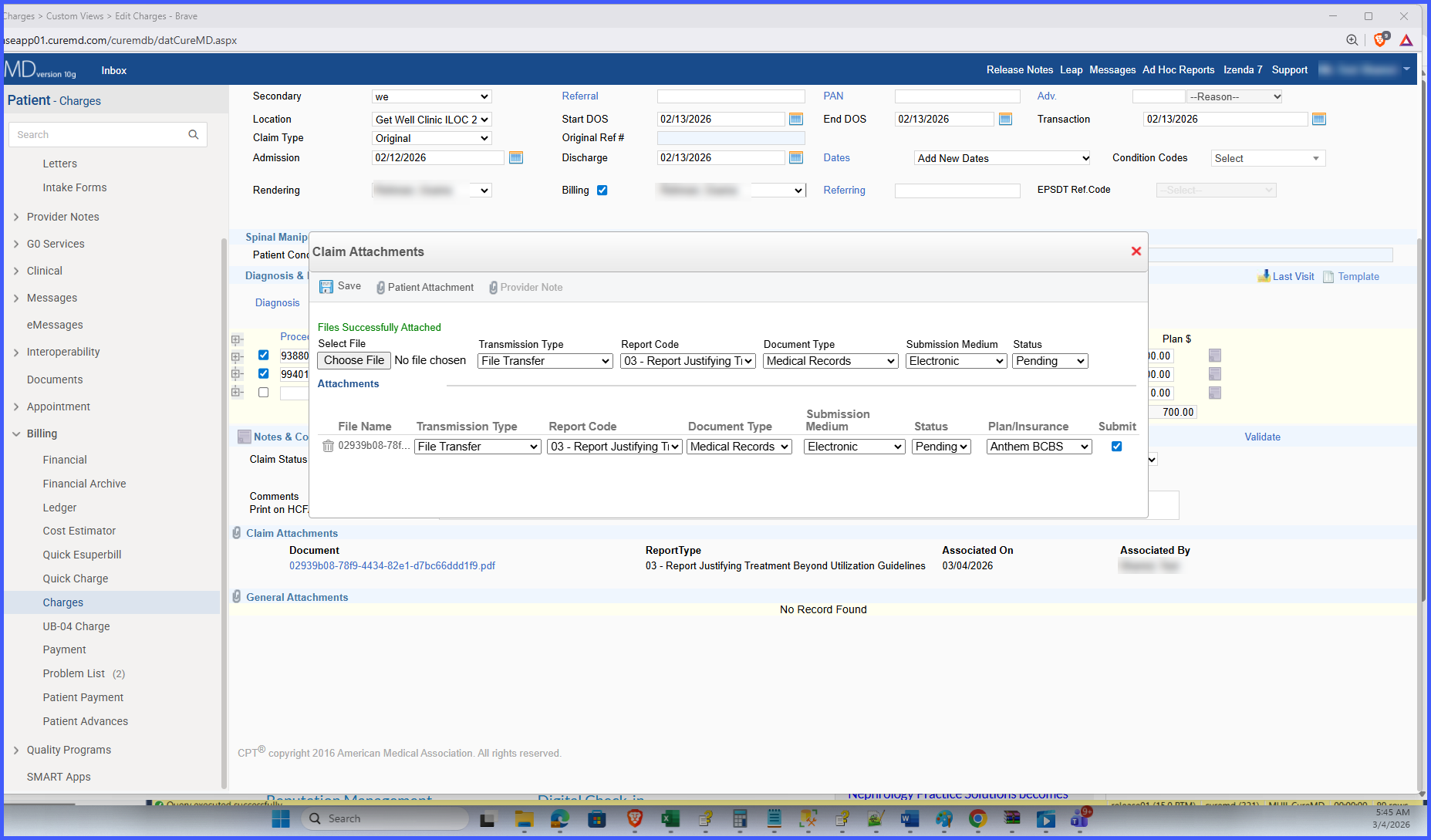
The associated plan name is displayed for each attachment in the Claim Attachment section.
-
Attachments default to the responsible plan when no alternate plan is selected.
-
If a different plan is selected by the user, the attachment reflects that selected plan.
-
The plan name shown in the attachment list matches the plan name displayed in the attachment popup.
-
No changes have been made to how attachments are added or managed.
How It Works
-
A claim attachment is added to a charge.
-
The attachment is associated with either:
• The responsible plan (default), or
• A user-selected alternate plan.
- The user navigates to the Charge Page.
- The system displays the Claim Attachment section.
- Each attachment in the list shows its associated plan name.
- When the attachment popup is opened, the same associated plan name is displayed consistently.
Benefits
-
Improves transparency by clearly identifying the insurance plan linked to each attachment.
-
Reduces confusion when multiple plans are associated with a charge.
-
Ensures consistent plan display across list and popup views.
-
Enhances clarity without modifying existing attachment processes.
