Addition Of Comments Field In Notes Section Accessible From Patient Banner And Patient Notes
What’s New
-
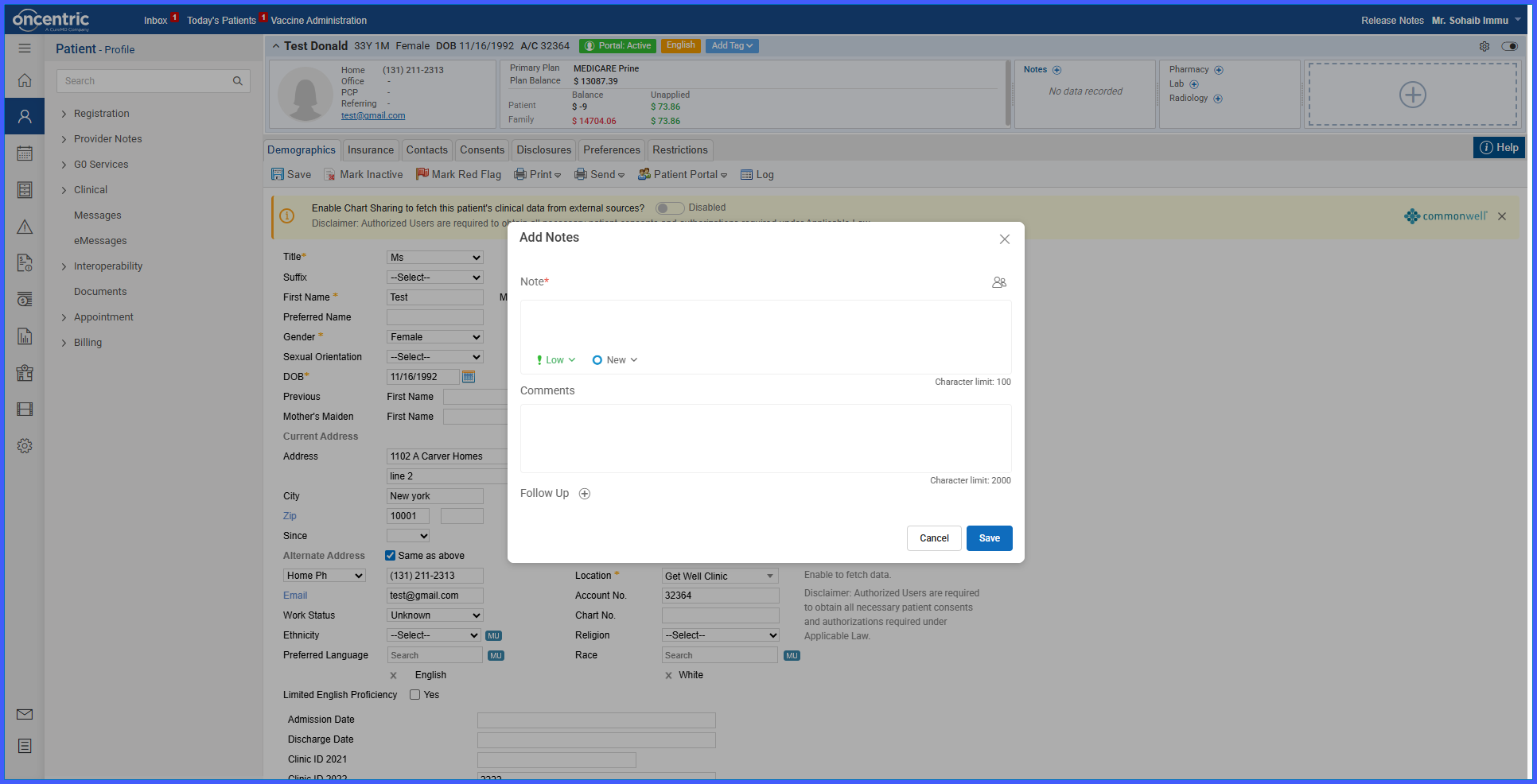
A dedicated Comments field is now available in the Notes section, accessible from both the patient banner and the Patient Notes page.
-
The Comments field supports up to 2,000 characters.
-
A plus (+) icon expands the Comments field to allow entry of extended text.
-
An Edited By and Edited On tooltip is shown when hovering over notes in the patient banner.
-
Changes apply to the Notes feature in the patient banner.
How It Works
-
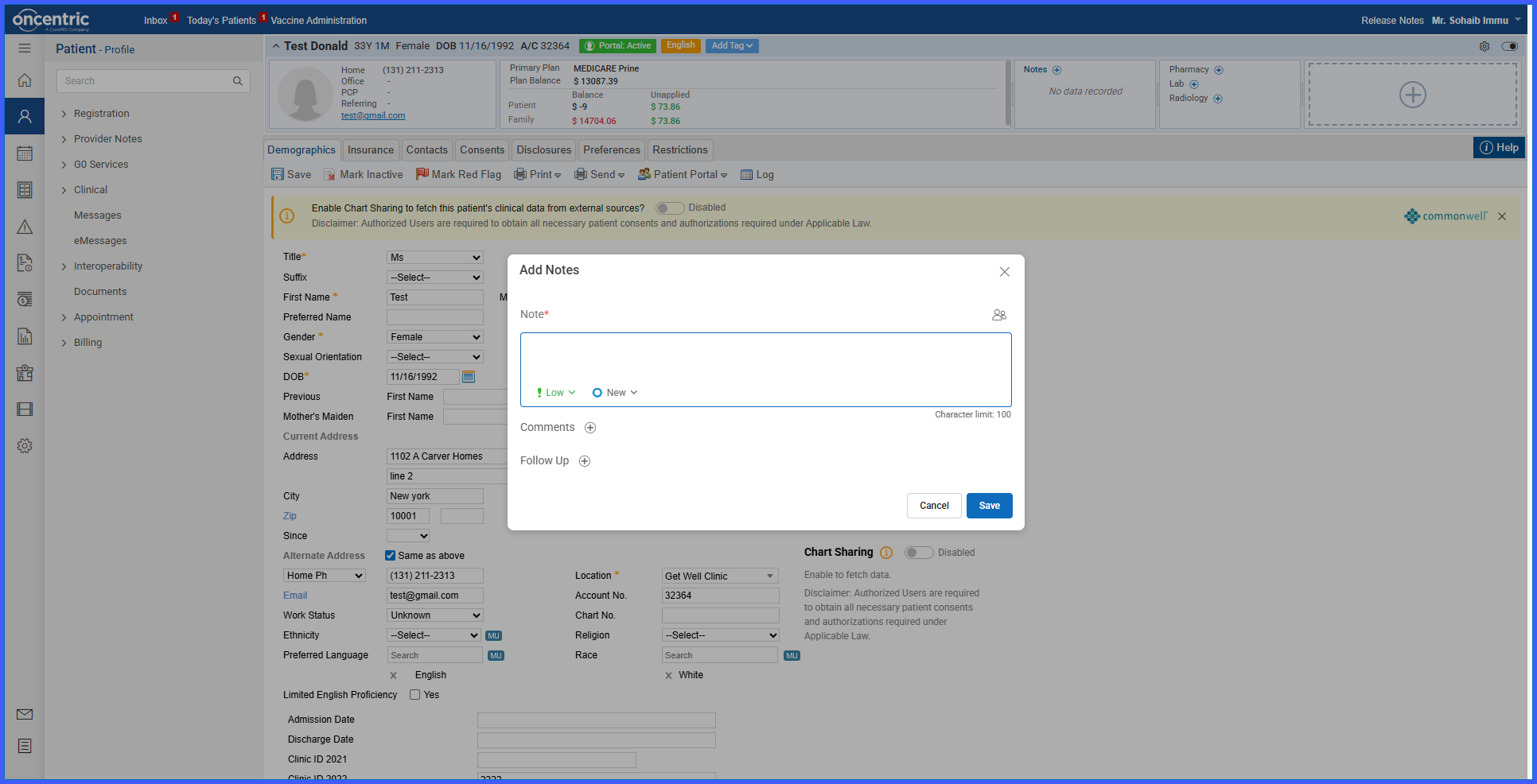
Navigate to Patient > Patient Banner > Notes.
-
Click the Add Note icon.
-
Enter text in the Comments field, then click the plus (+) icon to open the expanded text box and enter up to 2,000 characters.
-
Save the note.
-
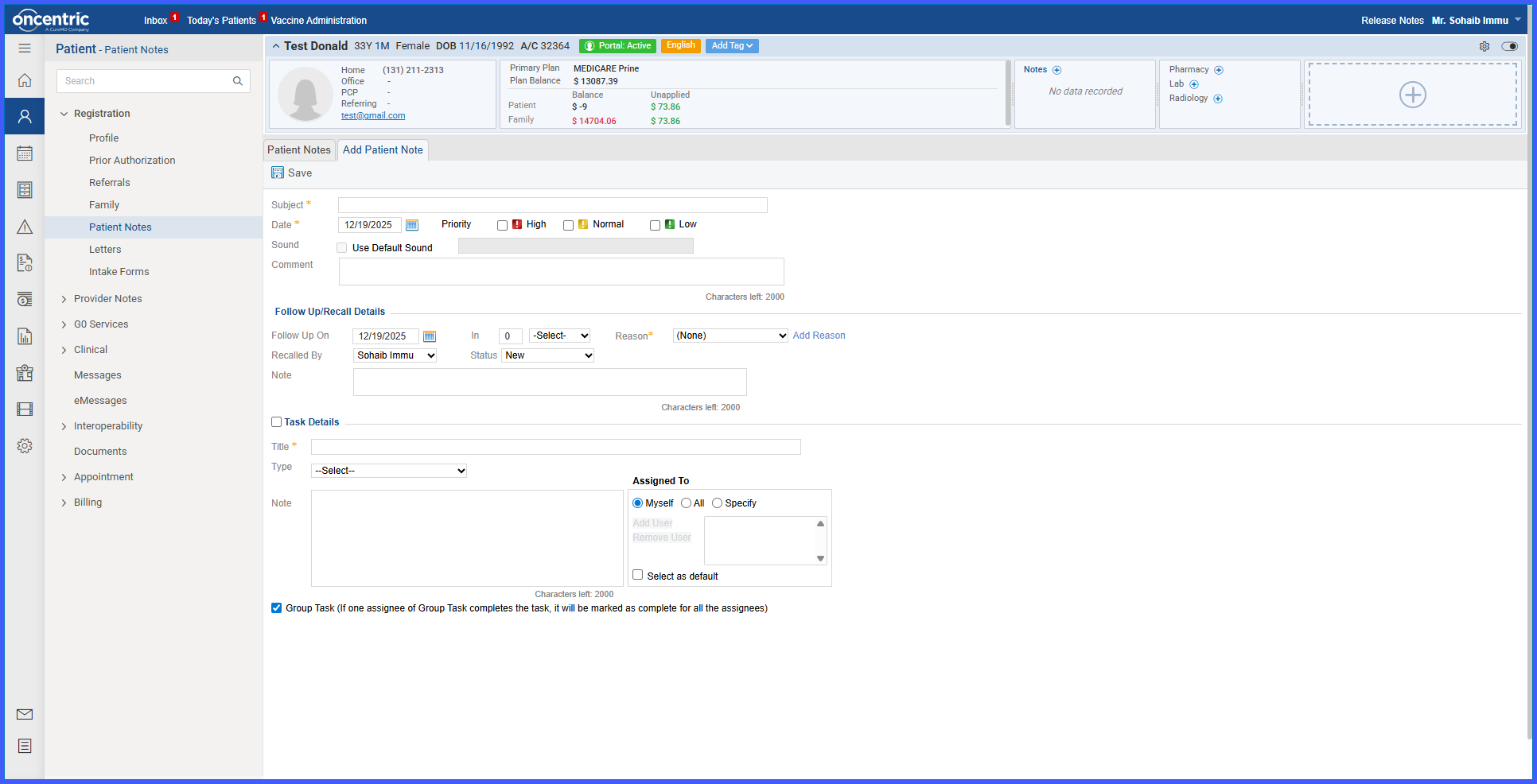
Navigate to Patient > Registration > Patient Notes.
-
The same Comments content appears above the Follow Up / Recall Details section.
-
Edit the Comments field if needed; updates remain synchronized between both locations.
-
Hover over a note in the patient banner to view the Edited By and Edited On tooltip.

Benefits
-
Allows more detailed patient documentation with expanded character support.
-
Keeps patient comments synchronized across multiple workflows.
-
Reduces duplicate data entry by maintaining a single shared Comments field.
-
Improves transparency by showing the last editor and edit date.
-
Enhances usability by making patient notes easier to review and maintain.
