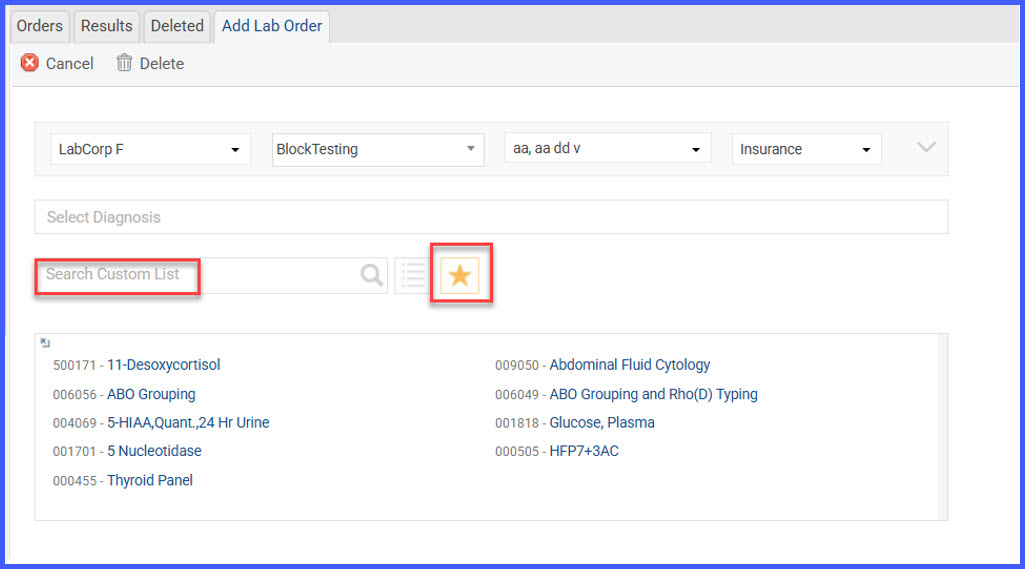
Search Enhancement within Custom Order Lists
What’s New
- Search results are now restricted to the selected custom order list when performing a search in Lab, Radiology, or Procedure Add/Edit screens.
- The system no longer defaults to the Master List when searching within a custom list.
- Users can switch the search scope to “Master List” manually if broader results are needed.
How It Works
- Navigate to a Lab, Radiology, or Procedure Add/Edit screen from either the Patient chart or Provider Note.
- Select a custom order list from the available list options.
- Enter a search query in the Search field.
- The system returns results only from the selected custom order list.
- To view results from all available orders, manually change the search scope to “Master List.”
Benefits
- Reduces irrelevant results by keeping searches confined to the chosen custom list.
- Improves efficiency for users who rely on specialty-specific or curated order sets.
- Gives users explicit control over when to expand the search to the Master List.