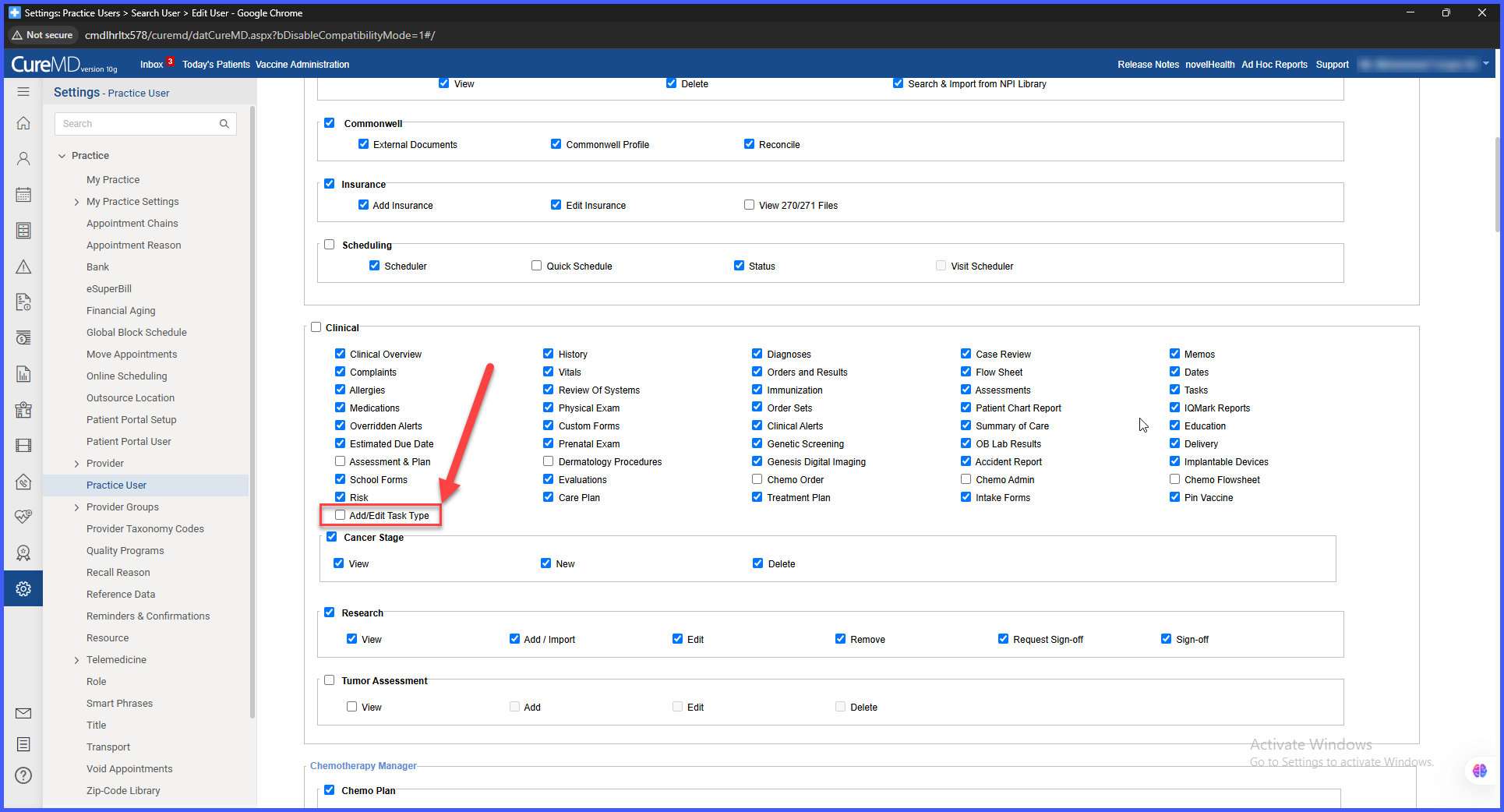
Enhanced Role-Based Permission for Adding and Editing Task Types
What’s New
-
A new Add/Edit Task Type permission is available in both User-Level and Role-Level permission settings.
-
The permission applies globally to all task categories, including Clinical, Administrative, and Personal tasks.
-
When the permission is enabled, users can add and edit task types across all modules.
-
When the permission is disabled, Add/Edit options for task types are hidden and inaccessible.
-
MDAdmin and Admin roles have this permission enabled by default during migration; PMS roles do not.
How It Works
-
Administrators can assign the Add/Edit Task Type permission at either the user level or role level.
-
When enabled, the user gains access to create and modify task types in any module.
-
When disabled, the system restricts access and prevents changes to task type configuration.
-
Permission changes apply system-wide and take effect immediately.
Benefits
-
Strengthens administrative control by restricting task-type management to authorized users.
-
Ensures data governance by preventing unintended configuration changes.
-
Provides flexibility to assign permissions at both user and role levels.
-
Guarantees consistent task configuration management across all modules.