Print Option for Provider Note Logs
What’s New
-
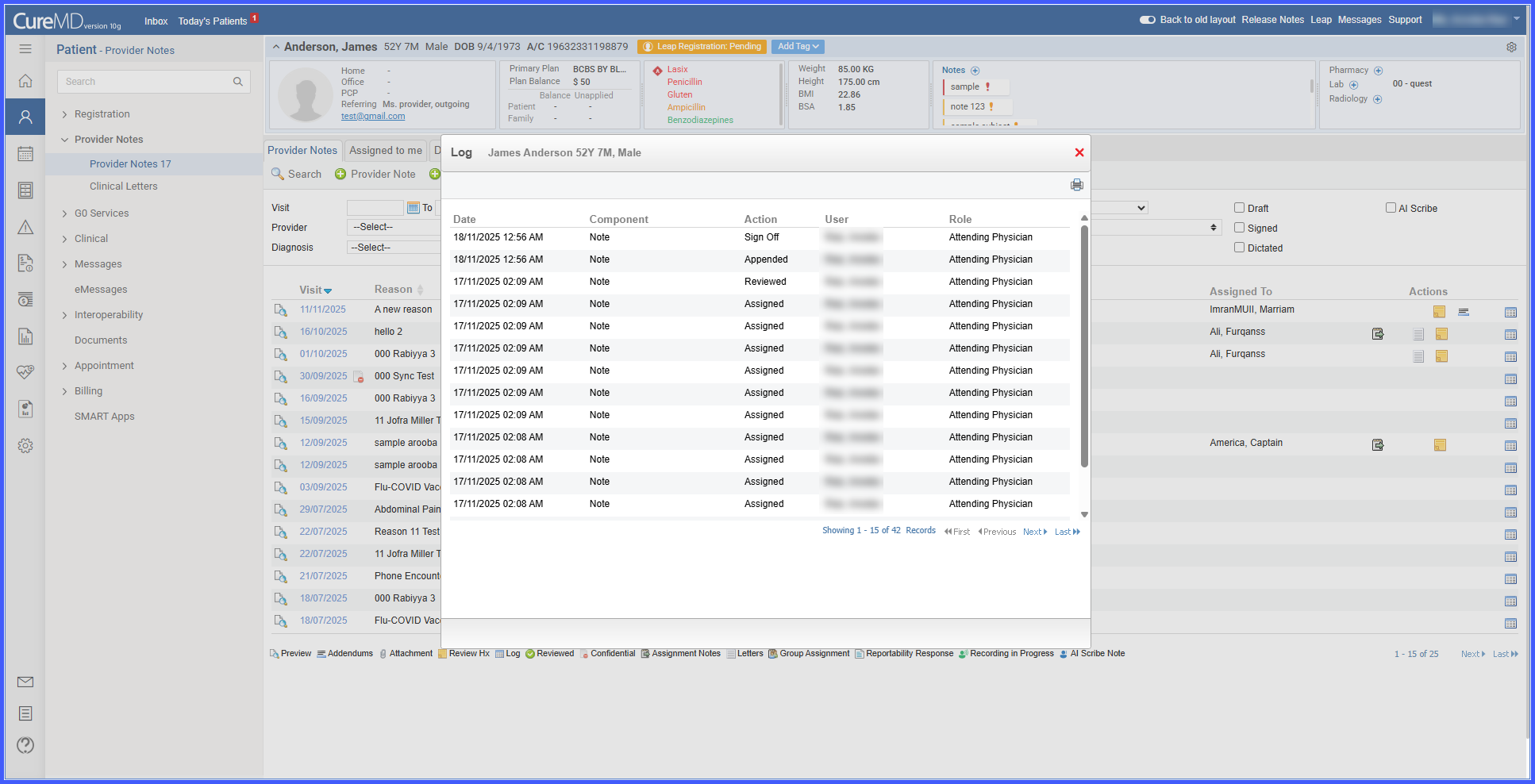
A new Print icon is available in the Provider Note Logs section on the Provider Notes listing page.
-
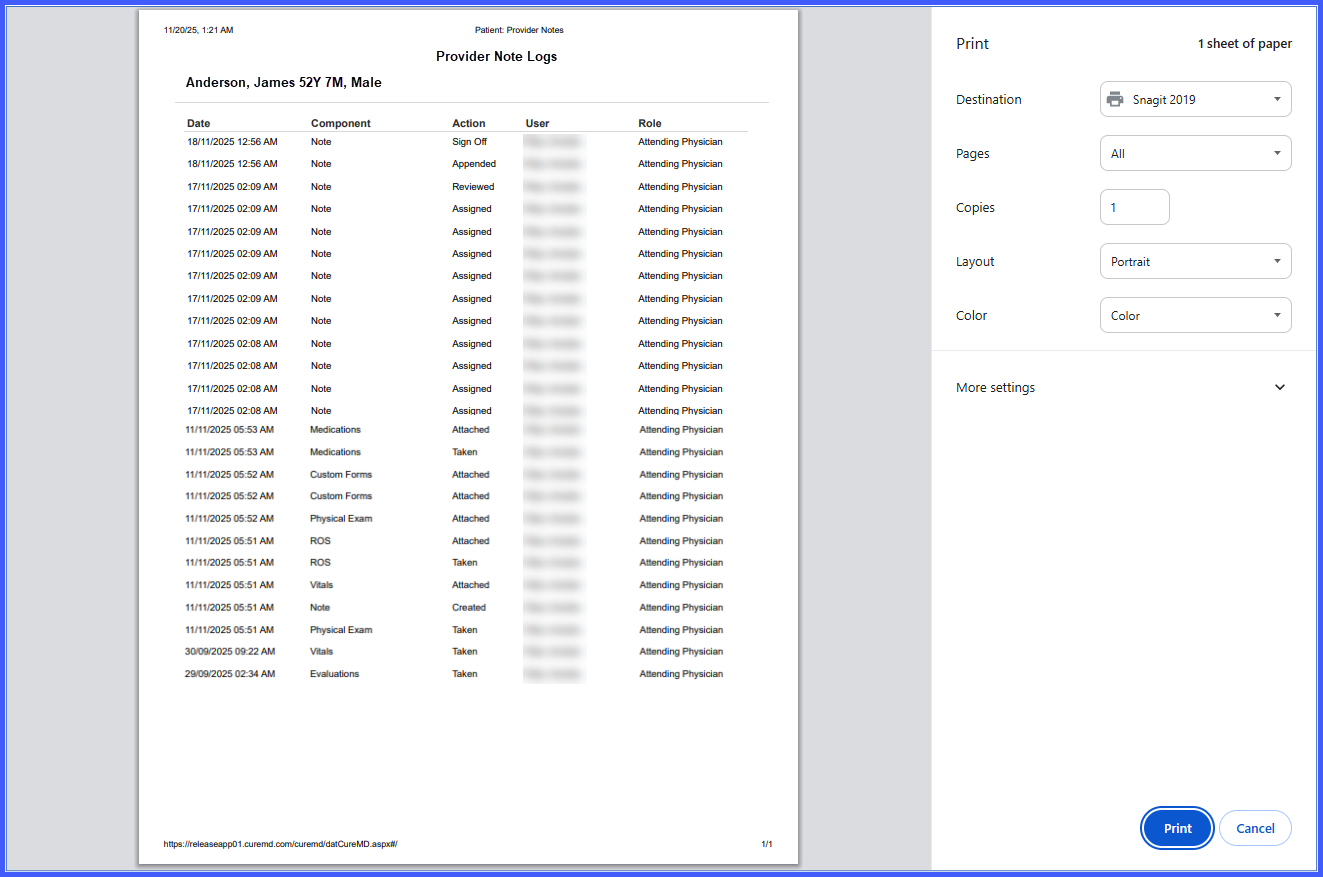
Selecting the Print icon generates a formatted printout of the complete log table for the selected provider note.
-
All log details are included to support accurate recordkeeping.
How It Works
-
Navigate to Patient > Clinical > Provider Notes.
-
Select a provider note from the listing page.
-
In the Provider Note Logs section, locate the new Print icon.
-
Click the Print icon to generate and print the full log table.
Benefits
-
Provides a simple method to produce hard-copy documentation of note activity.
-
Supports audit readiness by enabling quick access to printed log records.
-
Ensures consistent formatting for reliable review and record retention.