Expanded Medication Tiles & Discontinued Medication Handling in AI Scribe
What’s New
-
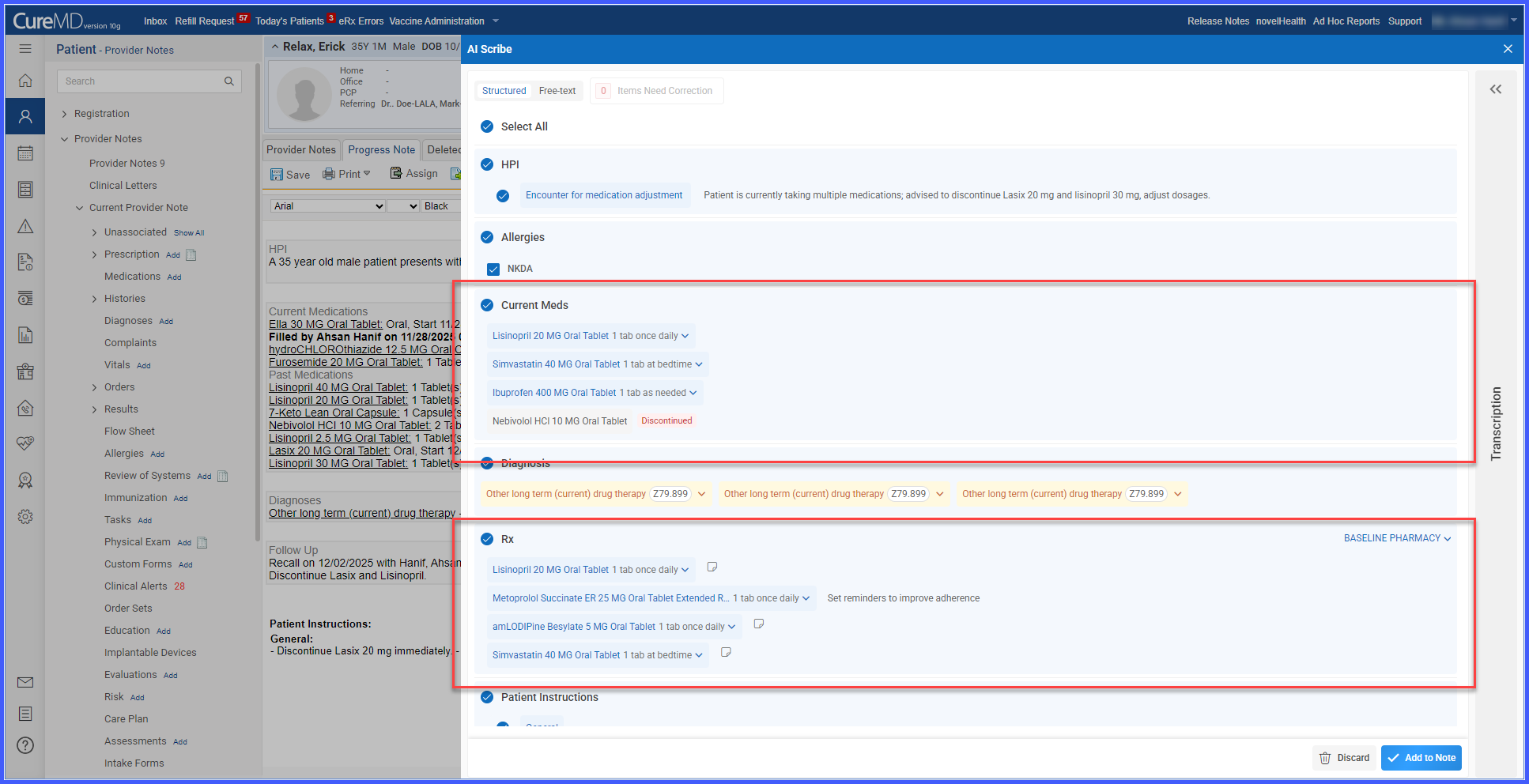
Expanded medication tiles in Current Meds and Rx now show additional details when available (SIG, duration, quantity).
-
Patient instructions returned by the model are displayed directly within the medication tile.
-
A Note icon is available on each tile, allowing users to add or edit patient instructions.
-
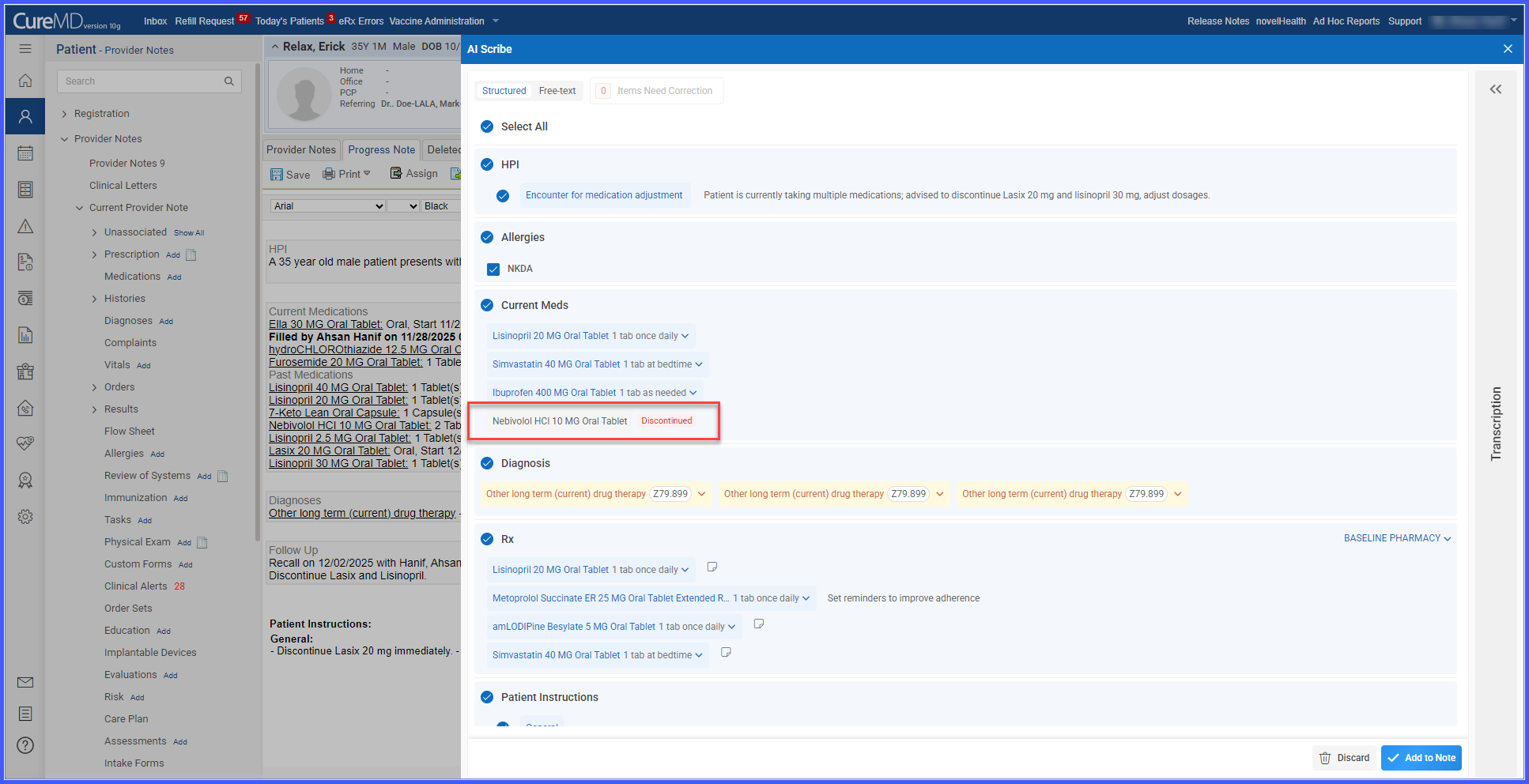
A new dedicated section for discontinued medications appears below Current Meds.
- Users can review and optionally remove discontinued medications before adding them to the note.
-
Accepted discontinued medications are recorded with a standardized reason and description indicating they originated from AI Scribe.
- Discontinue actions affect only the medication list; no discontinue request is sent to the pharmacy.
How It Works
-
Open a patient record and go to the Assessments section.
-
In the Current Meds and Rx sections, expanded medication tiles display SIG, duration, quantity, and patient instructions when available.
- If only a medication name is provided, the system prompts the user to enter missing details.
-
Click the Note icon next to any medication to add or modify patient instructions.
-
Scroll to the dedicated discontinued medications section beneath Current Meds.
- Review AI-returned discontinued medications and remove any items not intended for inclusion.
-
Accept the remaining discontinued medications to add them to the note; the system applies standardized language indicating they were generated by AI Scribe.
- The discontinue action updates only the medication list and does not send any request to the pharmacy.
Benefits
-
Provides clearer clinical context by expanding medication tiles with key details.
-
Reduces manual review by surfacing SIG, quantity, duration, and instructions directly in the tile.
-
Separates discontinued medications into a dedicated workflow for safer review and decision-making.
-
Ensures accurate documentation with standardized AI Scribe attribution for discontinued items.
-
Prevents workflow disruptions by avoiding unintended pharmacy discontinue requests.