Do Not Share with Patient – Exam Details and Note Templates
What’s New
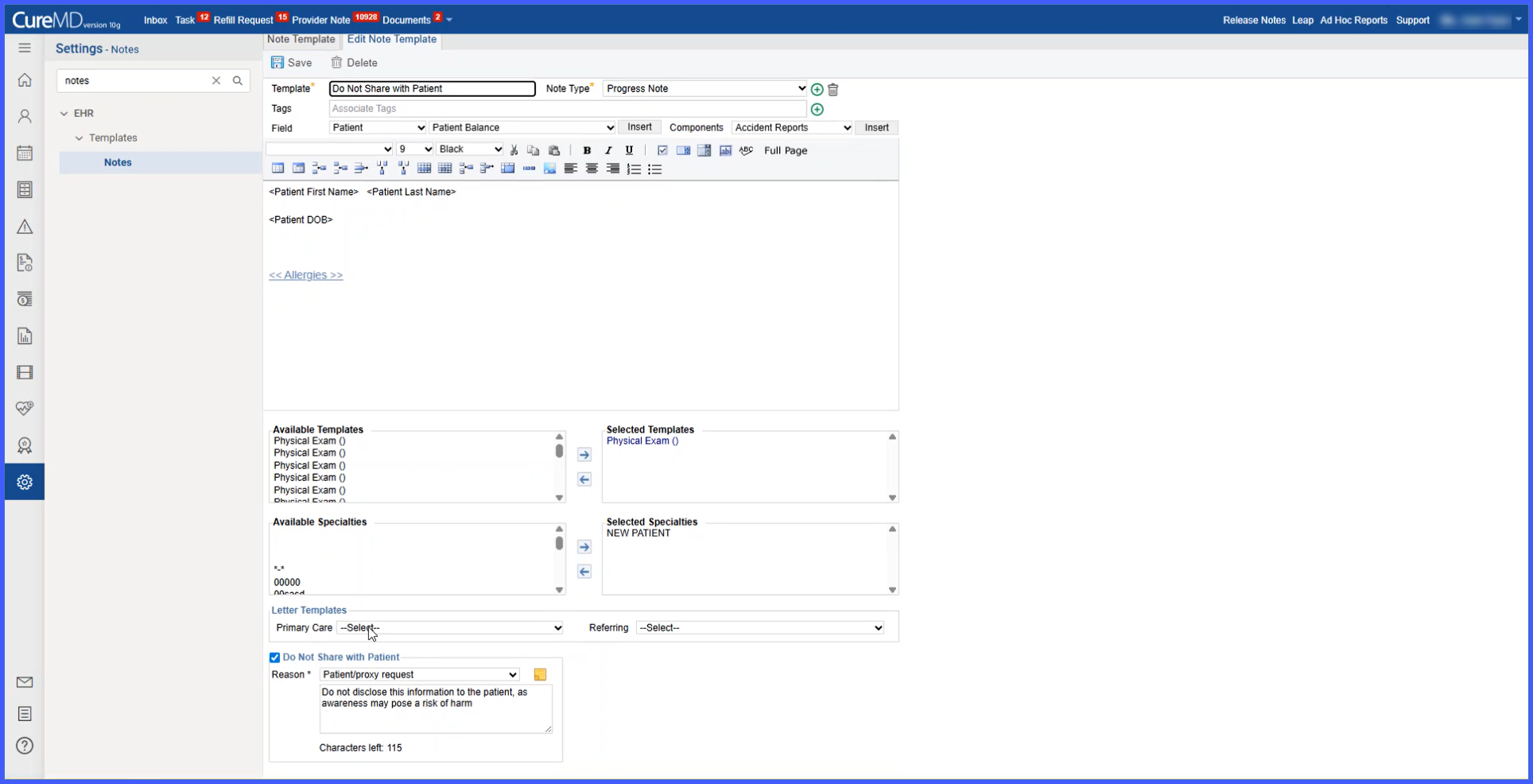
- A Do Not Share with Patient checkbox is now available in Note Templates.
-
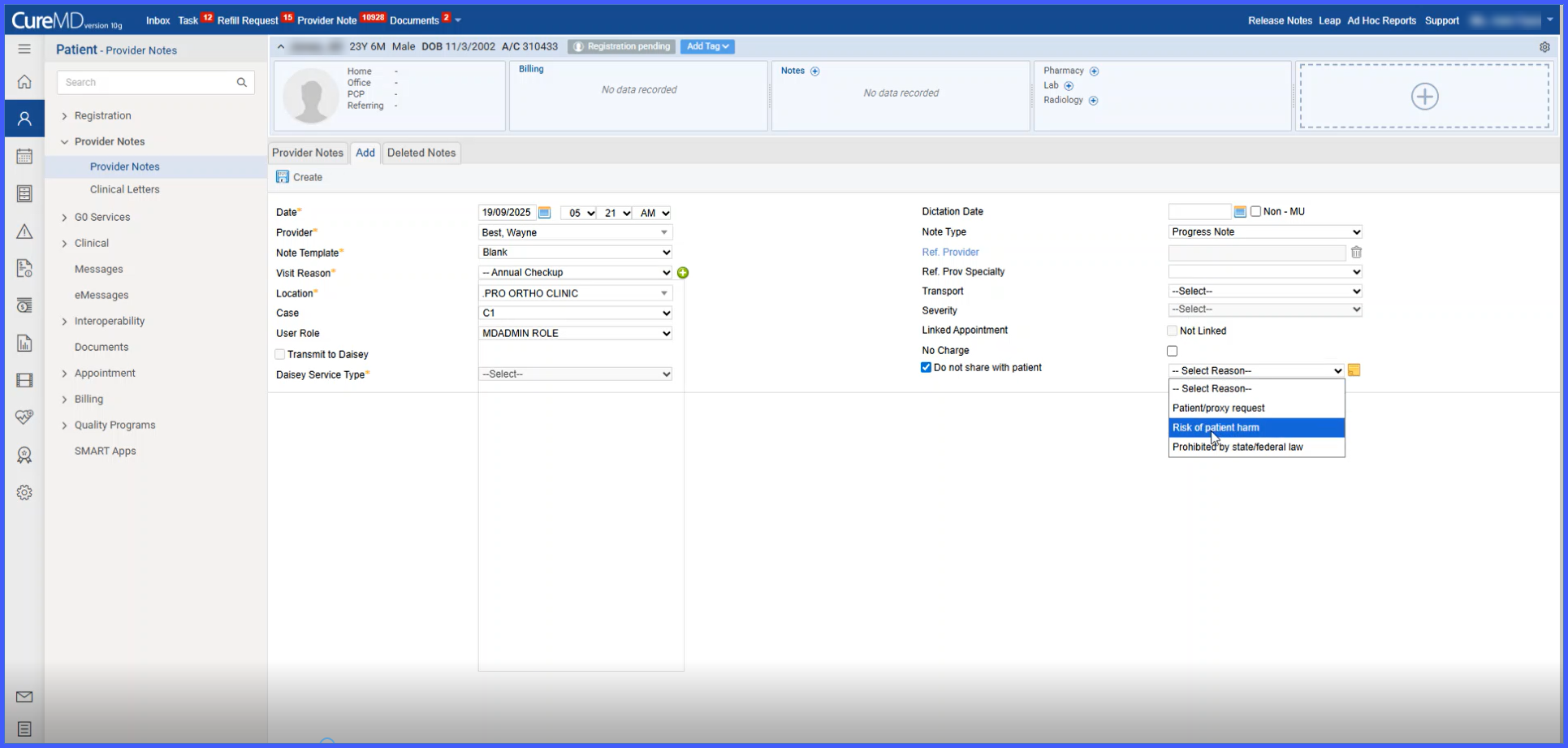
When selected, a required dropdown appears with three configurable reasons: Patient/proxy request, Risk of patient harm, Prohibited by state/federal law.
- Selecting a reason opens a free text field (200-character limit) for additional details. When selected reason is “Risk of Patient Harm”, input in details section become mandatory.
-
In signed notes, the checkbox and selections become locked; in unsigned notes, they remain editable.
- Template-level selections auto-populate in provider notes created from that template.
-
When you save a template with these settings, a prompt asks whether you’d like to apply the changes to all existing notes that use this template to maintain consistency.
How It Works
-
Navigate to Patient > Clinical > Provider Notes.
-
Open an existing note or create a new one.
-
In the Provider Note creation section, select the Do Not Share with Patient checkbox.
-
Choose a reason from the dropdown.
-
Enter additional details if needed (required for Risk of patient harm).
- Save or continue editing; the setting remains editable until the note is signed.
-
Once the note is signed, the Do Not Share setting becomes locked.
- For templates, go to Settings > EHR > Note Templates to configure the same checkbox, reason, and text field, which then auto-fill into any note created from the template.
Benefits
-
Allows providers to withhold sensitive content from the Patient Portal while maintaining complete internal documentation.
-
Ensures consistent application of visibility settings through template-level configuration.
-
Reduces errors by requiring a reason and, when necessary, additional details before hiding note content.
-
Supports regulatory and safety requirements by capturing justification and locking settings once the note is signed.