Automatic eFaxing of Custom Forms Upon Note Signing
What’s New
-
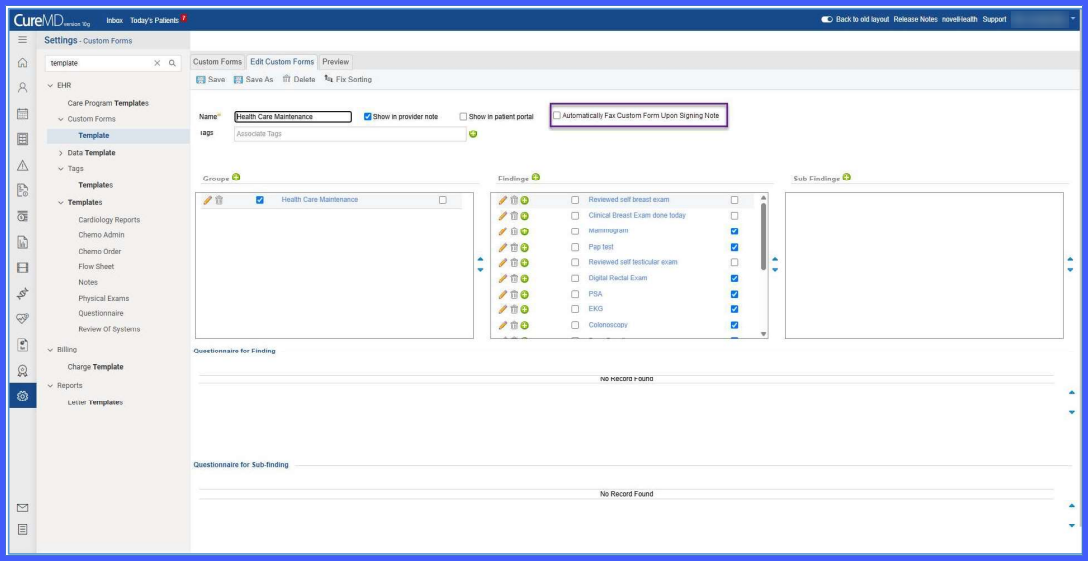
A new template-level checkbox: “Automatically Fax Custom Forms Upon Signing Note.”
-
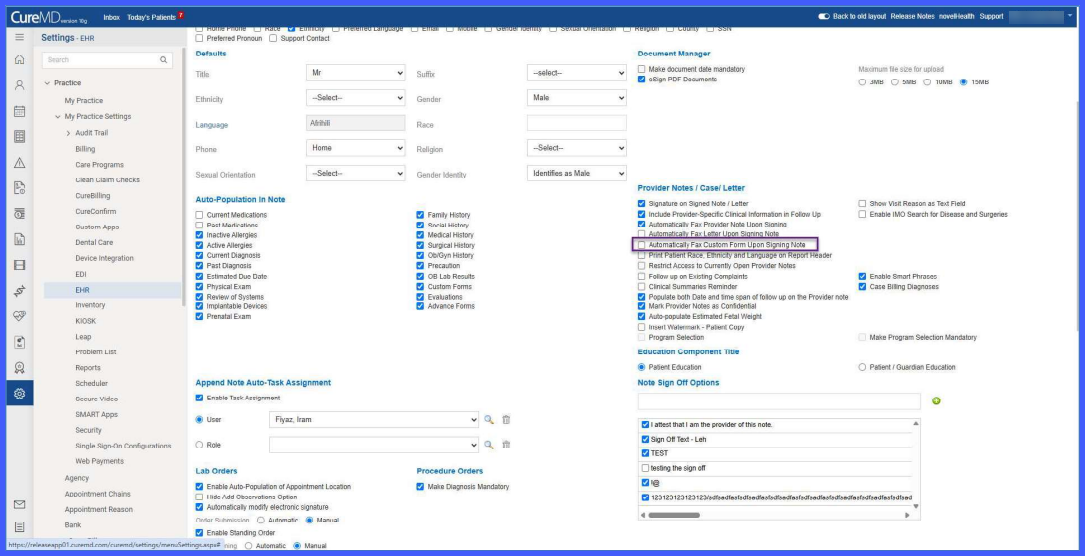
A practice-level setting that enables auto-faxing for all signed notes within the organization.
-
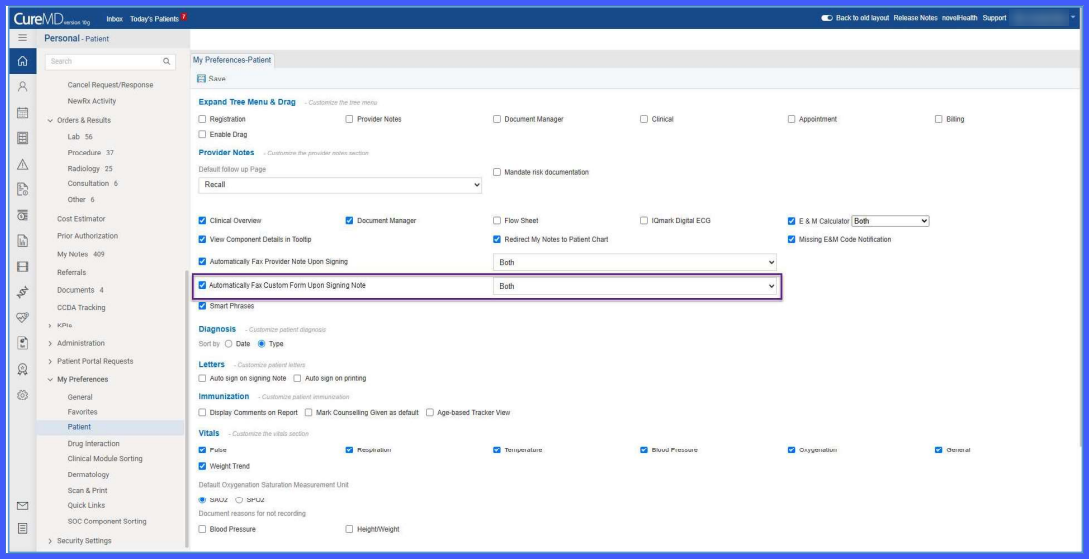
A user-level dropdown to select the recipient type (Referring Provider, PCP, or Both).
-
Automatic fax transmission of attached custom forms when a note is signed.
-
Auto-fax operates independently from the existing Notes and Letters faxing functionality.
-
Contextual prompts appear if fax numbers are missing for selected recipients.
-
All auto-fax options are disabled by default.
- Auto-faxing is executed only when both practice-level and user-level settings are enabled.
How It Works
-
Go to Settings > EHR > Custom Forms > Templates.
-
Open a custom form template and enable “Automatically Fax Custom Forms Upon Signing Note” to allow that form to be included in auto-fax.
-
Navigate to 10g > Settings > Practice > My Practice Settings > EHR and enable automatic faxing for all notes at the practice level.
-
Go to My Preferences > Patients and select the preferred recipient (Referring Provider, PCP, or Both).
-
When a provider signs a note at Patient > Clinical > Provider Note, any attached custom form(s) configured for auto-fax are sent automatically in a standard report format with header and cover page.
-
If required fax numbers are missing, the system presents prompts to allow users to resolve the issue before sending.
Benefits
-
Reduces manual steps by automating document transmission during note signing.
-
Ensures consistent and timely delivery of custom forms to designated recipients.
-
Minimizes communication delays by standardizing the fax workflow.
-
Improves operational efficiency by centralizing configuration at template, practice, and user levels.