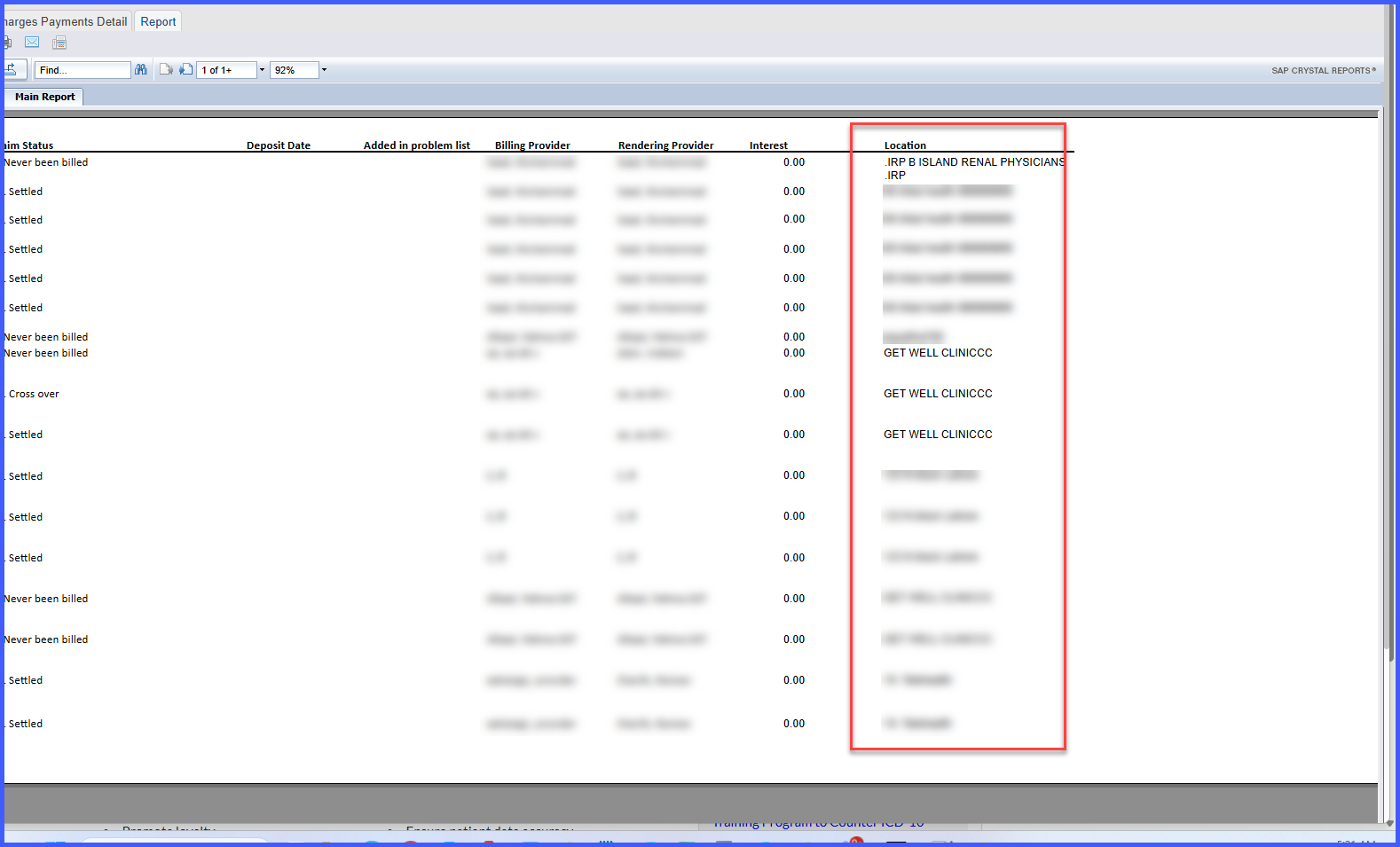
Add Location Column to Charges Payment Details Report
What’s New
-
-
New Column Added:
-
Location column introduced in the following report:
-
Charges Payment Details (By Payment)
-
-
-
Data Source:
-
Pulls location data from Practice → Location settings linked to the payment or deposit record.
-
-
Column Behavior:
-
Displays the practice/location name as defined in system settings.
-
Included in on-screen, print, and exported (Excel/PDF) report views.
-
-
Filter Integration:
-
Works with existing Location filters in the report criteria.
-
-
Export Consistency:
-
Location column appears consistently across all output formats.
-
-
How It Works
-
Open Charges Payment Details (By Payment) report.
-
In the search criteria, specify any applicable filters, including Location.
-
Run the report.
-
The resulting output now includes a Location column showing the associated practice or site name.
-
The Location column can be:
-
Used for on-screen sorting or filtering.
-
Exported to Excel or PDF for reconciliation and audit purposes.
-
Benefits
-
Allows direct reconciliation of payments by location without manual data merging.
-
Provides clear visibility into payment distribution across practice sites.
-
Improves financial tracking and auditing efficiency.
-
Supports location-based performance analysis and reporting accuracy.