TPL Code Integration for Medicaid Plans
What’s New
- A new “Enable TPL Code” checkbox is available in Settings → Billing → Plan → Edit Plan.
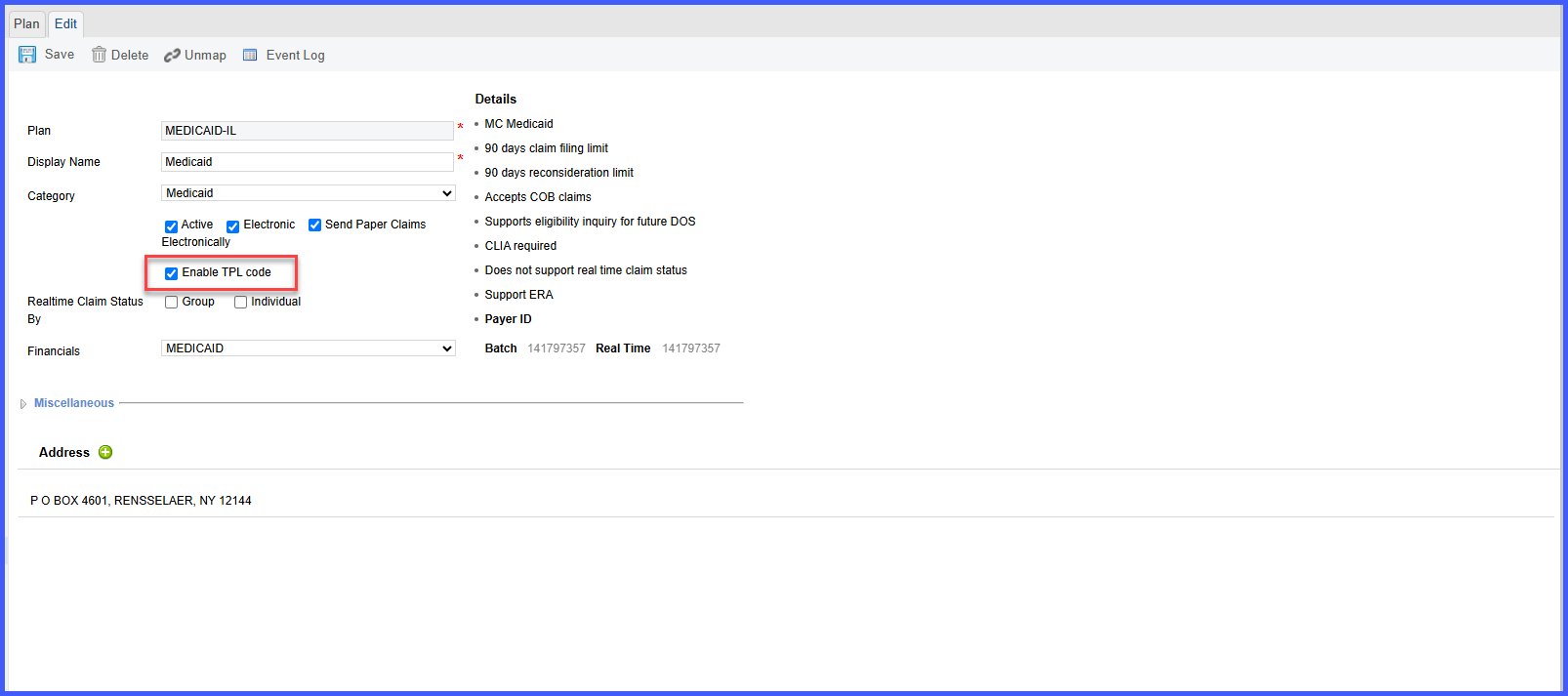
- When turned on for a Medicaid plan:
- The system auto-retrieves the TPL Code during eligibility verification.
- A TPL Code field appears on the Charge Page when Medicaid is secondary and the responsible plan is also Medicaid.
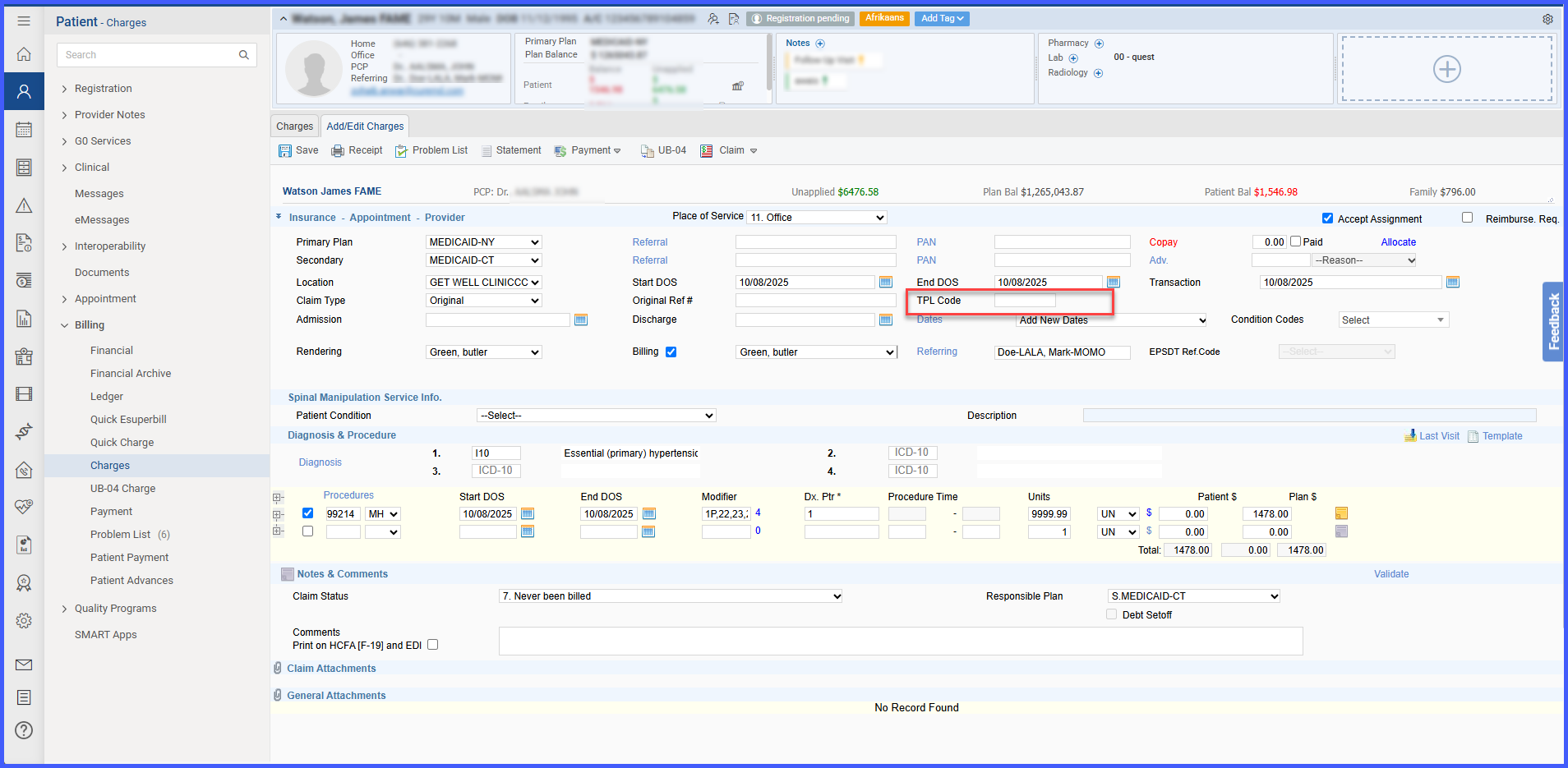
- The TPL Code (auto-fetched or manually entered) is included automatically in the EDI claim file.
Workflow
Go to Settings → Billing → Plan → Edit Plan.
Check Enable TPL Code and Save.
During eligibility or charge entry, the TPL Code will display and flow through to the claim automatically.
Benefits
- Automated — no manual TPL entry needed.
- Accurate — ensures complete Medicaid claim data.
- Compliant — meets TPL reporting rules.
- Flexible — enable or disable per plan.
