How to Search a Claim Status?
In order to search for a Claim Status, following the workflow stated above.
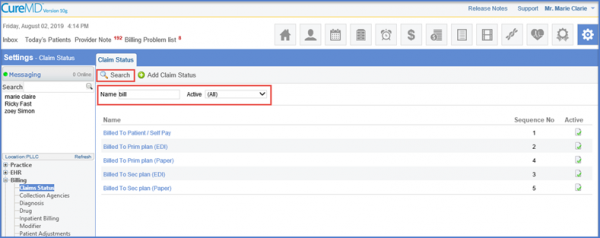
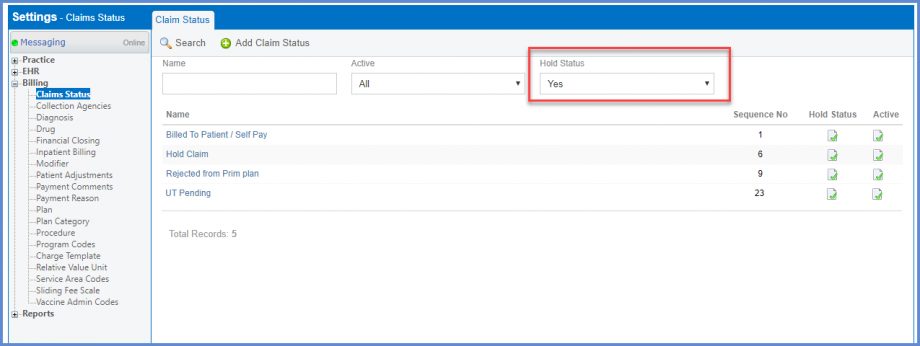
In order to search a Claim and check its Status, the user enters the name of the Claim and clicks on the ‘Search’ button.
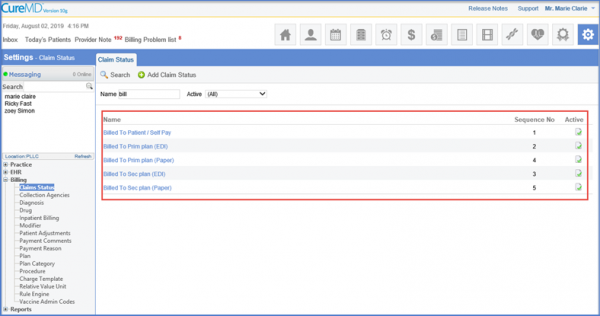
The respective Claims are displayed along with their Status.
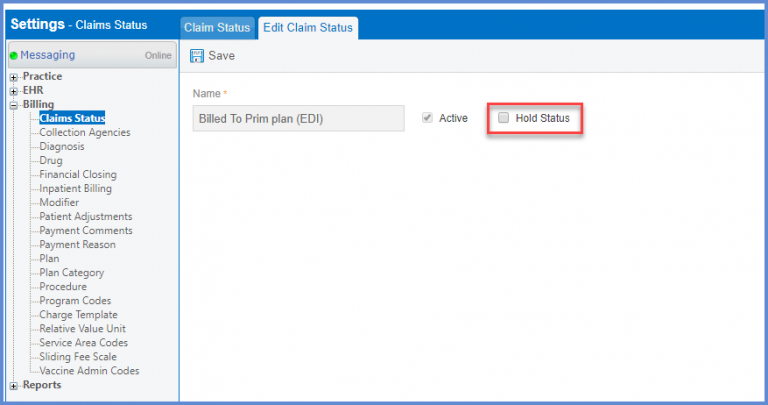
Select a claim status from the search results in order to edit it. 
User can mark the ‘Hold Status’ checkbox to move a claim to the ‘On Hold’ bucket.
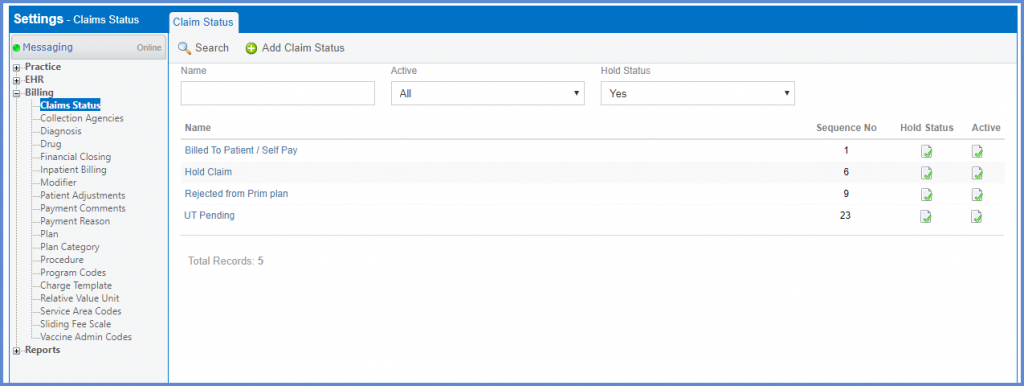
User can select ‘Yes’ from the Hold Status drop down on the claim status page in order to search claims that are in the ‘On Hold’ bucket.
Similar status drop down has been added in ‘On-Hold Claims’. Click here to see more.
