How to Delete a Payment Comment?
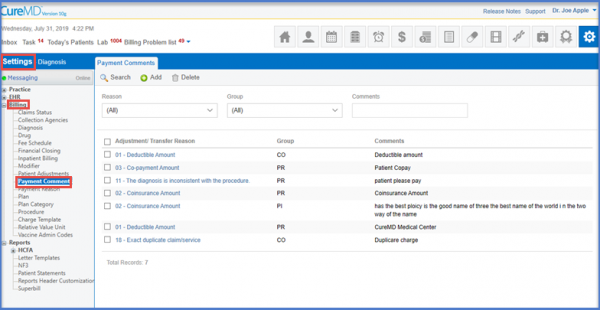
Following the workflow mentioned, the user lands on the ‘Payment Comments’ page.
Select the check box next to the record that has to be deleted and click ‘Delete’.
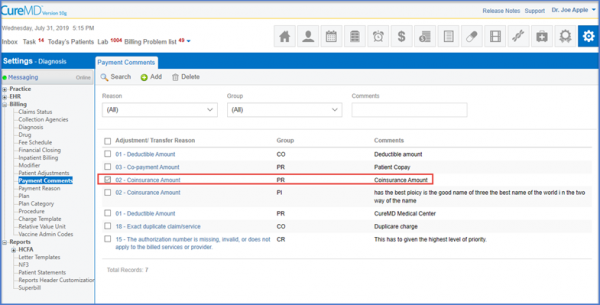
Following the workflow mentioned, the user lands on the ‘Payment Comments’ page.
Select the check box next to the record that has to be deleted and click ‘Delete’.

Posted On: Aug 26, 2026
Posted On: Aug 26, 2026
Posted On: Aug 26, 2026
Posted On: Aug 26, 2026
Posted On: Aug 26, 2026
Posted On: Aug 26, 2026