What is a Demographics Report?
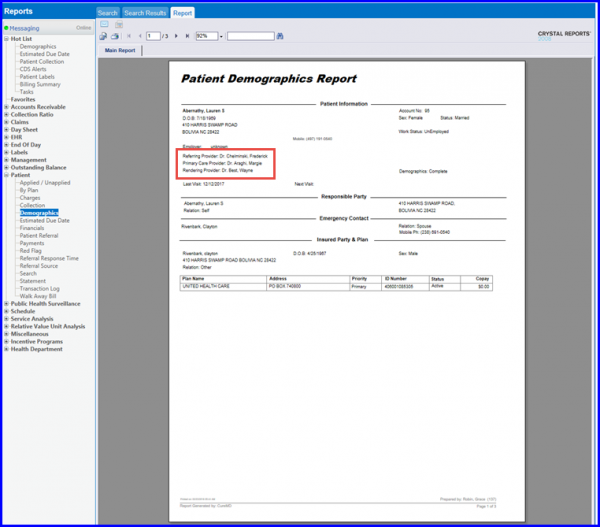
This report is used to print a patient’s complete demographic information on a single page. One of the primary purposes of this report is to allow the patient to view their own demographic information and update it, without having to give them access to the system. User can also export and print this report.
Follow the workflow above to land on the ‘Demographics’ screen.
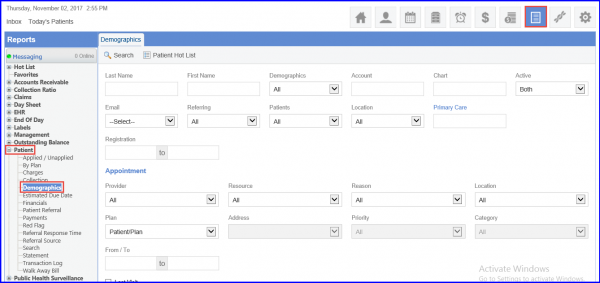
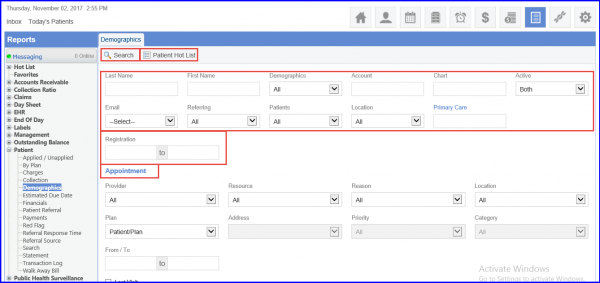
Users can search for a patient by one of the following methods:
- Use the patient information fields and enter personal identification information (not all the fields need to be filled completely) to search for a patient.
- Use the ‘Patient Hot List’ to search from a list of a user’s 15 most recently accessed patients.
- Use the Appointment Information fields in the Appointment section to look for multiple patients within a specific appointment date range, at a specific location, or under a specific Provider.
- Use the registration date range to look for multiple patients within a specific registration Date Range.
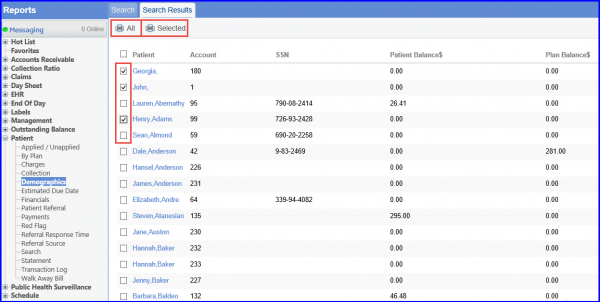
A list of all the patients within the given the search parameters will be displayed. To include all patients on the report, click the ‘Print All’ icon; to include only specific patients on the report, enable the checkbox next to the required patient(s) and click the ‘Print Selected’ icon.
Reports can be further modified by including the following criteria:
- Summary
- Display Demographics Comments
- Display search criteria
- Display Program Code
Enable the relevant checkbox to display the information on the report.

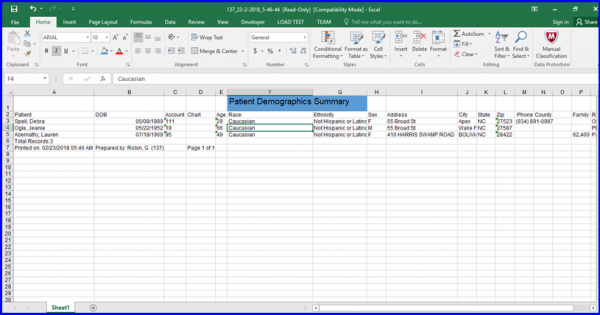
Opening the file provides users with summary of patient demographics in the form of an excel sheet.
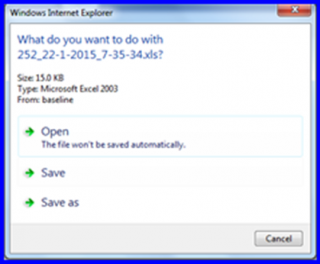
Opening the file, gives the user summary of Patient Demographics in a form of excel sheet.