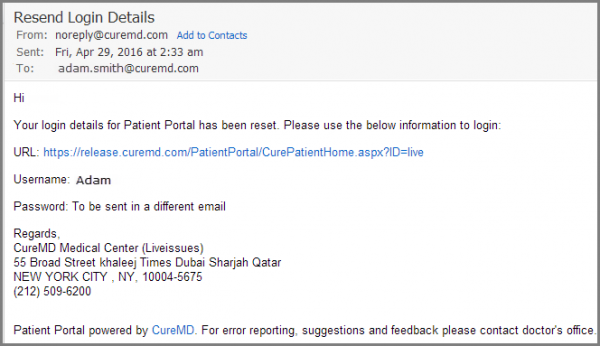
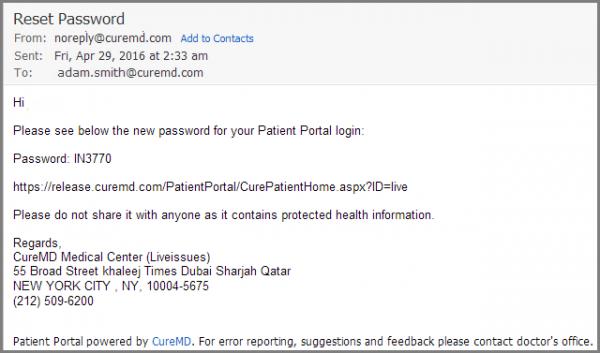
How to Resend Patient Portal Logins from Settings?
In case a patient has misplaced the previous email containing the Patient Portal login credentials or the provider wants to remind the patient to complete registration, they can resend the login request to the patient’s email address.
To resend a login request for the Patient Portal, first you need to access the patient portal. For this:
•Login to your CureMD account and go to the Settings module.
•On this screen, from the left-navigation menu, expand the Practice bucket and scroll down to the Patient Portal User option.
•This opens up the Patient Portal Users tab.
•You can search by first name or last name to look for the patient for whom you wish to resend patient portal registration request.
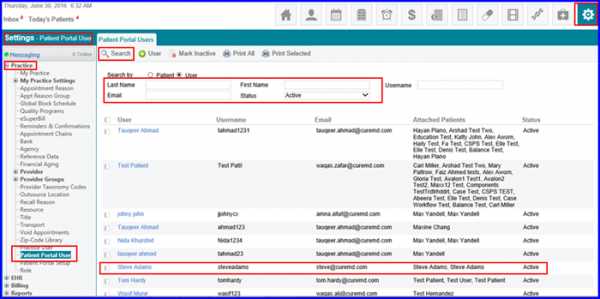
•From the search results list, select the required patient portal user by clicking on name.
•It takes you to a new tab Edit User.
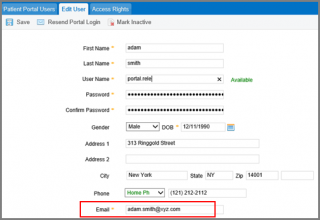
•On this tab click on the Resend Portal Login Button at the top of the screen.
•The Login Request is sent again to the user’s personal email address.