Configurable Sorting for Referral Instructions and Notes
Configure Referral Sorting Preference
Review Incoming Referral Notes
Review Outgoing Referral Notes
What’s New
- Added a new “Sort Referral Instructions/Notes” preference under Personal > My Preferences > General.
- Users can select between two sorting options:
- Most Recent to Oldest
- Oldest to Most Recent
- Most Recent to Oldest is the default selection.
- The selected sorting preference applies to Patient Instructions and Internal Notes within the Referral detail view.
- Sorting preferences are saved individually for each user.
- Changes to the preference do not affect other users within the practice.
- Saved preferences persist across sessions and logins.
- New comments automatically appear in the appropriate position based on the selected sorting order.
- Existing referral notes, authors, timestamps, and underlying information remain unchanged.
- The enhancement follows the same sorting approach used by existing Result Notes/Comments and Lab Graph View preferences.
How It Works
- Navigate to Personal > My Preferences > General.
- Locate the new “Sort Referral Instructions/Notes” setting beneath Rx End Date Frequency.
- Select the preferred sorting order:
- Most Recent to Oldest
- Oldest to Most Recent
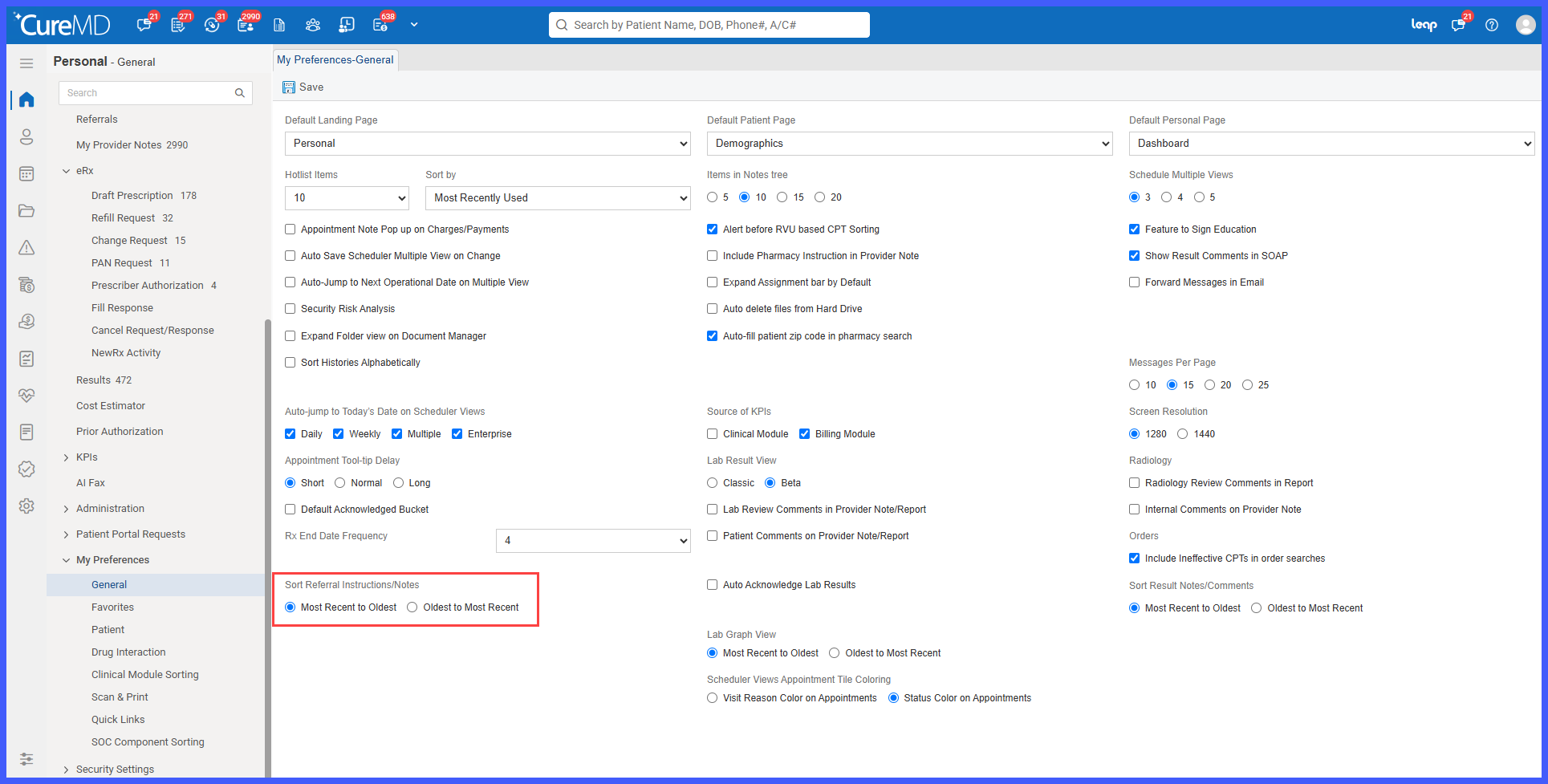
- Click Save to apply the preference.
- Navigate to Personal > Referrals.
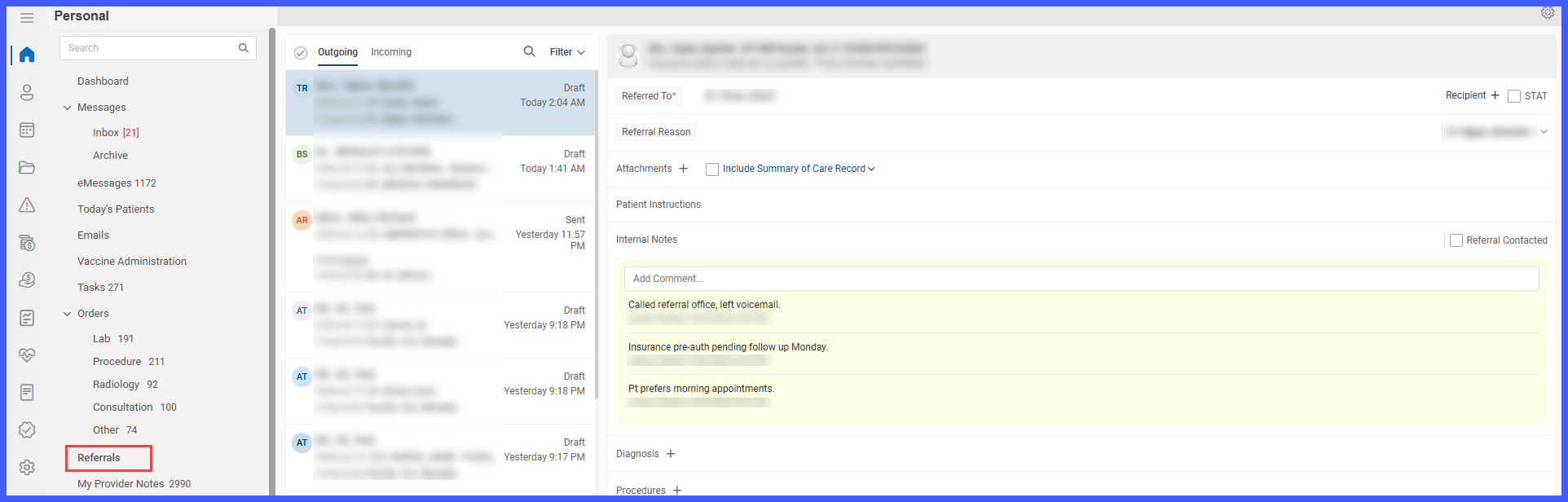
- Open an Incoming or Outgoing referral.
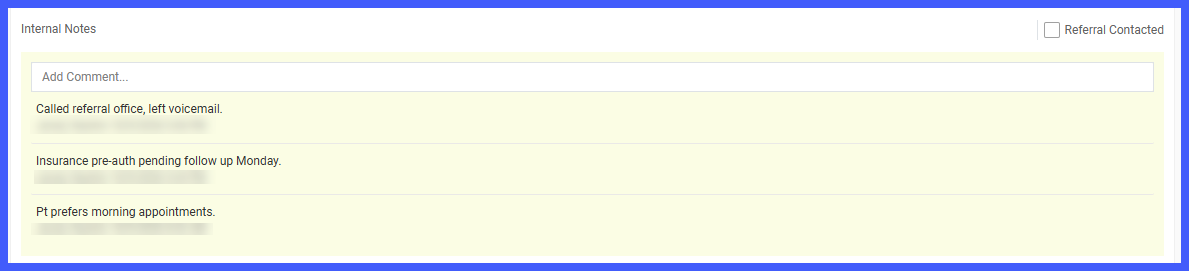
- The Patient Instructions and Internal Notes are displayed according to the saved sorting preference.
Benefits
- Allows users to review referral notes in their preferred chronological order.
- Provides faster access to the latest referral updates when Most Recent to Oldest is selected.
- Supports chronological review of referral communication when Oldest to Most Recent is selected.
- Reduces unnecessary scrolling when locating relevant referral instructions or comments.
- Improves efficiency for referral coordinators managing ongoing patient communication and authorization activities.
- Provides individual control without affecting other users’ preferences.
- Maintains consistent sorting behavior across referral workflows.
- Preserves existing referral information and timestamps while improving how notes are displayed.
