Simplified Provider Note Signing and Review with Fewer Clicks
Sign and Review a Provider Note
Sign Without Marking as Reviewed
Standard Note Signing
Access Provider Notes
What’s New
- Removed the separate signing confirmation when selecting Sign & Review.
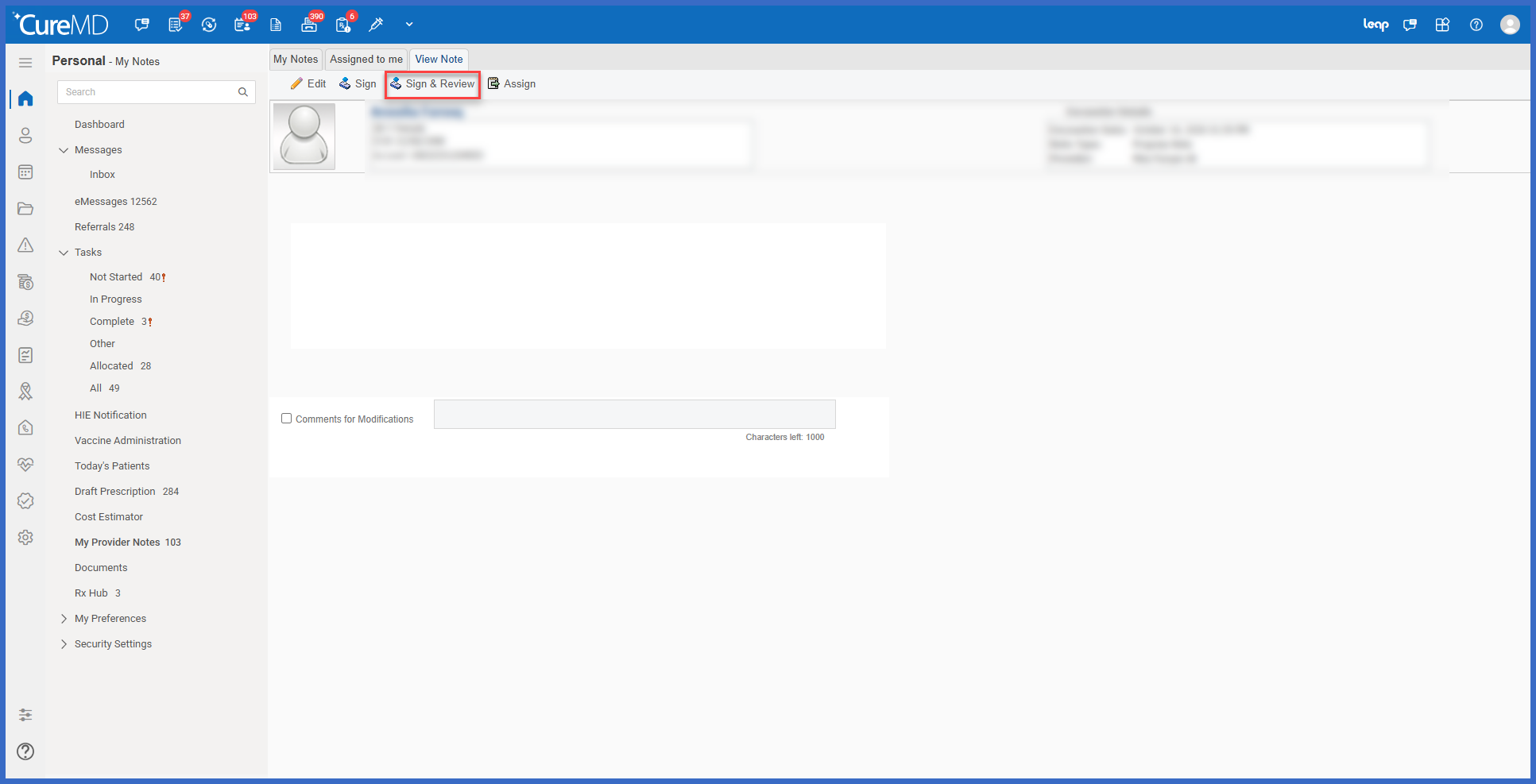
- Selecting Sign & Review now opens the Review Note pop-up directly.
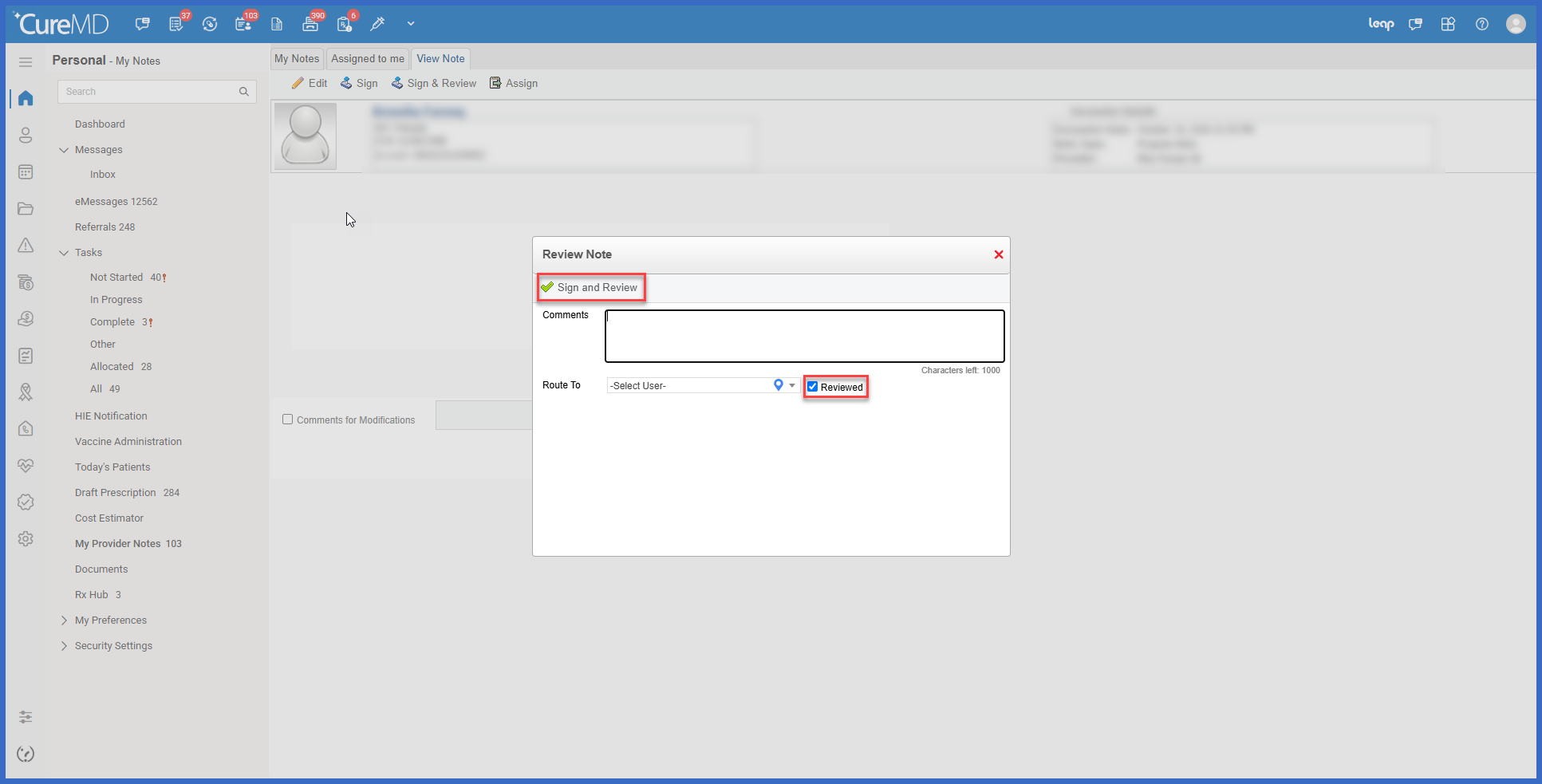
- The Reviewed checkbox is automatically selected when the pop-up opens through Sign & Review.
- The primary action button within the Review Note pop-up is labeled Sign & Review.
- Selecting Sign & Review within the pop-up signs the Provider Note and marks it as reviewed in a single action.
- Providers can uncheck Reviewed before completing the action if they want to sign the note without marking it as reviewed.
- The Comments and Route To fields remain available within the Review Note pop-up.
- Updated the Review Note pop-up layout for a more streamlined experience.
- Introduced a new icon for the Sign & Review action.
- The standalone Sign action remains unchanged and continues to display the existing signing confirmation.
How it works:
- Open the applicable Provider Note.
- Complete the required clinical documentation.
- Select Sign & Review.
- CureMD opens the Review Note pop-up directly without displaying the previous signing confirmation.
- The Reviewed checkbox is selected by default.
- If needed, enter additional information in Comments or select a recipient using Route To.
- Review the available options:
- Leave Reviewed checked to sign and mark the note as reviewed.
- Uncheck Reviewed to sign the note without marking it as reviewed.
- Click Sign & Review within the pop-up to complete the action.
Benefit:
- Reduces unnecessary clicks when signing and reviewing Provider Notes.
- Eliminates the separate signing confirmation from the Sign & Review workflow.
- Allows providers to complete signing and review in a single action.
- Reduces the likelihood of notes being signed without being marked as reviewed.
- Preserves flexibility for providers who want to sign without marking a note as reviewed.
- Maintains existing Comments and Route To functionality.
- Improves efficiency during routine clinical documentation.
- Preserves the existing standalone Sign workflow for providers who prefer it.
