Show All Order Sets in Global Search with ICD-10 and CPT Codes in Favourites
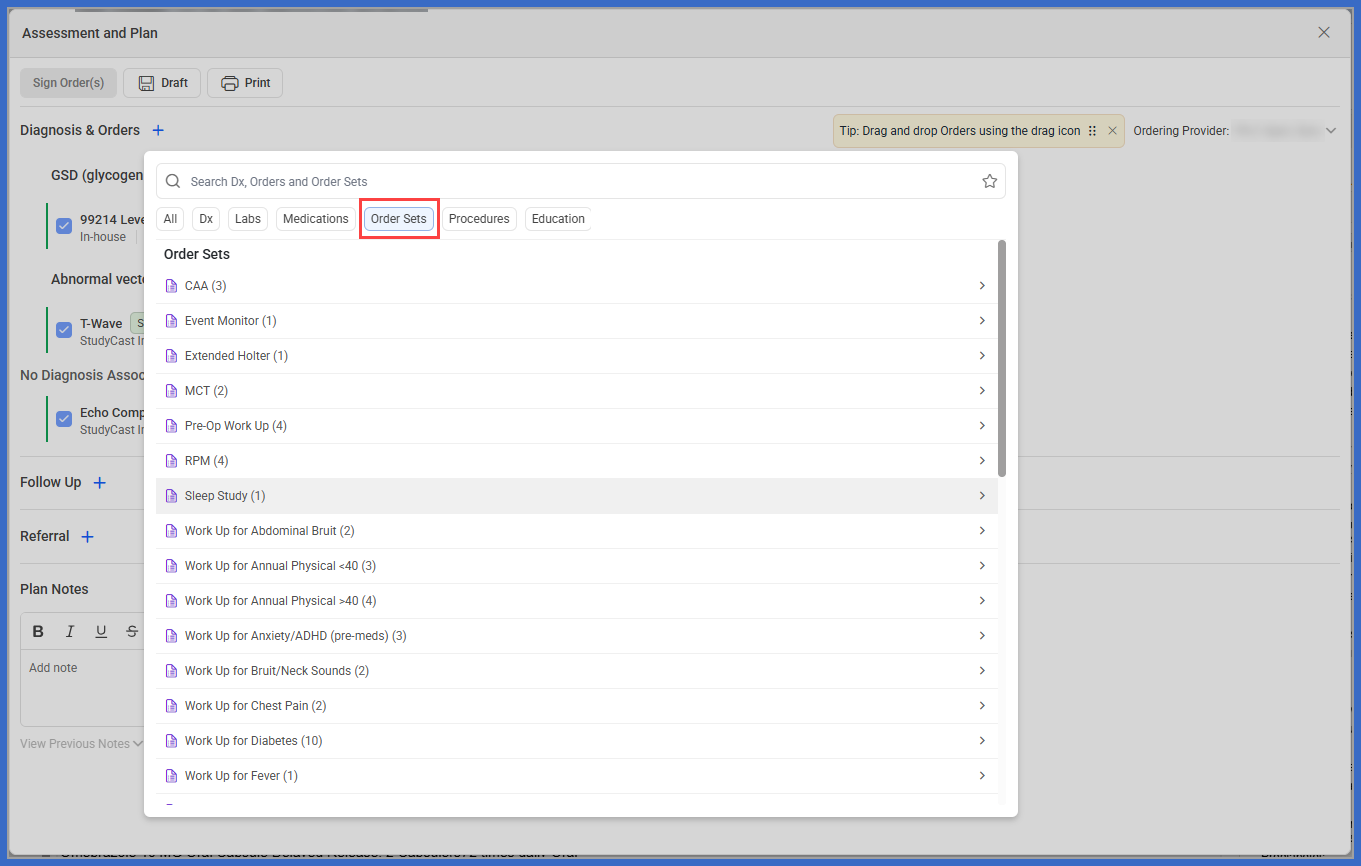
Search All Order Sets
Search Order Sets by Name
Review Diagnosis-Specific Order Sets
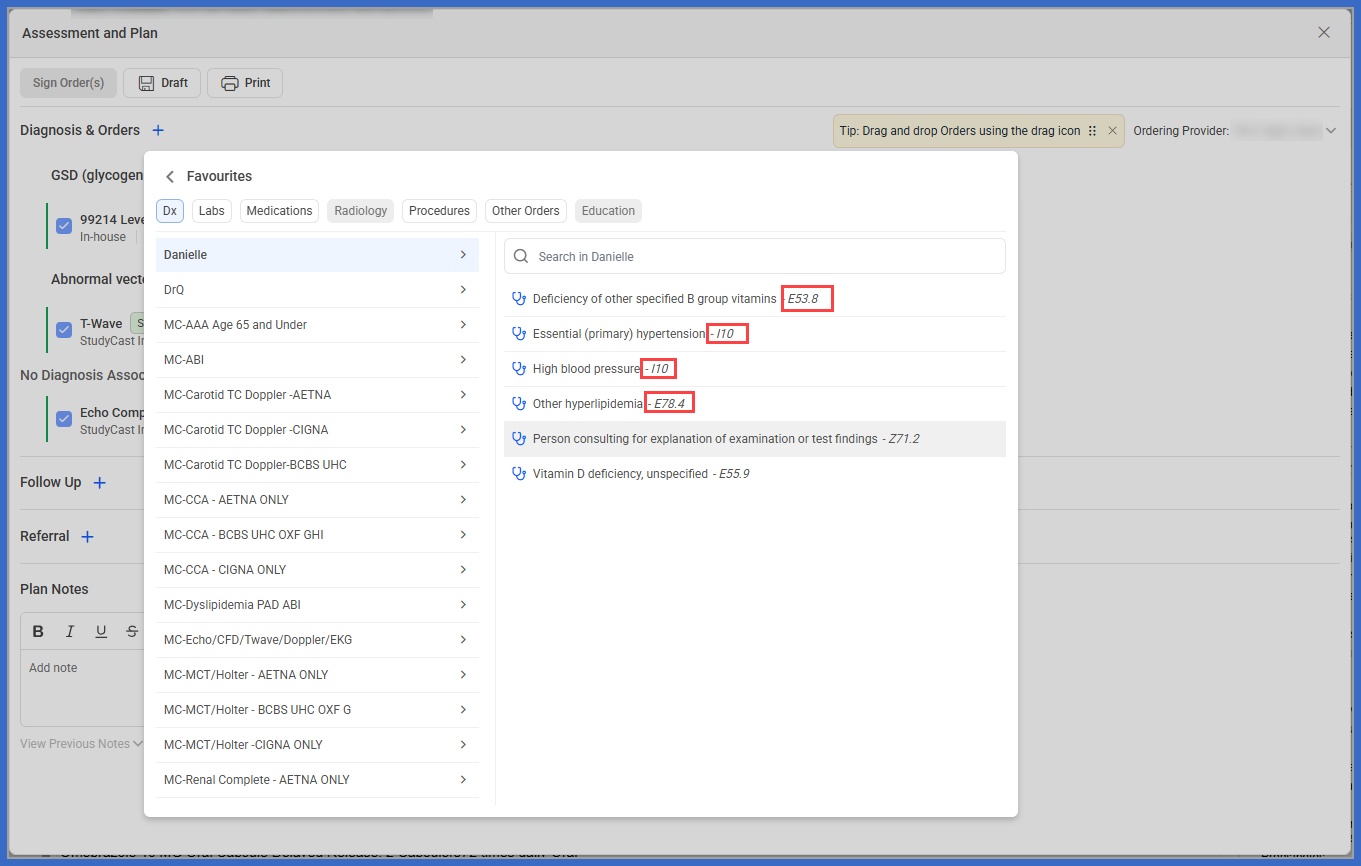
Review Diagnosis Favourites
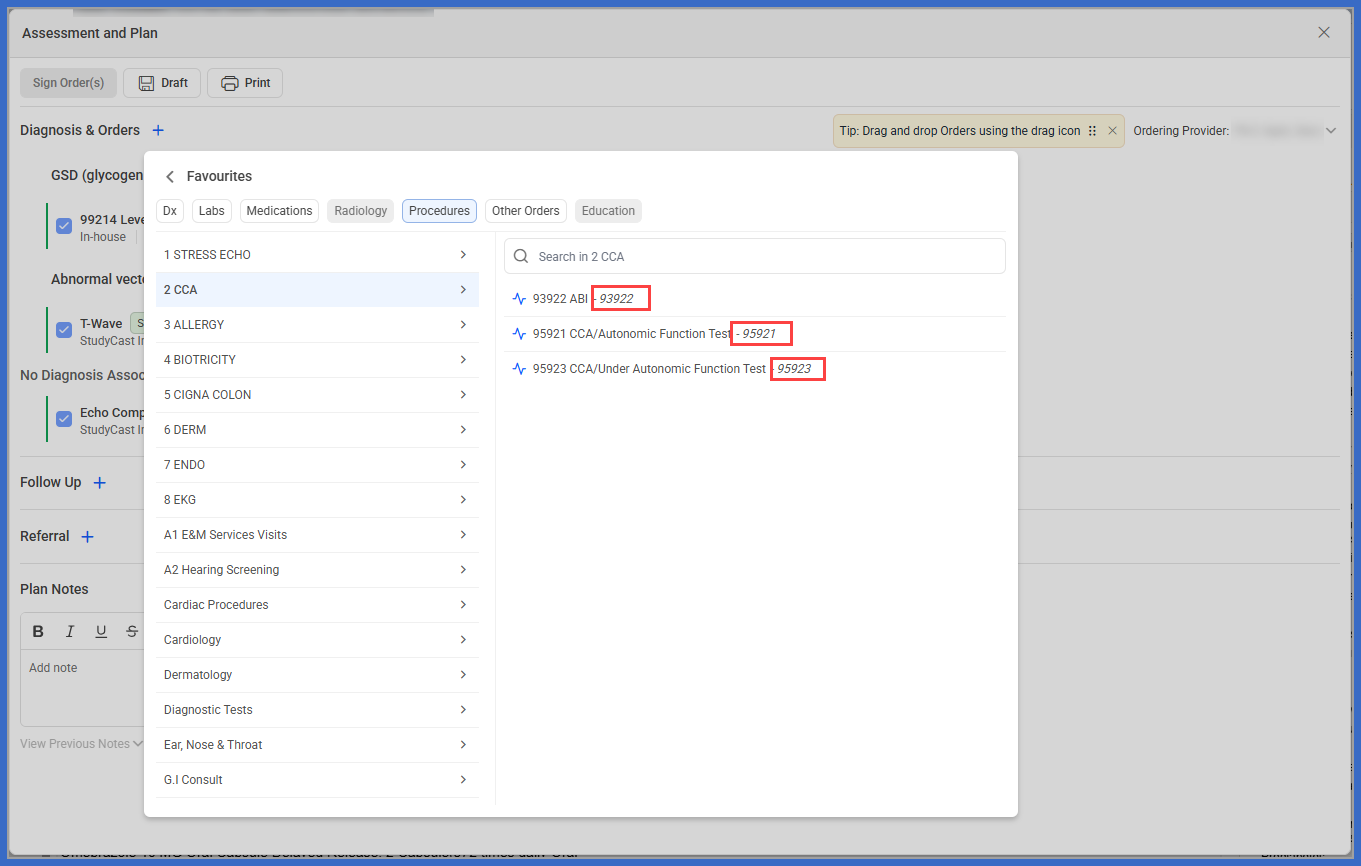
Review Procedure Favourites
Review Other Orders Favourites
What’s New
- The A&P Global Search now displays all Order Sets available to the provider, rather than only recommended Order Sets.
- Renamed the “Recommended Order Sets” section to “Order Sets” within Global Search.
- Providers can browse all available Order Sets using the All or Order Sets filter.
- Order Sets can be searched by name to quickly locate the required set.
- Diagnosis-specific Order Set recommendations remain available on the diagnosis-to-orders transition screen.
- Only Order Sets associated with the selected diagnosis are recommended on the diagnosis-to-orders screen.
- Added ICD-10 codes alongside diagnosis names within Dx Favourites.
- Added CPT codes alongside procedure names within Procedure Favourites.
- Added CPT codes alongside applicable entries within Other Orders Favourites.
- Existing Order Set selection and Favourites functionality remain unchanged.
How it works:
- Open the patient’s Provider Note.
- Navigate to Assessment and Plan.
- Under Diagnosis & Orders, locate the “Search Dx, Orders and Order Sets” search bar.
- Select the Order Sets filter to display all Order Sets available to the provider.
- Browse the available Order Sets or enter a name to narrow the results.
- Click the arrow next to the required Order Set.
- Open the selected Order Set and add its orders to the Provider Note using the existing workflow.
Benefits
- Allows providers to locate and access any available Order Set directly from Global Search.
- Eliminates the need to rely exclusively on recommended Order Sets.
- Reduces unnecessary navigation when searching for non-recommended Order Sets
- Maintains relevant diagnosis-specific Order Set recommendations.
- Improves the readability of Favourites by displaying associated ICD-10 and CPT codes.
- Helps providers distinguish between diagnoses and procedures with similar descriptions.
- Supports more accurate diagnosis and procedure selection.
- Preserves existing ordering workflows while improving search accessibility and code visibility
