Configurable Administer/Dispense Timestamp Display in Provider Notes
Configure Timestamp Display
Medication Administration Documentation
Prescription Dispensing Documentation
What’s New
- Added a new checkbox named “Include Administer/Dispense Timestamp in Provider Notes”.
- The setting is available under Settings > My Practice Settings > EHR > Prescription.
- The checkbox is enabled by default, preserving the existing documentation behavior.
- When enabled, the SOAP text for administered or dispensed medications includes the name of the user who performed the action and the corresponding timestamp.
- When disabled, the user name and action timestamp are excluded from the generated SOAP text.
- The setting is configured at the practice level, allowing consistent documentation preferences across the practice.
- The enhancement applies to the Medications and Prescriptions SOAP components within Provider Notes.
How It Works
- Navigate to Settings > My Practice Settings > EHR.
- Locate the Prescription section.
- Find the “Include Administer/Dispense Timestamp in Provider Notes” checkbox.
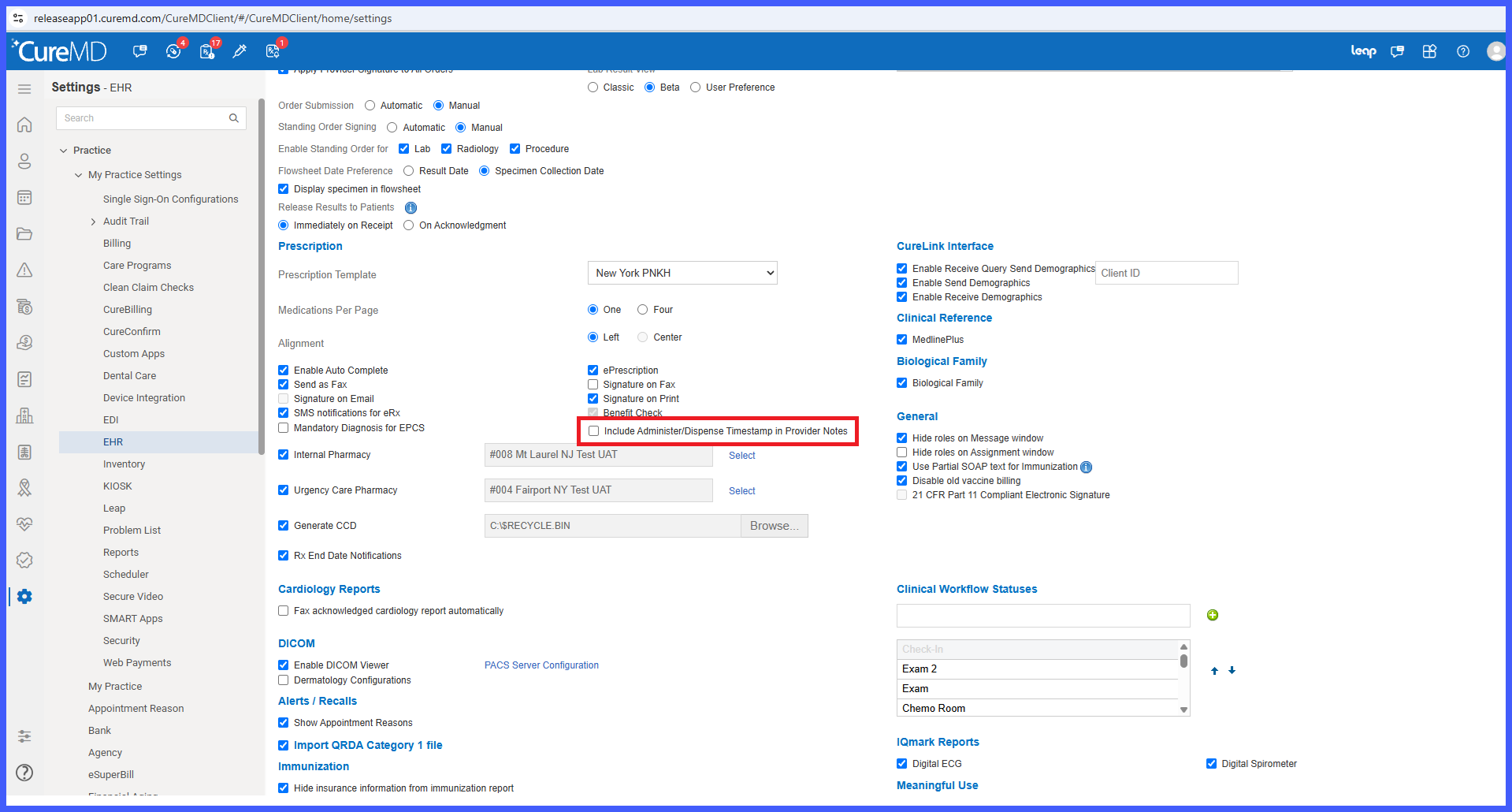
- Configure the setting according to the practice’s preference:
- Checked – Includes the user name and timestamp in the generated SOAP text.
- Unchecked – Excludes the user name and timestamp from the generated SOAP text.
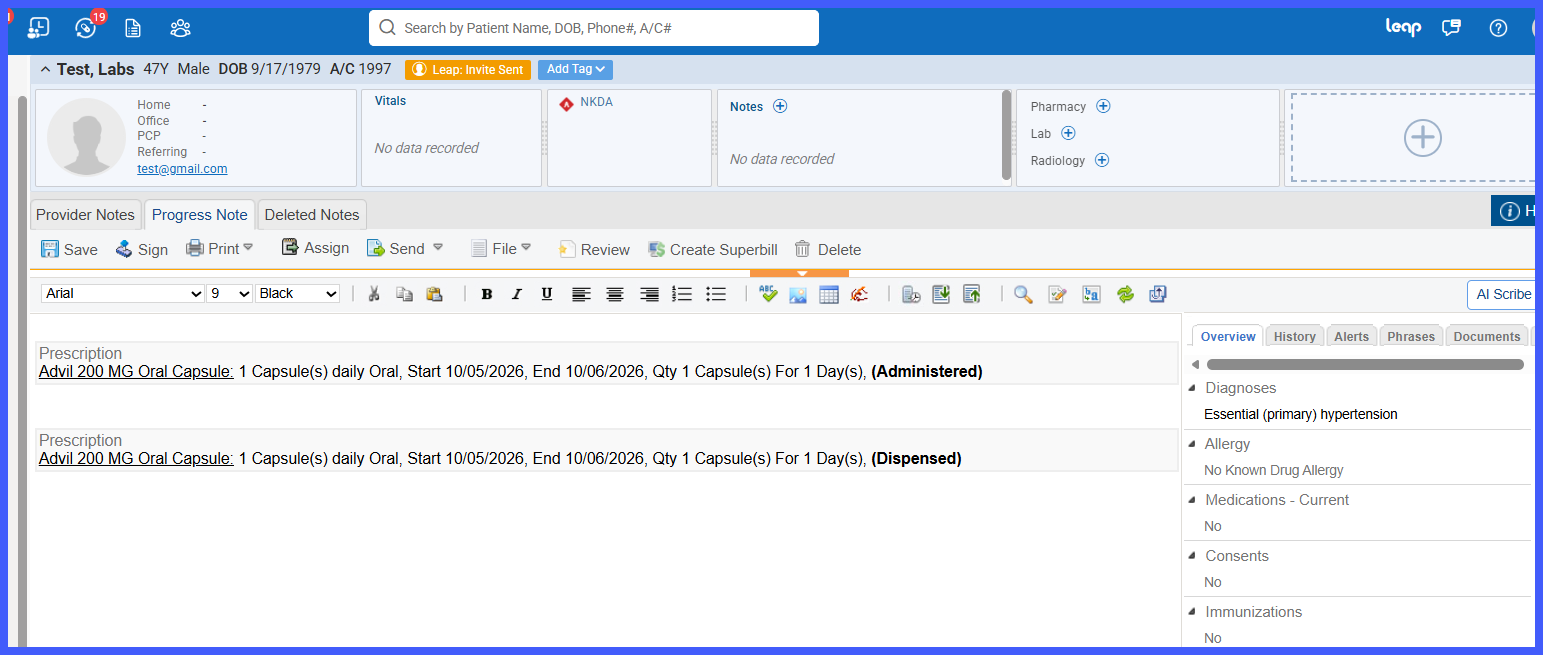
- Save the practice configuration.
- When medication administration or dispensing documentation is generated within Provider Notes, CureMD applies the configured setting.
Benefits
- Gives practices greater control over the information displayed in medication administration and dispensing documentation.
- Allows administrators to exclude user names and action timestamps from Provider Note SOAP text when preferred.
- Supports cleaner and more concise clinical documentation.
- Maintains consistent documentation preferences through a centralized practice-level setting.
- Preserves existing documentation behavior by keeping the setting enabled by default.
- Provides flexibility without requiring changes to existing medication administration or dispensing workflows.
