Alphanumeric-Only Validation for Insurance Policy Numbers
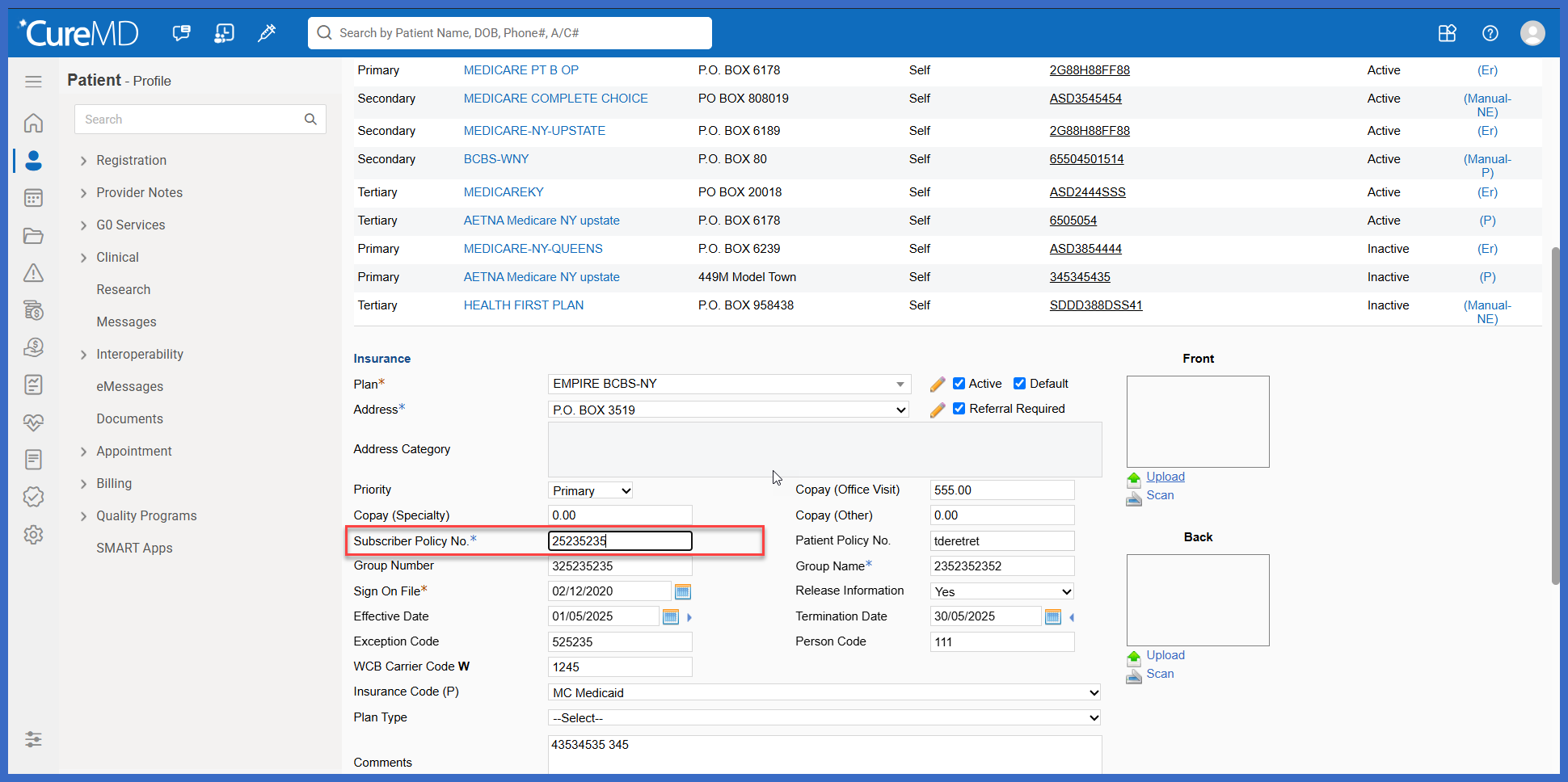
Insurance / Insured Party Policy Number
Patient Policy Number
Patient Secondary Policy Number
What’s New
- Policy Number fields now accept alphanumeric characters only (A–Z, a–z, and 0–9).
- Spaces and special characters are no longer permitted.
- The restriction applies to the following fields:
- Insurance / Insured Party > Policy Number
- Patient > Policy Number
- Patient > Secondary Policy Number
- Validation applies to both manually typed and pasted information.
- Unsupported characters are removed when users edit existing Policy Number values.
- Existing records containing spaces or special characters remain unchanged until the applicable field is edited.
- The enhancement aligns Policy Number input with the alphanumeric formatting requirements for EDI Loop 2100C Segment NM109 and Loop 2010BA Segment NM109.
How It Works
- Navigate to the applicable Insurance / Insured Party or Patient screen.
- Locate the Policy Number or Secondary Policy Number field.
- Enter or paste the insurance policy number.
- CureMD restricts the field to alphanumeric characters, preventing spaces and special characters from being retained.
- If an existing Policy Number contains unsupported characters, editing the field removes those characters.
- Save the record with the validated Policy Number.
 Benefits
- Improves consistency of insurance policy information across Patient and Insurance workflows.
- Helps align Policy Number data entry with EDI formatting requirements.
- Reduces downstream EDI validation failures caused by spaces and unsupported special characters.
- Applies consistent validation to both typed and pasted values.
- Preserves existing insurance records until their Policy Number fields are intentionally edited.
- Reduces manual correction of improperly formatted policy numbers.
