Location-Specific Exam Room Display Order
Configure Exam Room Order
Today’s Patients
Change Status
What’s New
- Added a new Sorting tab to the Exam Room configuration page.
- The Sorting tab displays locations with two or more active Exam Rooms.
- Each location displays its:
- Active Exam Room count
- Current room-order preview
- Last updated information
- Search and pagination are available to help locate specific locations.
- Selecting a location opens its Exam Room Order configuration.
- Administrators can customize room sequence using drag-and-drop or available movement controls.
- Room search is available within the ordering screen.
- Reordering is temporarily disabled while a room search is active.
- Unsaved changes are managed with a warning before closing or cancelling a modified configuration.
- Shared Exam Rooms can have a different display position at each assigned location.
- Shared-room indicators provide visibility into additional location assignments.
- Saved ordering is reflected in supported workflows, including Today’s Patients and Change Status.
- Changes to room names, location assignments, or activation status are incorporated while preserving applicable location-specific ordering.
How It Works
- Navigate to Settings > EHR > Exam Room.
- Open the new Sorting tab.
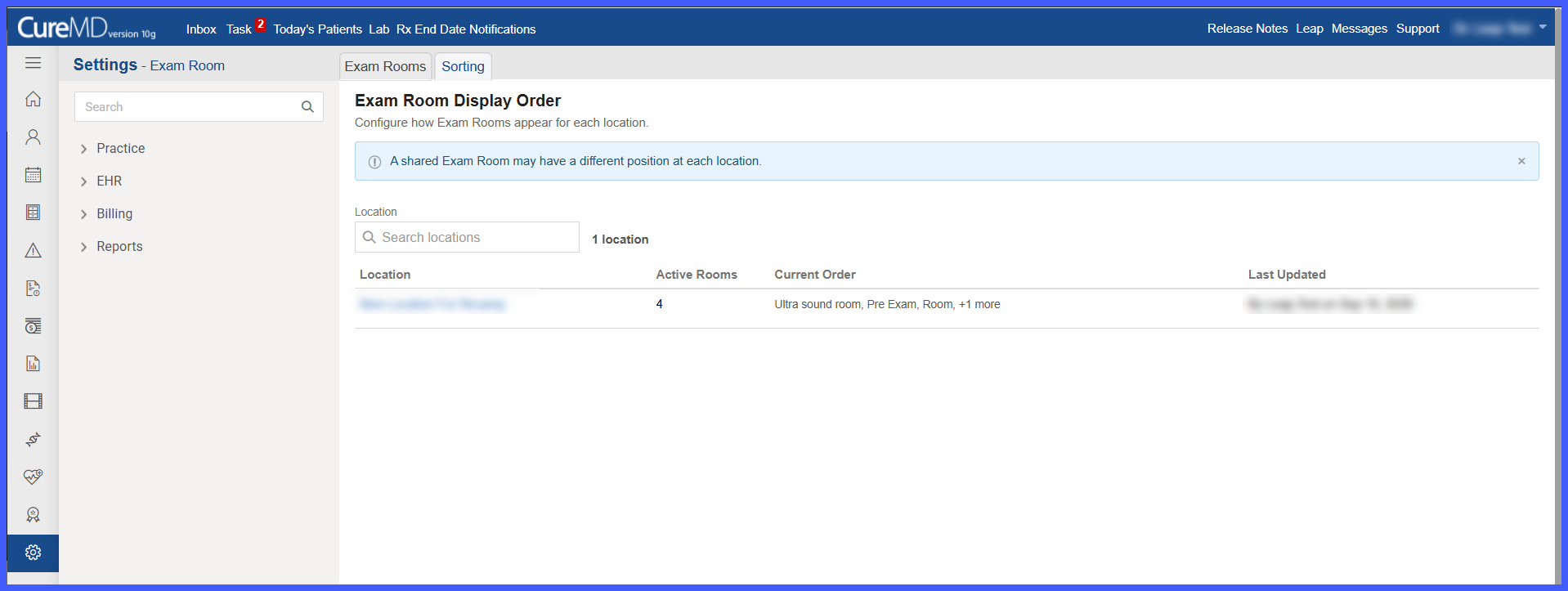
- Locate the applicable location using the listing, search, or pagination.
- Select the location to open its Exam Room Order configuration.
- Review the active Exam Rooms currently assigned to that location.
- Arrange the rooms into the preferred sequence using drag-and-drop or the available movement controls.
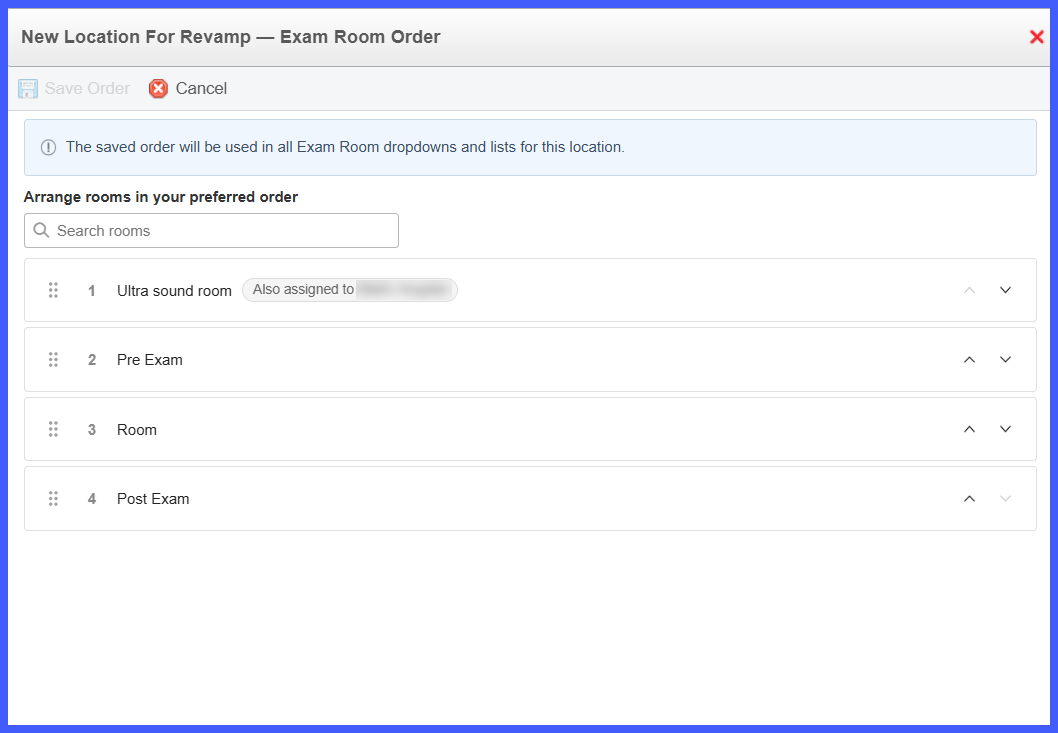
- Select Save Order.
- The saved sequence is applied to supported Exam Room dropdowns and lists for that location.
Benefits
- Allows Exam Room lists to reflect the operational workflow of each individual location.
- Provides location-specific control for multi-location practices.
- Makes frequently used Exam Rooms easier to locate and select.
- Supports independent ordering for Exam Rooms shared between locations.
- Reduces manual searching within Exam Room dropdowns and lists.
- Provides consistent room ordering across supported workflows.
- Automatically provides natural room ordering for locations that do not require custom configuration.
