Auto-Complete Associated Tasks on Referral Completion
Configure Automatic Task Completion
Complete Referral
Automatic Task Completion
What’s New
- Added a new practice-level setting:
- Auto-complete tasks when referral is completed
- The setting is available under Practice Settings > EHR > Referrals.
- The setting is enabled by default.
- When enabled, completing a referral automatically completes its associated open task.
- If the task is assigned to multiple users, it is completed for all users associated with the task.
- When the setting is disabled, completing the referral does not change the associated task’s status.
- If the referral has no associated task, no task-related action is performed.
- If the associated task is already Completed, the system takes no additional action and does not create a duplicate completion event..
How It Works
- Navigate to Practice Settings > EHR > Referrals.
- Locate the Auto-complete tasks when referral is completed setting.
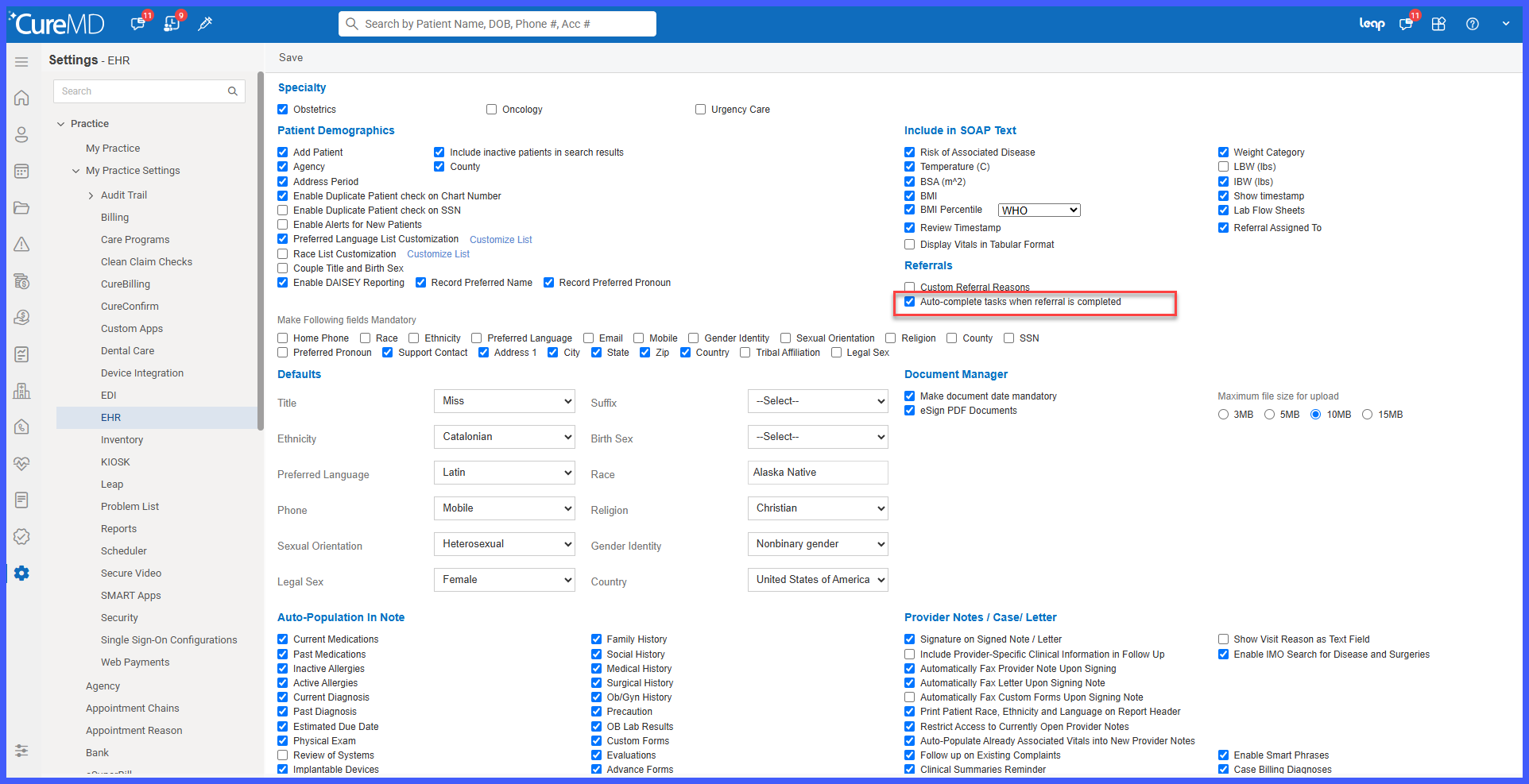
- Leave the setting enabled to automatically synchronize task completion with referral completion, or disable it if tasks should continue to be managed separately.
- When a referral with an associated open task is marked Completed, the system automatically marks the task Completed.
- If the task is assigned to multiple users, completion is applied for all users associated with the task.
Benefits
- Eliminates the need to manually complete a task after its associated referral has been completed.
- Keeps referral and task statuses synchronized.
- Reduces unnecessary open tasks associated with already completed referrals.
- Provides practices with control over whether referral completion should affect associated tasks.
- Provides consistent behavior for tasks assigned to multiple users.
- Prevents duplicate completion activity when a task has already been completed.
