Automatic ECG Filing to Document Manager with Protected Document Handling
Generate and File ECG Report
Access ECG from Document Manager
Access ECG from Provider Notes
Review ECG Document Details
What’s New
- ECG reports saved through the ECG (IQmark) utility are automatically rendered as PDFs and filed in Document Manager.
- A dedicated ECG Reports folder is automatically created when the functionality is first used.
- The ECG Reports folder appears in blue within the folder tree and is driven by the user’s ECG Reports permission.
- Each ECG document is associated with the patient and encounter for which the ECG was performed.
- Document Date reflects the ECG date, while system Date reflects when the report was saved.
- The Details pane displays ECG performed date/time and report date within the read-only Associated with information.
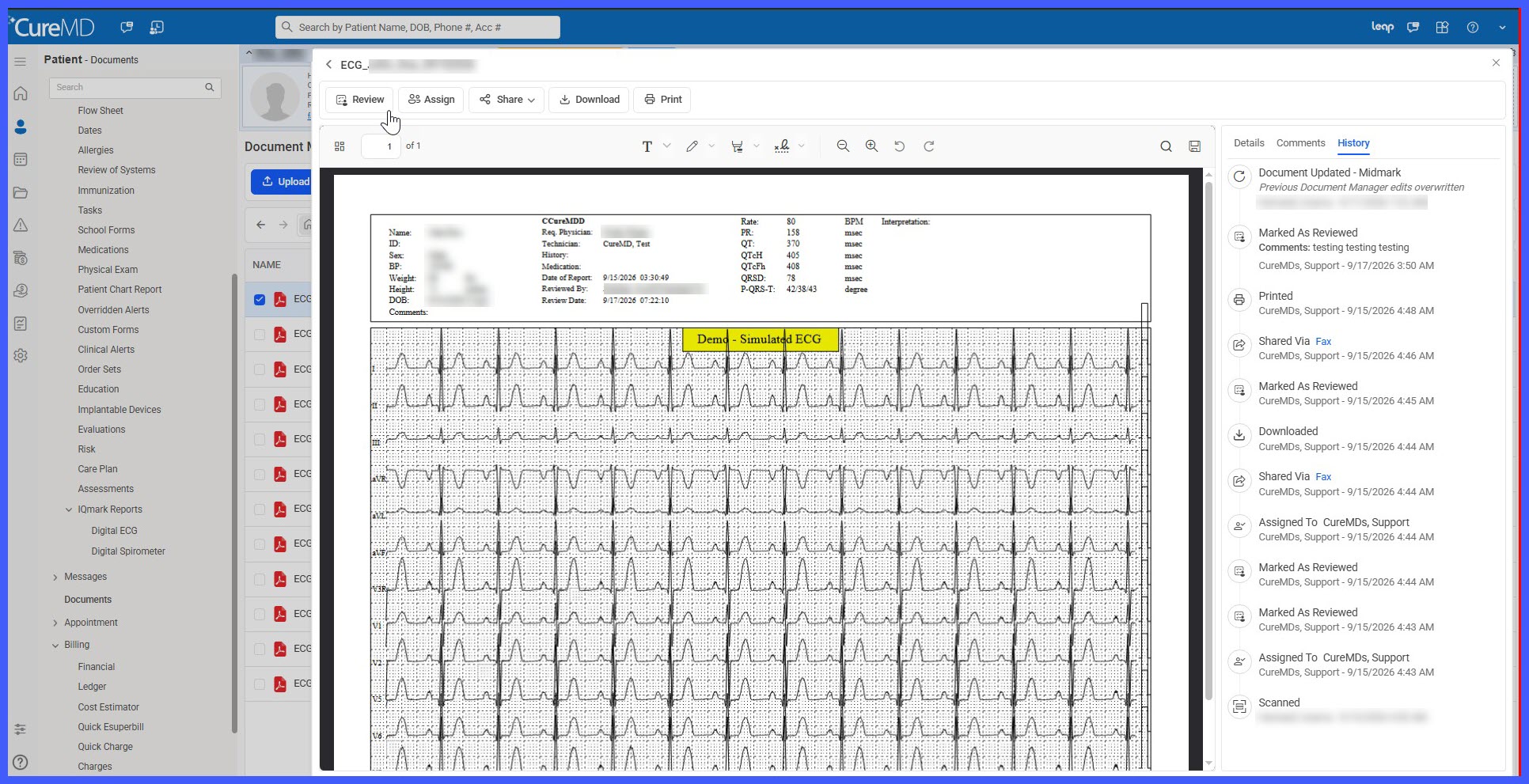
- ECG reports display in the standard Document Manager PDF preview.
- The following permitted actions remain available:
– Assign
– Email
– Fax
– Download
– Thumbs
– Print - Permitted actions are recorded in History / Document Manager Log with the applicable user and timestamp.
Protected ECG Document Handling
To preserve the integrity of automatically filed ECG reports, the following actions are blocked:
- Uploading documents into the ECG Reports folder.
- Scanning documents into the ECG Reports folder.
- Moving ECG documents out of the folder.
- Moving other documents into the ECG Reports folder.
- Deleting ECG documents.
- Mixed multi-select actions involving an ECG document when the requested action is restricted.
When a restricted action is attempted, the system displays:
“ECG documents cannot be modified, moved, or deleted. This folder is maintained automatically by the ECG module.”
These restrictions are based on the document’s ECG (IQmark) source rather than only its folder location and are enforced at the API layer. The restrictions therefore cannot be bypassed by moving the document or through user permissions.
How It Works
- Perform and save an ECG using the ECG (IQmark) utility.
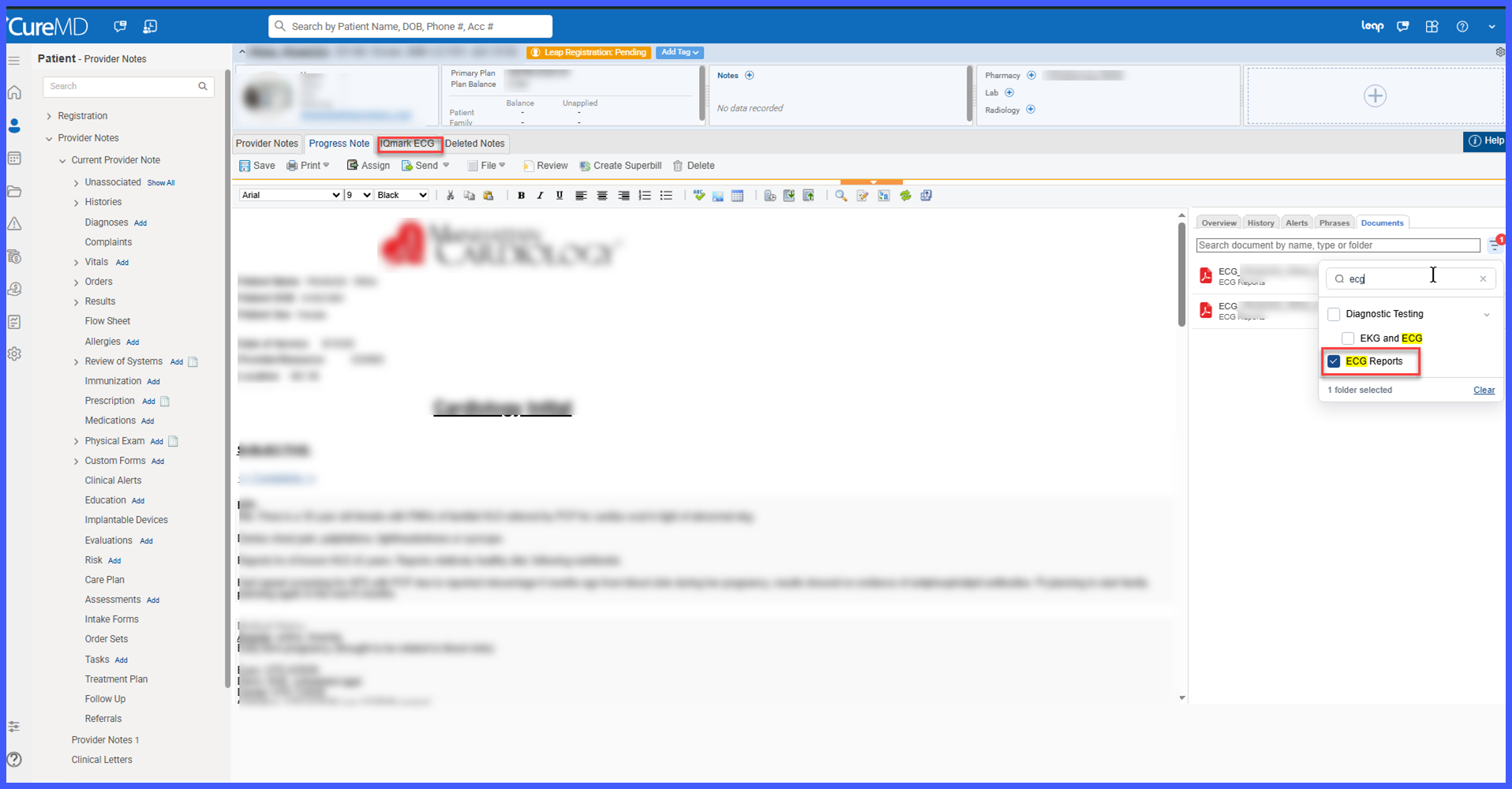
- The system automatically renders the ECG report as a PDF.
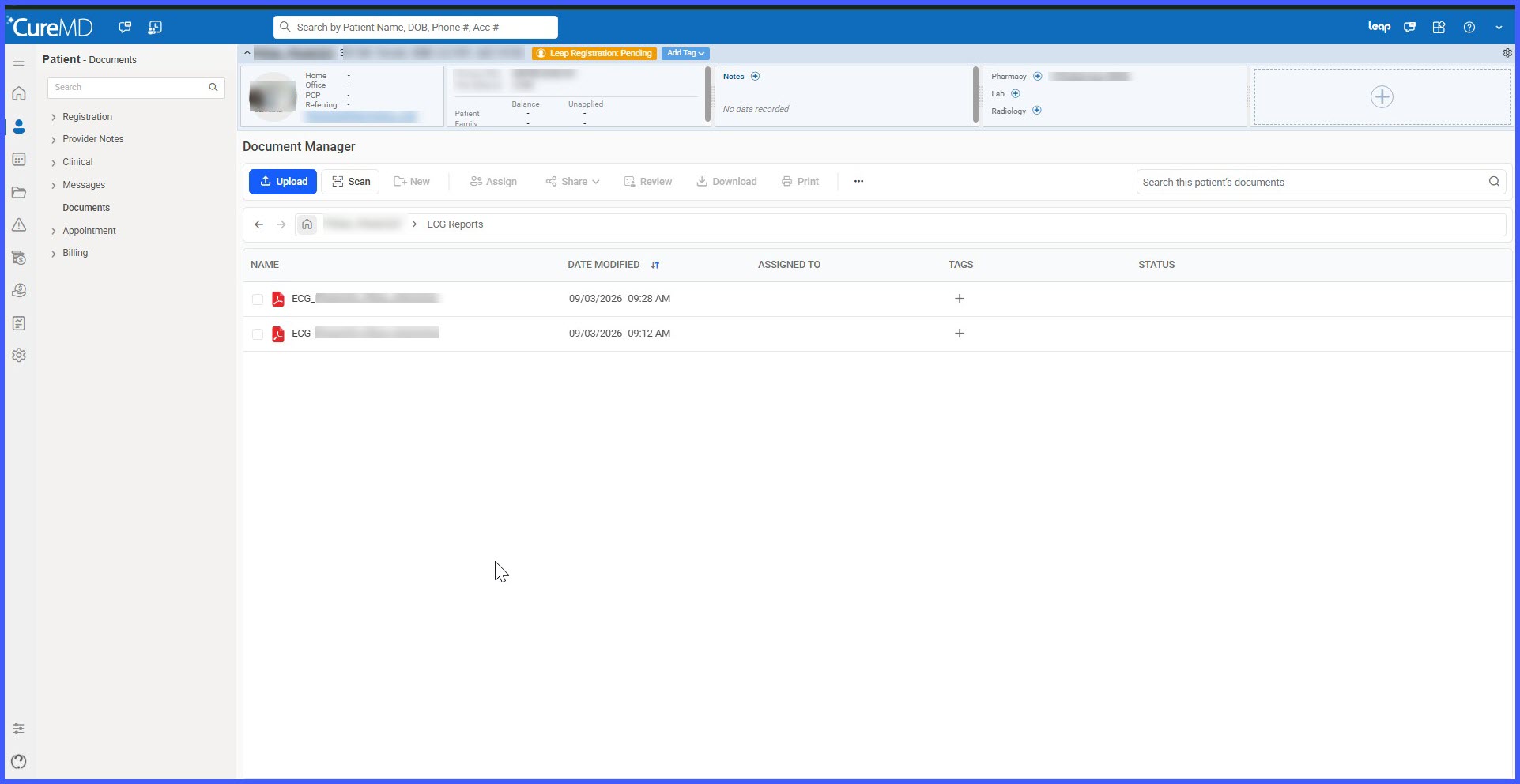
- The PDF is filed under the patient’s dedicated ECG Reports folder in Document Manager.
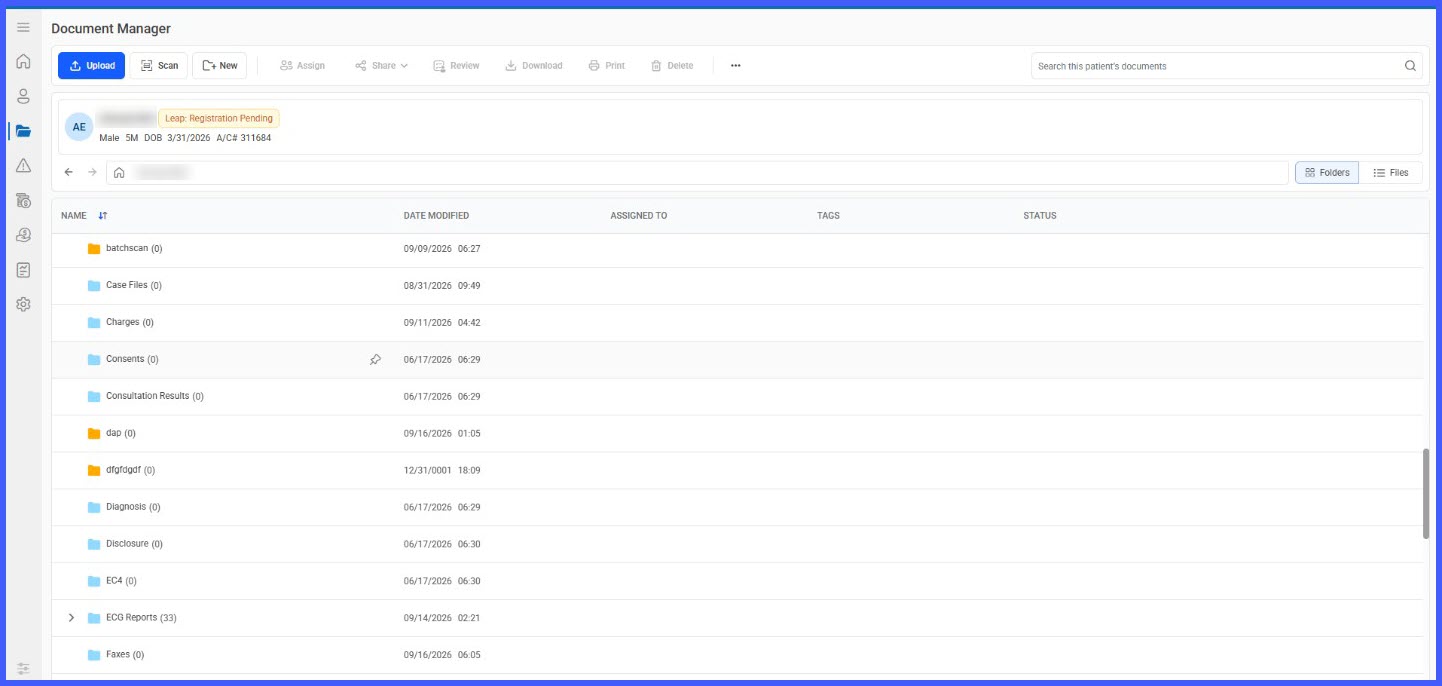
- If the ECG Reports folder does not already exist, the system creates it automatically.
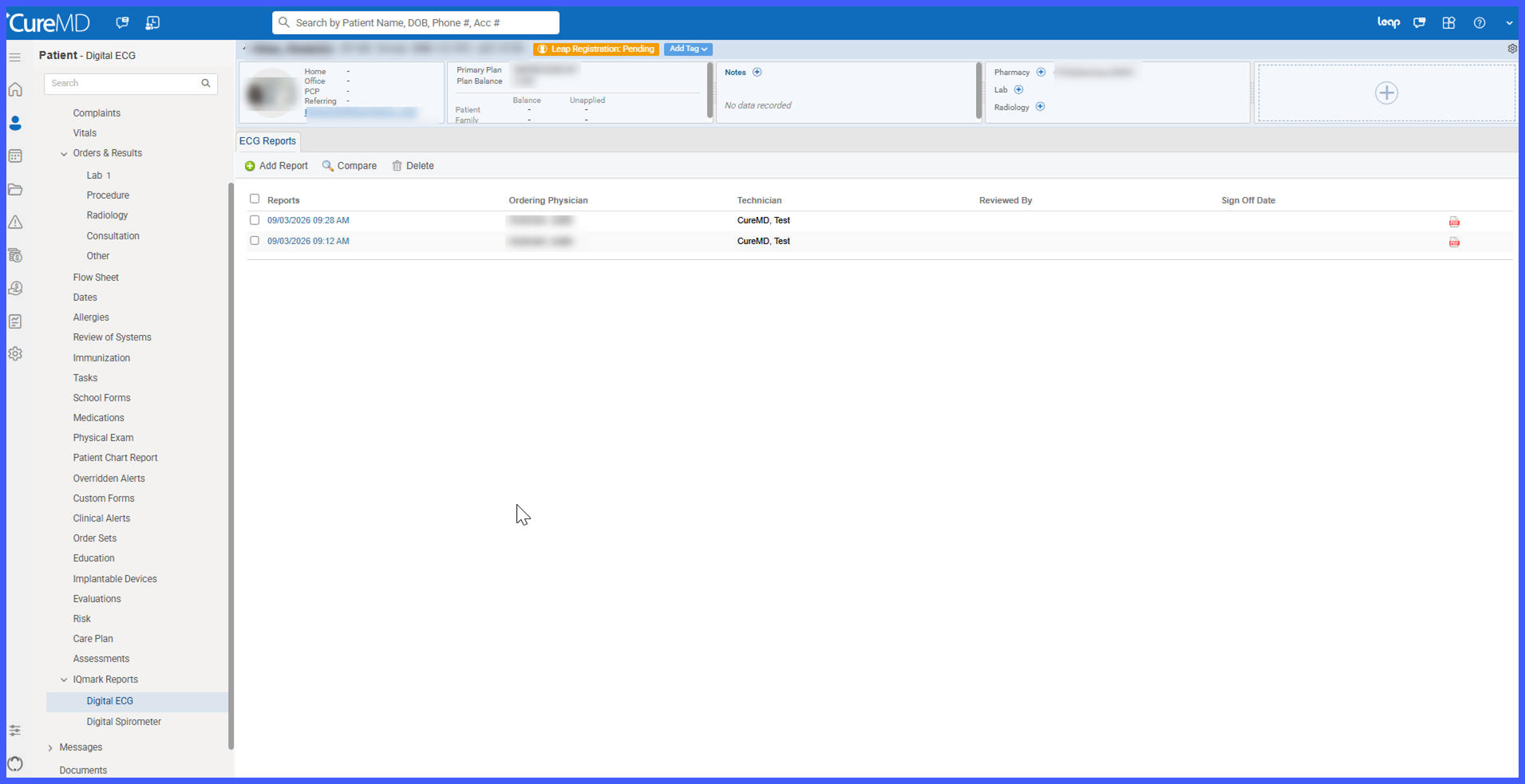
- The report is associated with the applicable patient and encounter, including the ECG performed date/time and report date.
- Users can preview the ECG and perform permitted actions such as Email, Fax, Download, and Print.
- If a user attempts to modify, move, or delete the ECG document, the action is blocked and the applicable CureMD message is displayed.
Benefits
- Automatically captures ECG reports within the patient’s chart without requiring manual uploads.
- Reduces the risk of ECG reports remaining unfiled or being stored in an incorrect location.
- Protects ECG documents from accidental modification, movement, or deletion.
- Keeps ECG reports available for appropriate viewing and sharing workflows.
- Maintains patient and encounter context for each automatically filed report.
- Improves traceability through Document Manager history and logging.
- Eliminates manual ECG folder management for practice staff.
