Support for Inhalation Route in Chemotherapy Manager
Configure Inhalation Route
Configure Custom/Trial Drug
Regimen Configuration
Treatment Planning
Drug Administration
Administration Billing
Reporting
What’s New
- Inhalation is now available as a route within Drug Management for applicable drugs.
- Once configured for a drug, Inhalation is available across applicable downstream workflows, including:
- Regimen Library
- Chemo Plan
- Chemo Administration
- Drug Dispensing
- Hospital Administration
- Flowsheet
- Custom/Trial Drug workflows
- Drug Administration Notes
- Custom and Trial drugs can also be configured with Inhalation as their route of administration.
- When Inhalation is specified in a preceding workflow, the route is carried forward into applicable treatment and administration workflows.
- Applicable treatment and administration reports display Inhalation based on the route associated with the corresponding drug order.
How It Works
- Configure Inhalation Route
- Navigate to Drug Management and configure Inhalation as an available route for the applicable drug.
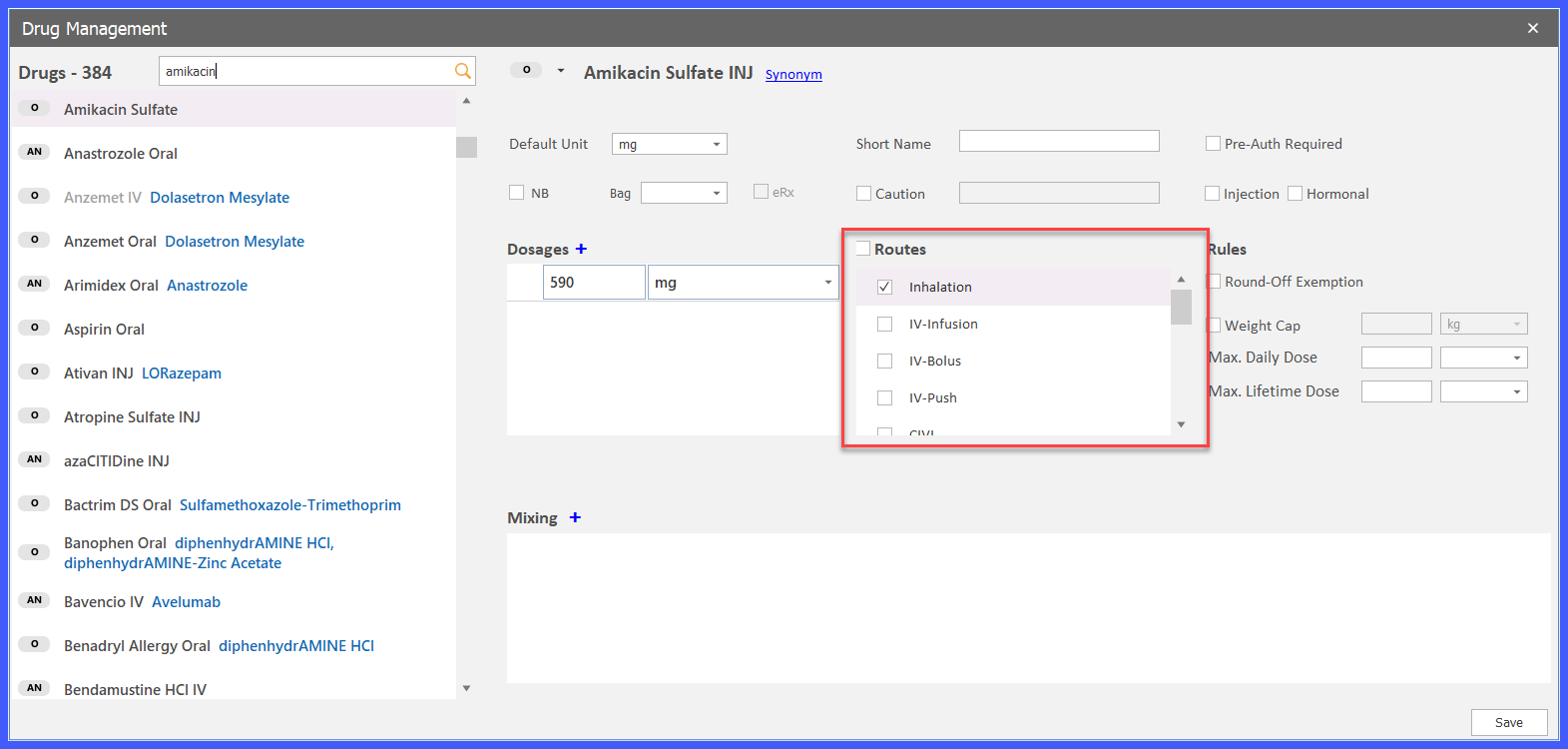
- Navigate to Drug Management and configure Inhalation as an available route for the applicable drug.
- Build a Regimen or Treatment Plan
- When Inhalation has been configured for the drug, it becomes available for selection within Regimen Library and Plan workflows.
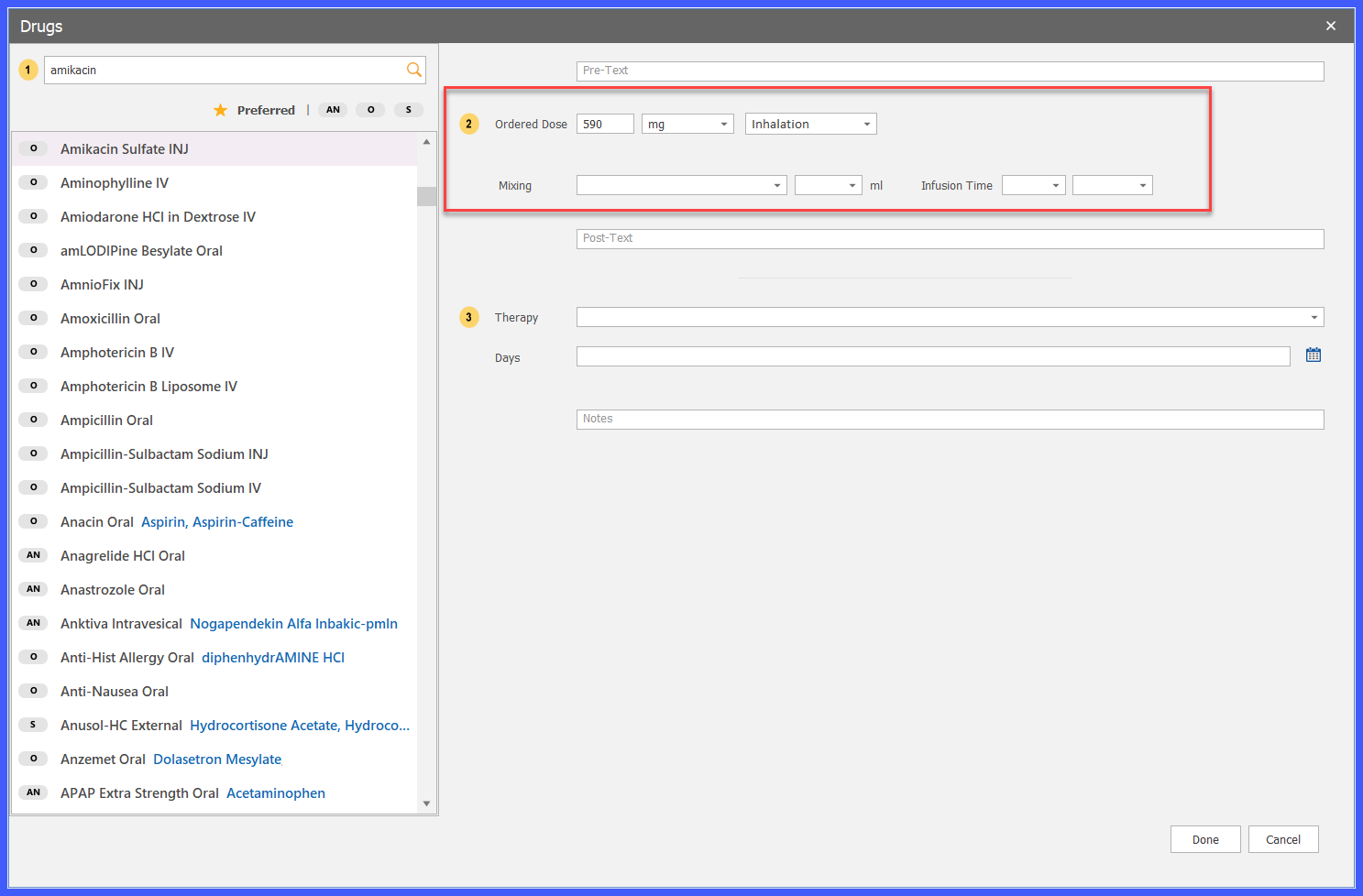
- When Inhalation has been configured for the drug, it becomes available for selection within Regimen Library and Plan workflows.
- Administer the Medication
- The Inhalation route carries forward into applicable medication administration workflows, including Chemo Administration, Drug Dispensing, Hospital Administration, and Custom/Trial Drug administration.
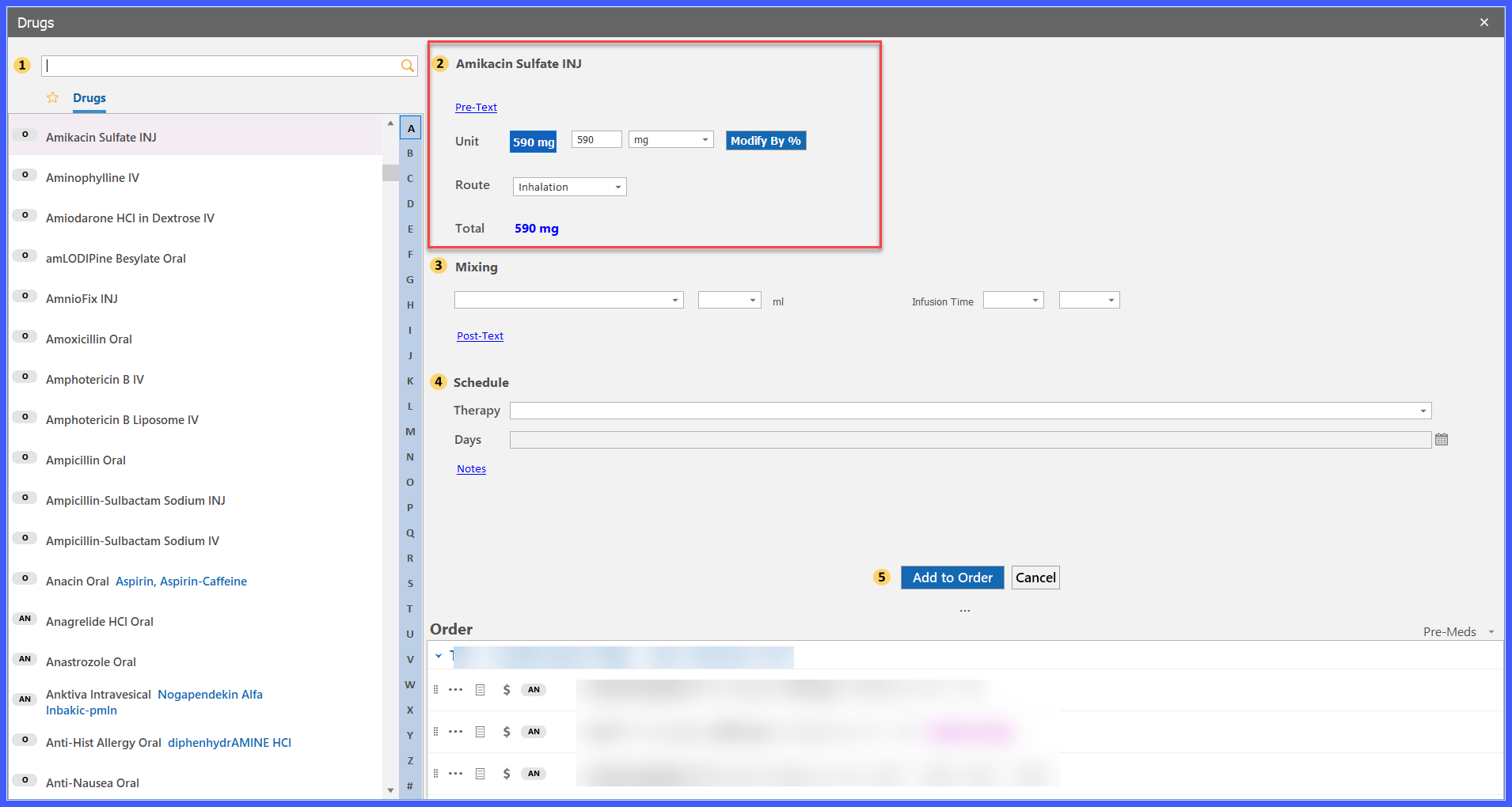
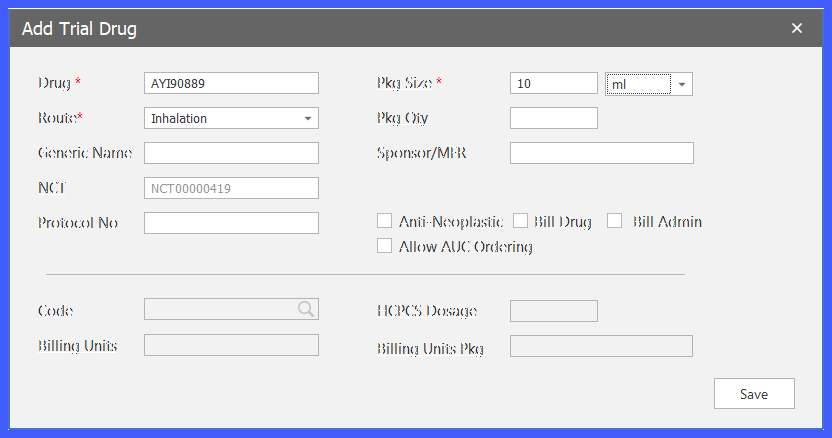
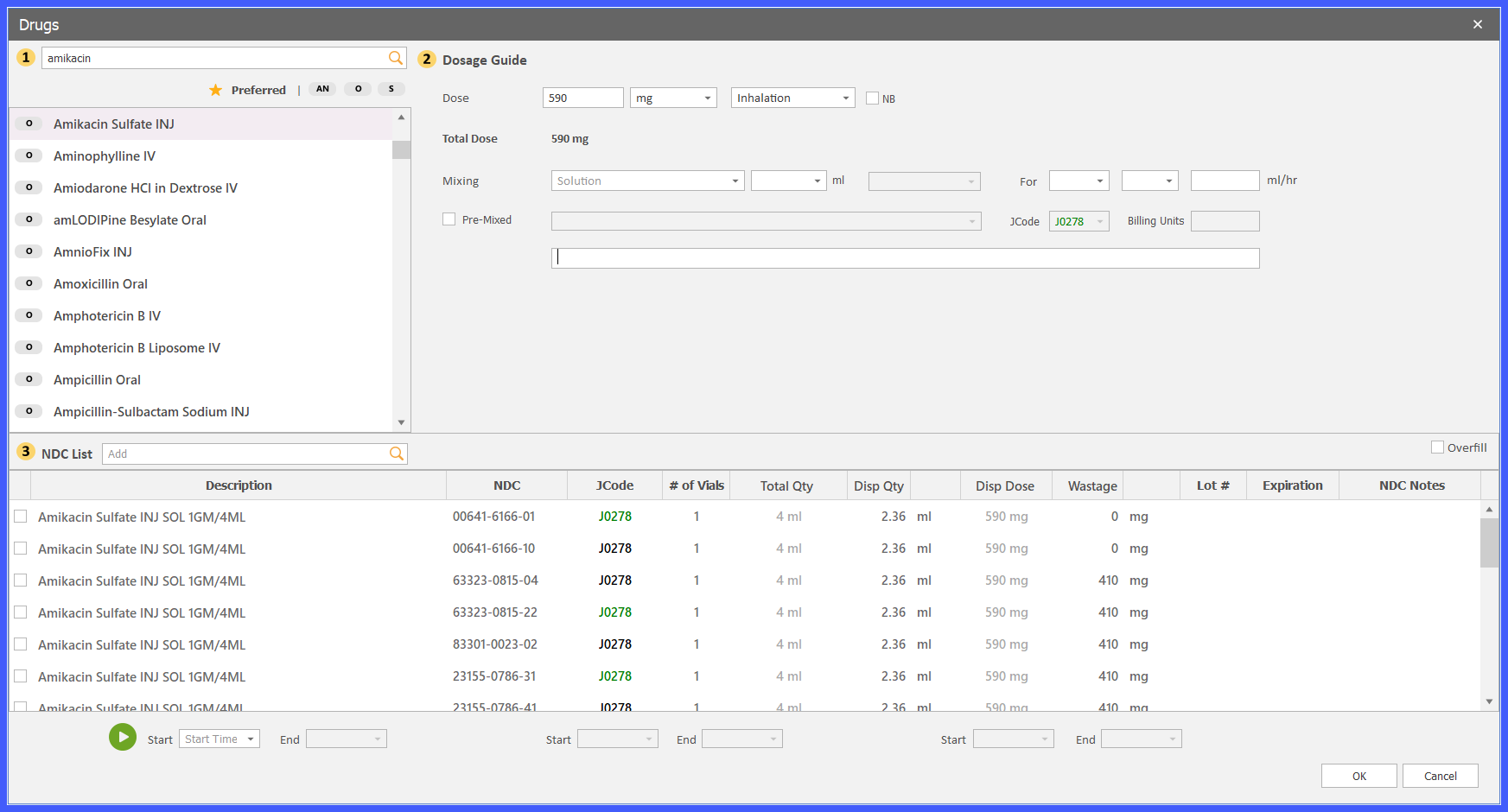
- The Inhalation route carries forward into applicable medication administration workflows, including Chemo Administration, Drug Dispensing, Hospital Administration, and Custom/Trial Drug administration.
- Sign the Administration Record
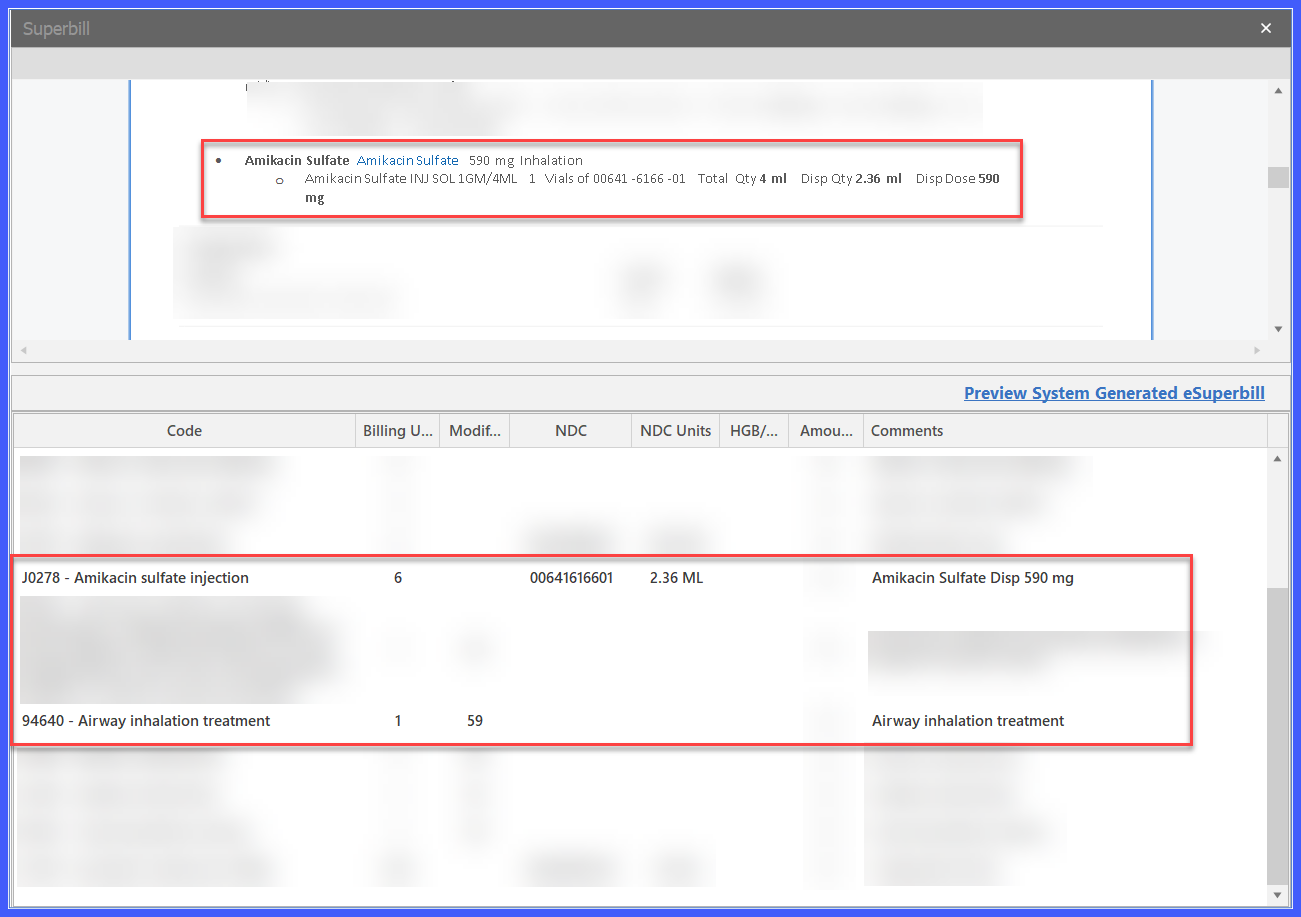
- When a Chemotherapy Administration Record containing one or more drugs administered through the Inhalation route is signed, the system automatically generates the applicable inhalation administration charge.
- When a Chemotherapy Administration Record containing one or more drugs administered through the Inhalation route is signed, the system automatically generates the applicable inhalation administration charge.
- Review Reports
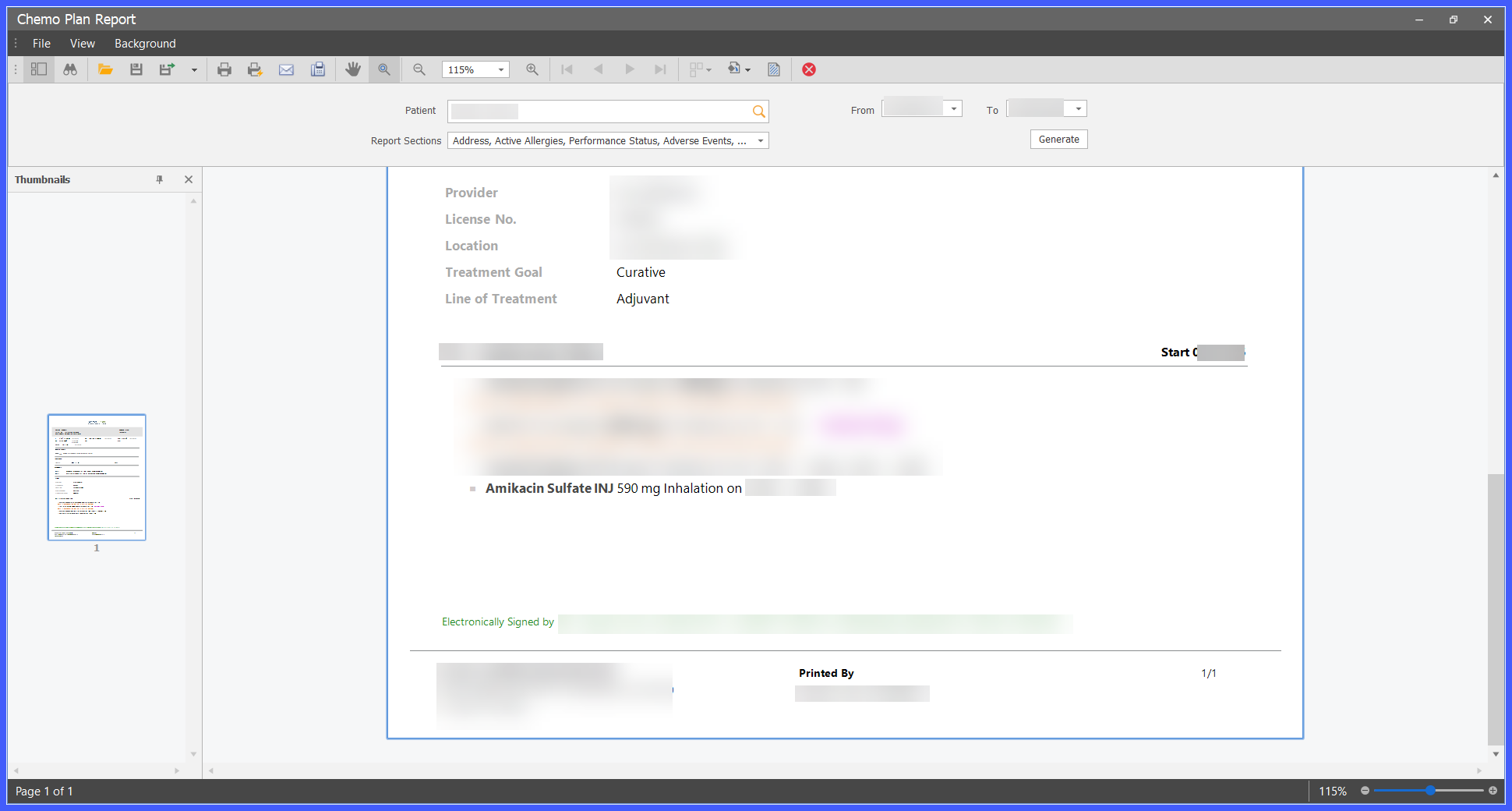
- The Inhalation route is reflected in applicable treatment and administration reports based on the route associated with the corresponding drug order.
Benefits
- Supports inhaled therapies throughout the complete Chemotherapy Manager workflow.
- Allows practices to configure, order, plan, administer, document, bill, and report inhaled medications within CureMD.
- Eliminates the need to use alternate administration routes for inhaled therapies.
- Reduces manual billing workarounds through automatic CPT 94640 generation.
- Maintains consistent route information throughout the treatment lifecycle.
- Provides consistent support across Standard of Care, Custom, and Trial drug workflows.
