Link Unmatched Rx Hub Requests to the Correct Patient Using GPS Search
What’s New
- Added the standard GPS patient search to the match section of unmatched Rx Hub requests
- The search is available for unmatched:
- Refill requests
- Change requests
- PAN requests
- NewRx activity
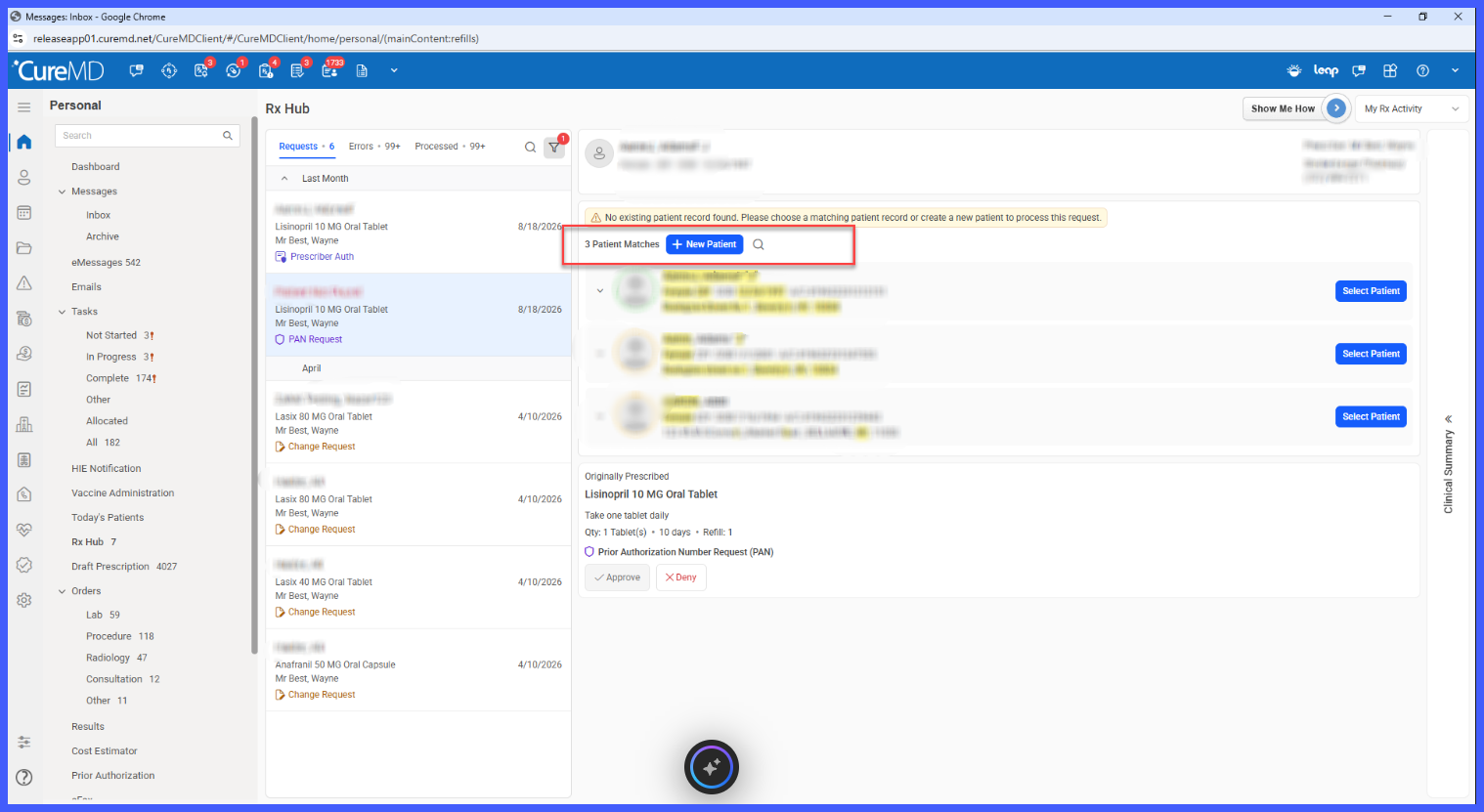
- When potential patient matches are available, GPS search initially appears collapsed as a Search icon.
- When no potential matches are found, GPS search opens expanded and pre-filled so the provider can immediately begin searching.
- Expanding the search automatically populates the patient’s inbound:
- First name
- Last name
- Date of birth
- Pre-filling the search does not automatically execute it; the provider initiates the search when ready.
- Search results use the existing GPS patient search behavior, including its supported search parameters, ordering, patient banner, and empty state.
- Selecting a patient from the GPS results immediately links the Rx Hub request to that patient’s chart without an additional confirmation step.
- Dismissing the search collapses it without linking a patient and restores the existing potential-match list unchanged.
- The same GPS search capability is available through the existing Remap Patient workflow.
- + New Patient remains available when the correct patient cannot be located.
How It Works
- Open an unmatched request in Rx Hub.
- Review any patients identified through the existing potential-match workflow.
- If the correct patient is not listed, select the GPS Search icon.
- The search expands and is pre-filled with the first name, last name, and DOB received with the inbound request.
- Initiate the search to retrieve matching patients using the existing GPS patient search functionality.
- Review the returned patient records.
- Select the correct patient to immediately link the request to that chart.
- Continue processing the prescription request using the existing Rx Hub workflow.
When No Potential Match Exists
If the existing matching process does not identify any potential patient records:
- GPS search is automatically expanded.
- The search is pre-filled with the inbound patient’s first name, last name, and DOB.
- The provider can immediately initiate a broader patient search.
- + New Patient remains available if the correct existing record still cannot be found.
GPS Search and Potential Matches
The two matching mechanisms remain independent.
- Running a GPS search does not recalculate the potential-match list.
- GPS results are not filtered based on potential matches.
- GPS results are not re-ranked against the potential-match list.
- Duplicate results are not removed simply because the same patient appears within the potential-match list.
- Closing GPS search returns the provider to the unchanged potential-match list.
Benefits
- Helps prevent duplicate patient charts by allowing providers to locate and link an existing patient even when inbound demographics do not produce a definitive match.
- Allows unmatched requests to be resolved without leaving Rx Hub to search for the patient’s chart.
- Pre-fills GPS search with inbound patient information to reduce repetitive data entry.
- Uses the familiar existing GPS patient search functionality and result presentation.
- Preserves existing potential-match, Select Patient, Remap Patient, and + New Patient workflows.
- Provides the same patient-search capability across applicable unmatched Rx Hub request types.
